"How to Use Survey Popups to Collect Zero-Party Data and Boost Conversions"
There's a category of customer data that most Shopify stores completely ignore. Not behavioral data from analytics. Not transactional data from orders. Not third-party data from ad platforms. It's the data customers willingly hand you when you ask the right question at the right moment.
Forrester coined the term "zero-party data" to describe information a customer intentionally and proactively shares with a brand. Purchase motivations, product preferences, budget ranges, gifting intentions, lifestyle details. This isn't data you infer from clicks or track with cookies. It's data the customer tells you directly, which makes it more accurate, more actionable, and completely privacy-compliant.
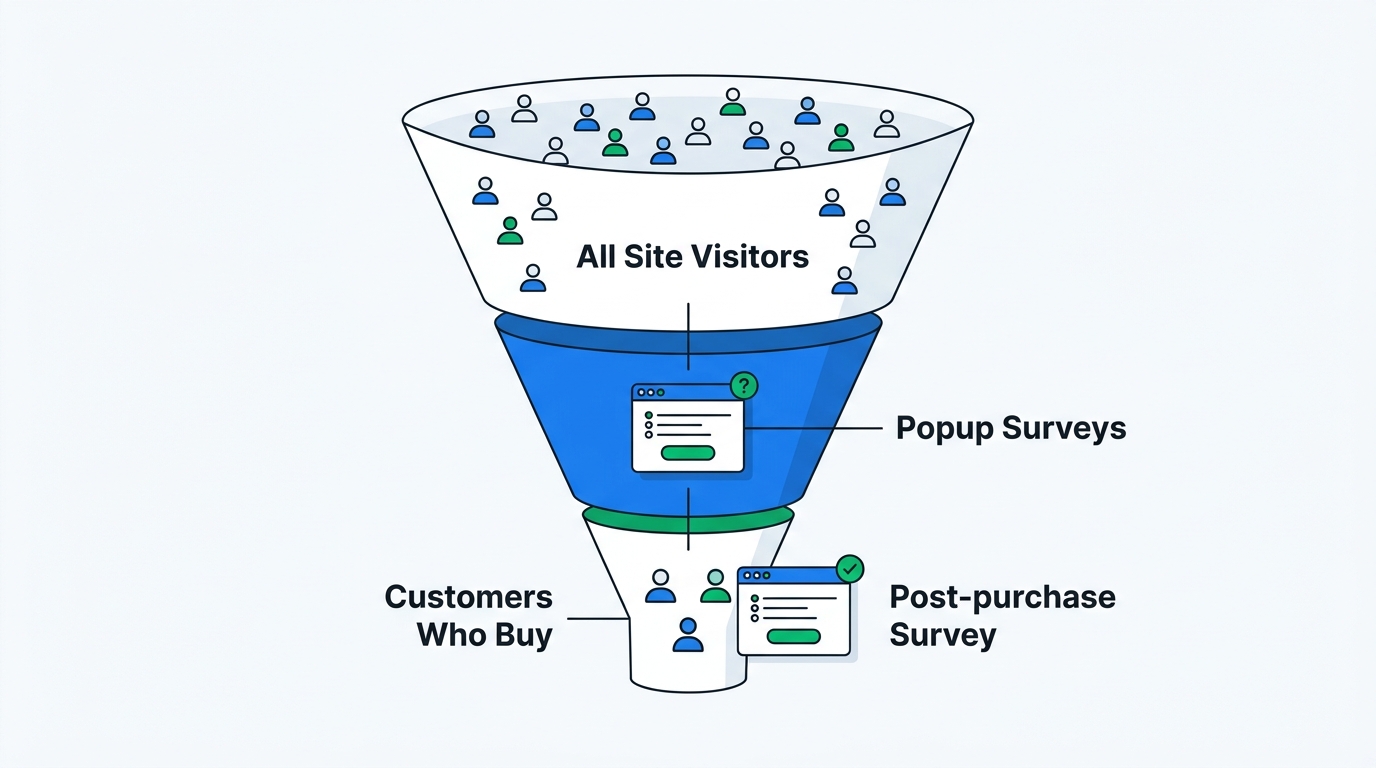
The problem is collection. Most stores don't have a systematic way to ask visitors questions and capture the answers at scale. They rely on email signup popups that collect a contact address and nothing else. Or they wait for post-purchase surveys that only reach the small percentage of visitors who actually buy.
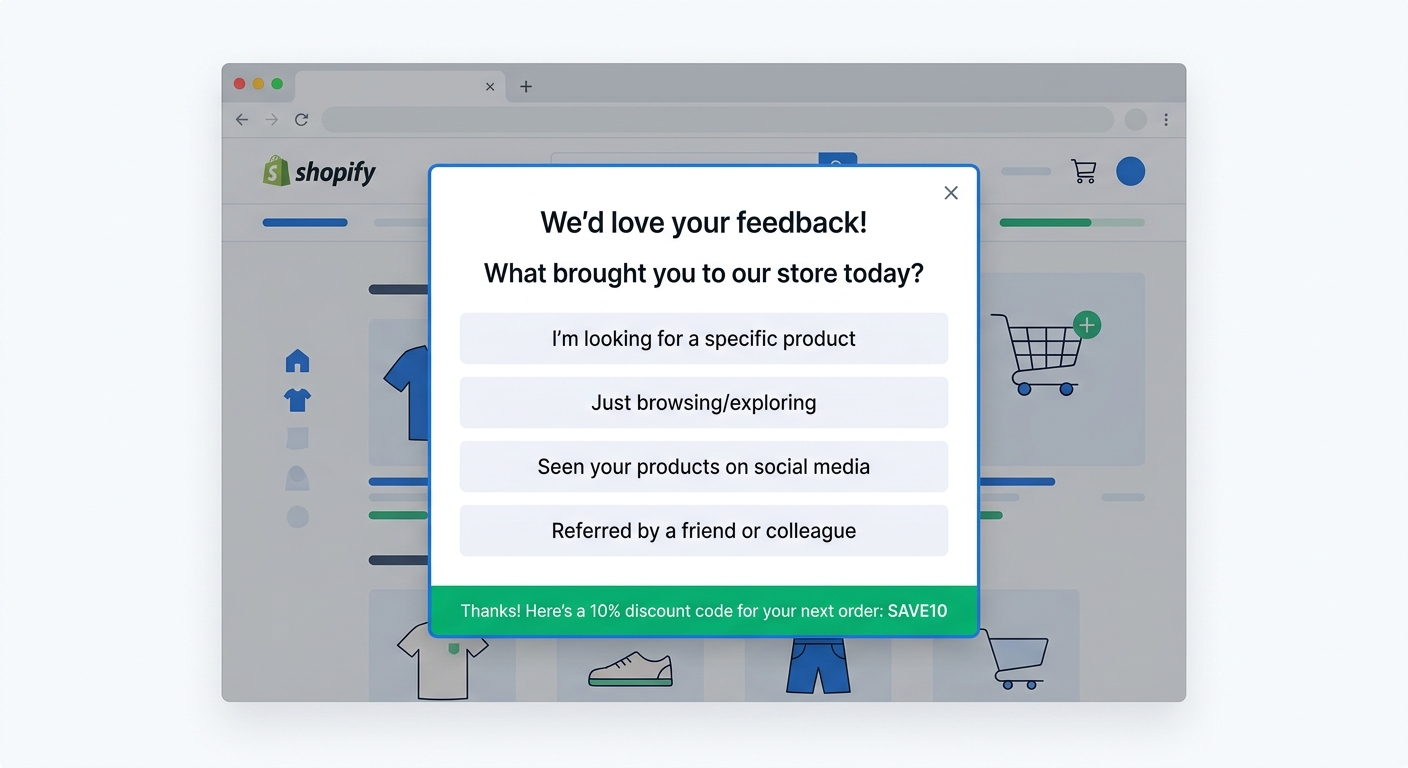
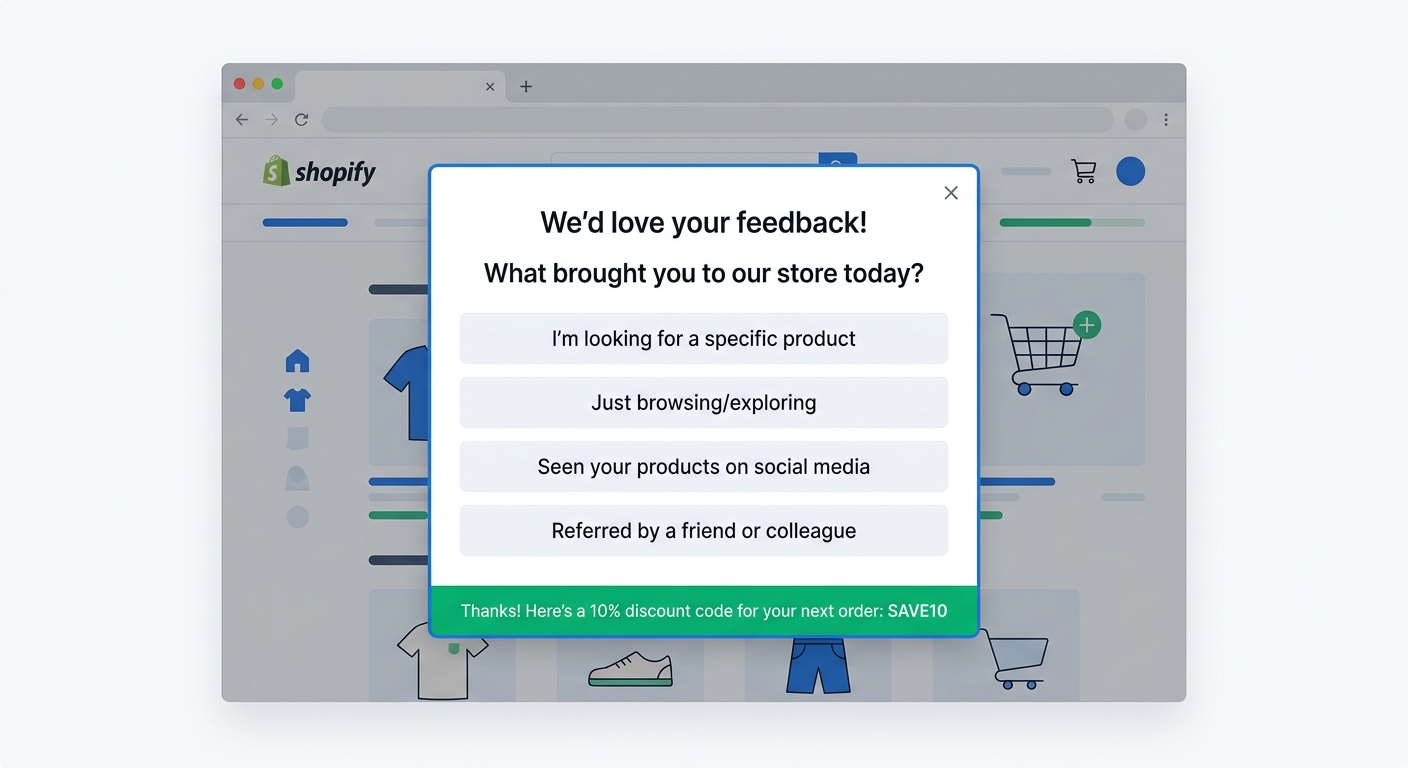
Survey popups solve this. A one-question popup triggered by exit intent or scroll depth can collect zero-party data from every visitor on your site, not just customers who purchase. Pair it with a discount code reward, and you're simultaneously collecting valuable data and driving conversions. Here's how to set it up and what to do with the data once you have it.
What zero-party data actually is (and why it matters now)
Zero-party data is any information a customer voluntarily provides. It sits in contrast to three other data types that ecommerce stores typically rely on:
Third-party data comes from external sources like ad platforms, data brokers, and tracking pixels. It's the backbone of retargeting and lookalike audiences. It's also evaporating. Safari and Firefox already block third-party cookies. Chrome is restricting them. iOS App Tracking Transparency gutted mobile tracking. The data that powered most digital advertising for the past decade is becoming unreliable or unavailable.
First-party data is what you collect directly from customer behavior on your own site. Page views, add-to-cart events, purchase history, email opens. It's valuable but purely behavioral. It tells you what someone did, not why they did it or what they actually want.
Second-party data is someone else's first-party data that they share with you through a partnership. Useful but rare in ecommerce.
Zero-party data is the missing layer. When a visitor tells you "I'm shopping for a gift for my partner" or "I found you through a friend's recommendation" or "I care most about sustainable materials," that's zero-party data. It reveals intent, motivation, and preference in ways that behavioral tracking never can.
Three forces are making zero-party data increasingly critical for Shopify stores:
Privacy regulations are tightening. GDPR, CCPA, and their successors make it harder and riskier to collect data without explicit consent. Zero-party data sidesteps this entirely because the customer is choosing to share it.
Ad targeting is degrading. Without reliable third-party cookies and cross-app tracking, customer acquisition costs rise. Stores that understand their customers through direct data can build better audiences, write better ad copy, and allocate spend more effectively.
Personalization expectations are rising. Customers expect relevant recommendations, targeted offers, and messaging that reflects their actual needs. You can't deliver that with behavioral data alone. You need to know what the customer wants, in their own words.
Why survey popups are the best zero-party data collection method
There are several ways to collect zero-party data: quizzes, preference centers, account profile forms, post-purchase surveys. Each has a place. But for pure volume and breadth of coverage, survey popups outperform every other method.
They reach everyone, not just buyers. Post-purchase surveys only capture data from customers who complete a purchase, typically 2-5% of your total traffic. Survey popups can reach the other 95%. That includes browsers who leave without buying, first-time visitors still in research mode, and returning visitors who haven't converted yet. This is the audience you know the least about and need the most insight into.
They capture data at the moment of intent. A visitor browsing your product page right now has active purchase intent. An exit intent popup catches them at the exact moment they're deciding to leave. That's when their motivations and objections are freshest and most accurately reported.
They require almost zero effort from the visitor. A single multiple-choice question takes two seconds to answer. Compare that to filling out a preference center, completing a multi-step quiz, or writing a post-purchase review. The lower the friction, the higher the response rate.
They work without an email address. You don't need the visitor's contact information to collect zero-party data. An anonymous visitor who answers "What brought you to our store?" gives you useful intelligence even if they never subscribe or purchase. That data feeds into your aggregate understanding of traffic sources, visitor intent, and product-market fit.
Five types of zero-party data to collect with survey popups
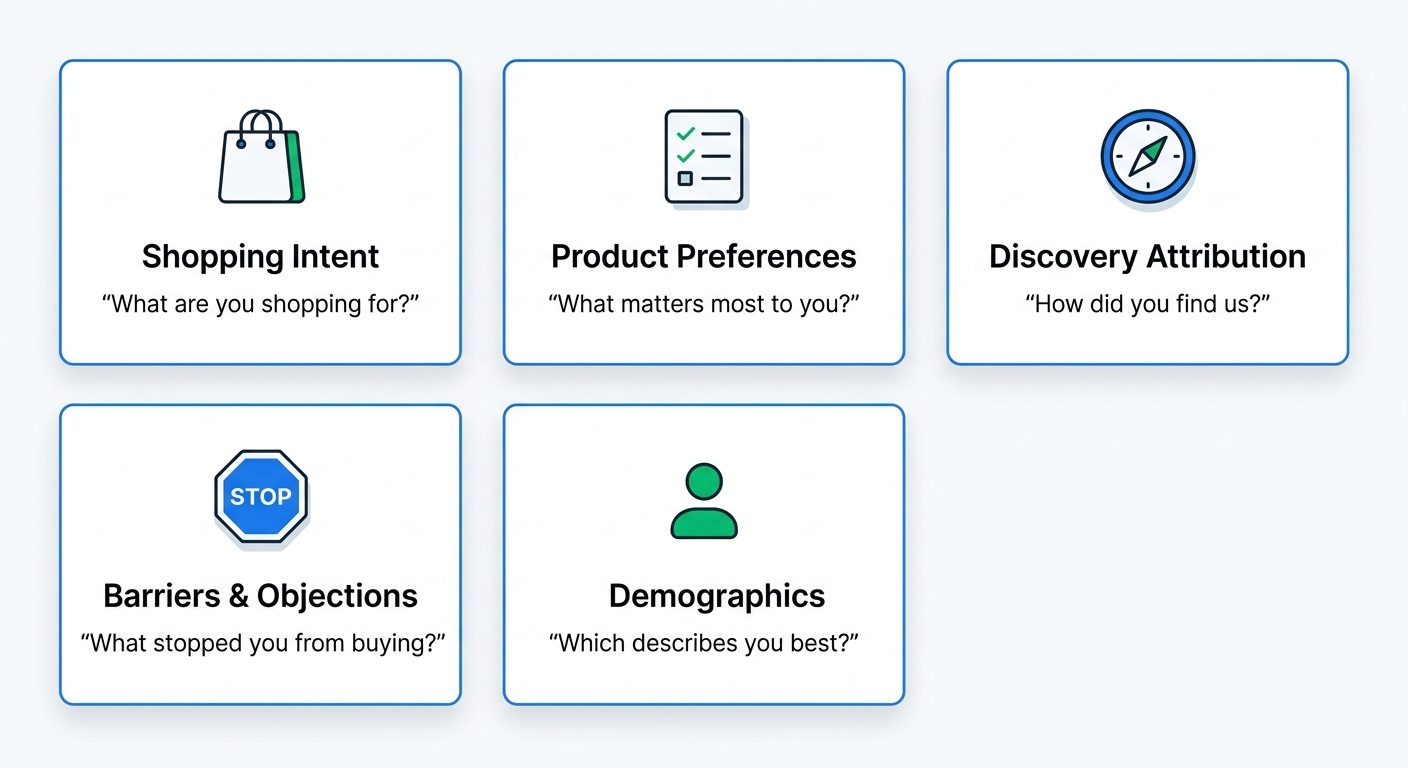
Not all zero-party data is equally useful. The best popup survey questions produce data you can act on immediately, whether that means personalizing the shopping experience, refining your ad targeting, or improving your product offering.
1. Shopping intent and motivation
Questions: "What brought you to our store today?" / "What are you shopping for?" / "Is this purchase for yourself or a gift?"
Why it matters: Intent data lets you segment visitors by what they actually want rather than what pages they happened to click. A visitor shopping for a gift has completely different needs than someone buying for themselves. Knowing this at the start of the session lets you tailor recommendations, messaging, and even the discount you offer.
How to use it: Create targeted email flows based on stated intent. Surface relevant product collections. Adjust popup follow-up messaging. If 40% of your traffic says they're shopping for gifts, that's a signal to prominently feature gift guides and gift wrapping options.
2. Product preferences and priorities
Questions: "What's most important to you in a [product category]?" / "Which feature matters most?" / "What's your preferred style?"
Why it matters: Preference data goes beyond browsing behavior. A visitor might view three different product pages, but you don't know if they're comparing on price, material, color, or features. Asking directly removes the guesswork.
How to use it: Feed preferences into product recommendation logic. Prioritize the attributes each visitor cares about. If most visitors say "sustainability" is their top priority, lead with your sustainability messaging across the site, not just on the dedicated sustainability page.
3. Discovery and attribution
Questions: "How did you discover us?" / "Where did you first hear about our brand?"
Why it matters: This is the how did you hear about us question, extended to non-buyers. Traditional attribution surveys on checkout pages only capture data from customers who complete a purchase. Running the same question as a popup survey captures attribution data from your entire traffic base, including visitors who never buy. That's a fundamentally different dataset that can reveal which channels drive awareness even when they don't drive immediate conversions.
How to use it: Compare popup attribution (all visitors) against checkout attribution (buyers only) to find channels that drive awareness but under-convert. A channel that sends lots of aware visitors who don't buy is a targeting or landing page problem, not a channel problem. With AI channel grouping, open-text responses are automatically categorized into clean channel buckets for analysis.
4. Barriers and objections
Questions: "What's stopping you from purchasing today?" / "What would make you more confident in buying?" / "Is there anything unclear about this product?"
Why it matters: Exit intent popup surveys are uniquely positioned to capture this data because they trigger at the moment a visitor decides to leave. The objection is live and specific, not a hypothetical recalled days later. Common objections reveal systemic issues: unclear sizing, unexpected shipping costs, missing product information, lack of social proof.
How to use it: Aggregate objection data to prioritize site improvements. If 30% of exit intent respondents mention shipping costs, that's a clear signal to display shipping information earlier in the browsing flow (or offer free shipping). If 25% mention sizing uncertainty, add a sizing guide or comparison photos. These aren't guesses. They're direct customer feedback about what's preventing purchases.
5. Demographic and lifestyle context
Questions: "Which best describes you?" / "What's your experience level with [product category]?" / "How often do you [relevant activity]?"
Why it matters: Demographic and lifestyle data helps you understand who your customers are at a level that analytics can't provide. A skincare brand knowing that 60% of their traffic is beginners rather than skincare enthusiasts changes everything about how they write product descriptions, structure their collection pages, and position their brand.
How to use it: Build audience personas from actual data rather than assumptions. Tailor content marketing to your real audience. Adjust ad creative to match the demographics that actually visit your store, not the demographics you assumed would visit.
Setting up survey popups that actually get answered
The difference between a popup that collects useful data and one that gets instantly dismissed comes down to five factors: timing, question design, targeting, incentive, and frequency.
Timing and triggers
Bad timing kills response rates. A popup that fires the instant someone lands on your homepage gets dismissed reflexively. The visitor hasn't even seen your products yet. They have no context for answering a question and no reason to engage.
Effective triggers give the visitor enough time to form intent:
- Exit intent: Fires when the cursor moves toward the browser's close button or address bar. Best for objection and barrier questions because the visitor is actively deciding to leave.
- Scroll depth (50%+): Fires after the visitor has scrolled through a meaningful portion of a page. Indicates genuine interest in the content.
- Time on page (15-30 seconds): Fires after the visitor has been on a page long enough to have absorbed the key information.
- Page-specific triggers: Show different questions on different pages. Product pages get preference questions. Collection pages get intent questions. The homepage gets discovery questions.
Question design
One question. That's the target for most popup surveys. You can follow up with a second question if the visitor engages, but the initial popup should be a single, clear, easy-to-answer question.
Multiple choice works best for popups. Open-text questions produce richer data but require more effort. For a popup, three to five multiple-choice options with an "Other" field gets you structured data at high response rates. Save open-text for checkout surveys and email surveys where the respondent is more invested.
Ask about the visitor, not about your brand. "What brought you here today?" (about the visitor) outperforms "How did you find our website?" (about your website) even though they capture similar data. The framing matters.
The discount code incentive
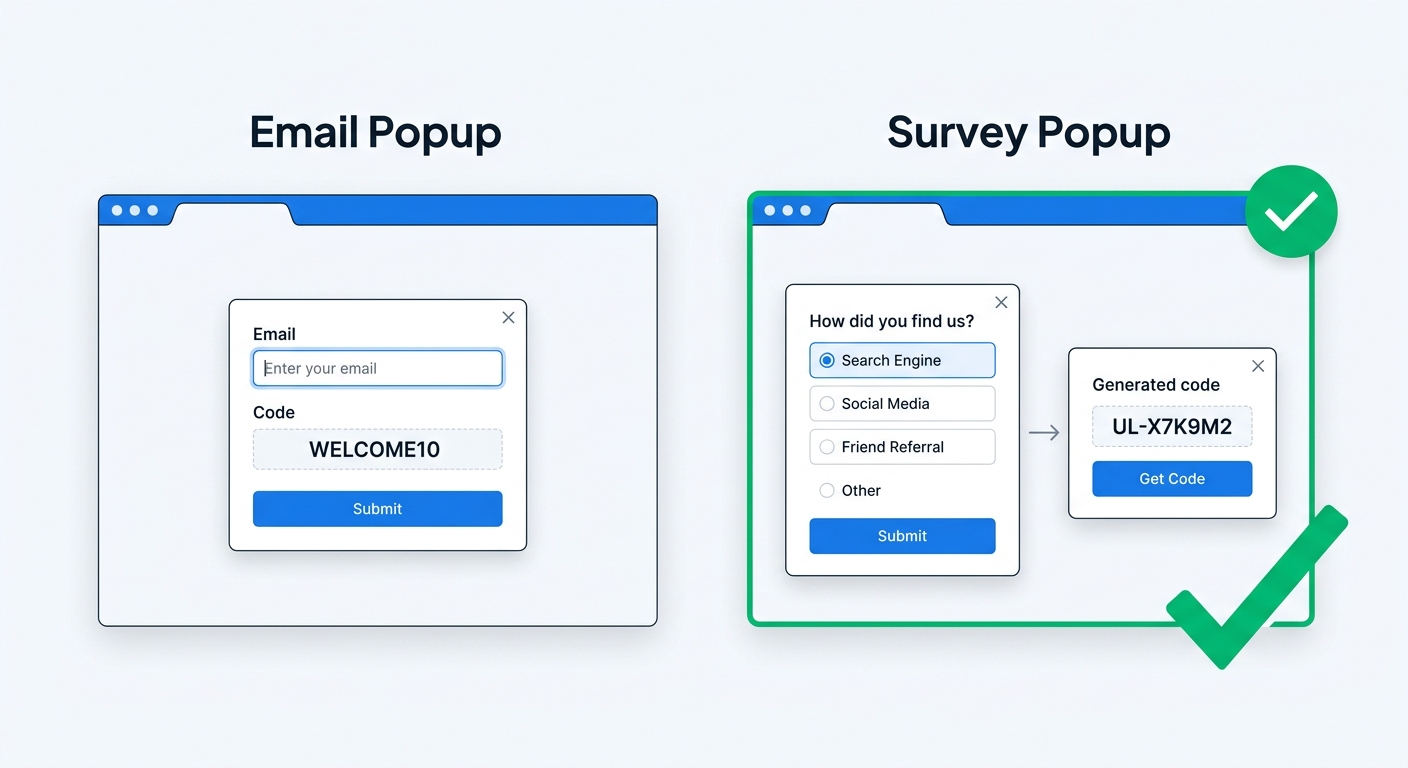
This is where survey popups diverge from every other zero-party data collection method. With UserLoop's popup surveys, completing the survey automatically generates a unique Shopify discount code for the respondent. Not a static code that leaks across coupon sites. A unique, single-use code generated on the spot.
The "survey for a discount" mechanic outperforms "email for a discount" on two dimensions:
Higher perceived value. Answering a two-second question feels like less of an exchange than surrendering your email address. The visitor gets the same discount but gives up less.
Richer data collected. An email signup popup collects an email address. A survey popup collects an email address (optionally) plus the answer to your question. You're getting strictly more value from every popup interaction. The comparison between popup surveys and email popups breaks down the conversion math in detail.
The unique code generation also eliminates discount code leakage. Static codes like "WELCOME10" inevitably end up on Honey, RetailMeNot, and every other coupon aggregator. Unique codes generated per survey response can't be shared because each one works only once.
Targeting and frequency
Not every visitor should see the same popup. Segment your popup surveys by:
- New vs. returning visitors. Ask new visitors "How did you discover us?" and returning visitors "What brings you back today?"
- Traffic source. Visitors from Instagram might get different questions than visitors from Google search.
- Page type. Product pages, collection pages, and the homepage serve different intents.
- Cart status. A visitor with items in their cart who's about to leave is a different audience than a first-time browser.
Set frequency caps so the same visitor doesn't see the same popup repeatedly. Once per session or once per week prevents fatigue while still capturing data from return visitors.
Turning zero-party data into conversions
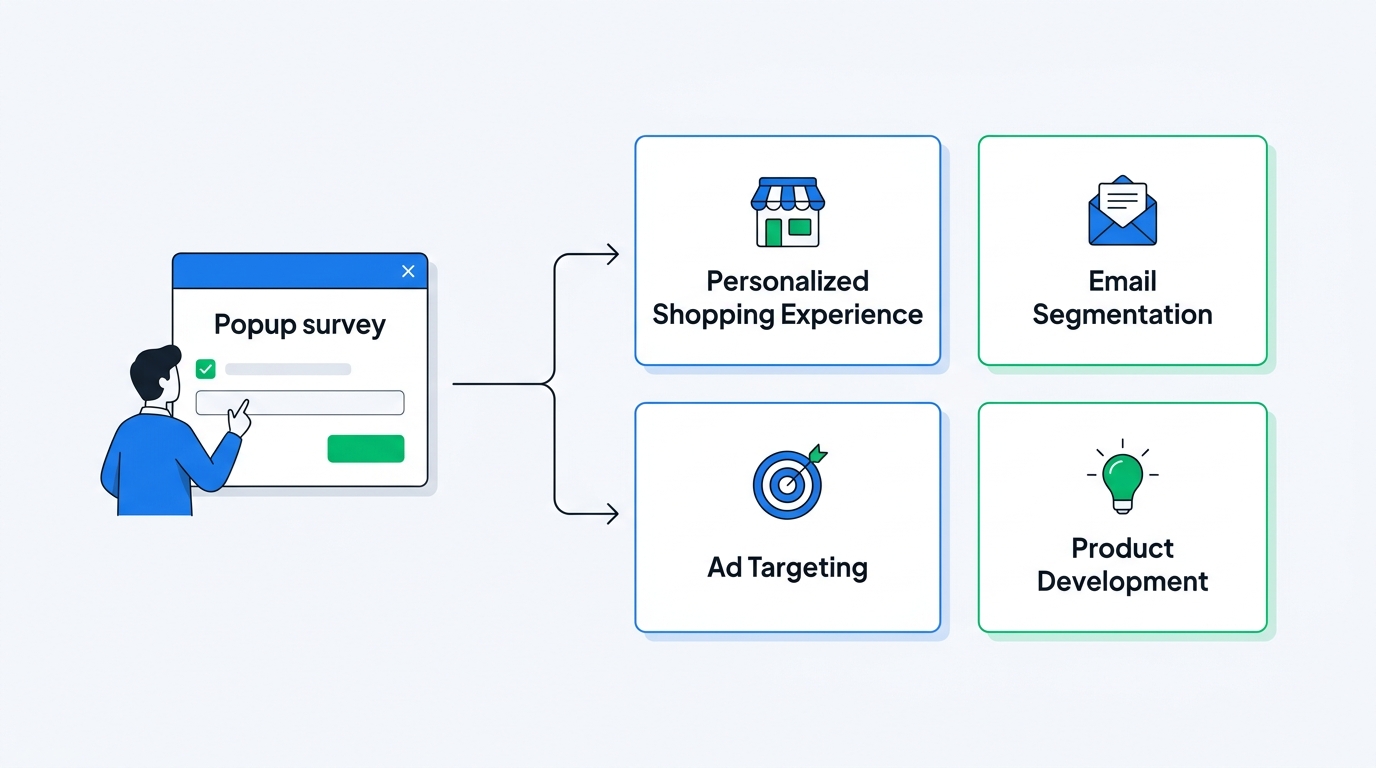
Collecting zero-party data is only valuable if you use it. Raw survey responses sitting in a dashboard don't drive revenue. The data needs to flow into the systems where customer interactions happen.
Personalize on-site experiences
If a visitor tells you they're shopping for a gift, show them your gift collections and bundles first. If they say sustainability is their priority, surface products with sustainability badges. The data is explicit and recent, so the personalization is accurate in a way that behavioral inference can never match.
Build smarter email segments
Zero-party data transforms email marketing from guesswork to precision. Instead of segmenting by purchase history alone, segment by stated intent and preference. A visitor who said they're a beginner gets educational content. A visitor who said they care about price gets notified about sales. A visitor who said they're shopping for a gift gets your gift guide flow.
Improve ad targeting and creative
Aggregate zero-party data reveals patterns that reshape your advertising. If 45% of popup respondents say they discovered you through TikTok but only 20% of buyers attribute to TikTok, you know TikTok drives awareness but needs better conversion optimization. If "sustainable materials" is the most selected preference, your ad creative should lead with sustainability, not price or style.
Use UserLoop's AI insights to automatically extract themes from open-text responses across all your popup surveys. Instead of manually reading hundreds of responses, the AI groups them into actionable themes with percentage breakdowns. You can even chat with your survey data through Claude or ChatGPT using MCP to ask specific questions like "What do visitors from paid ads say about their purchase barriers?"
Feed product development
When enough visitors tell you the same thing through popup surveys, that's product signal. "I wish you had more colors" repeated across dozens of exit intent responses is a prioritization input that product teams can act on immediately. It's direct customer voice at a scale that support tickets and reviews can't match.
Measuring what's working
Track three metrics to evaluate your popup survey program:
Response rate: The percentage of visitors who see the popup and complete the survey. Aim for 10-20% with a discount incentive. Below 5% means your timing, question, or incentive needs adjustment.
Discount redemption rate: The percentage of generated discount codes that get used. This directly measures the conversion impact of your popup surveys. Higher than your email popup redemption rate? That's the "survey for a discount" advantage in action.
Data actionability: Are you actually using the responses to change something? The best zero-party data program in the world is worthless if the data sits unread. Set a monthly review cadence where you analyze popup survey responses and identify at least one action item: a site change, an email segment, an ad creative update, a product decision.
For deeper analysis of response patterns, UserLoop's MCP integration lets you query your popup survey data conversationally. Ask questions like "What are the most common objections from mobile visitors?" or "How does stated purchase intent differ between weekday and weekend traffic?" and get answers pulled directly from your survey responses.
Start with one question
You don't need a sophisticated multi-popup, multi-question zero-party data strategy on day one. Start with one exit intent popup on your product pages asking one question: "What's stopping you from purchasing today?" with four or five multiple-choice options and a discount code reward.
That single popup will tell you more about why visitors leave your store than months of Google Analytics behavioral data. It will generate discount codes that drive immediate conversions. And it will give you a foundation of zero-party data that grows more valuable with every visitor who responds.
As you accumulate responses, layer in additional popups for different pages and different visitor segments. Add a discovery question on your homepage. Add a preference question on collection pages. Each popup builds a richer picture of your audience built on data they chose to share with you.
Ready to start collecting zero-party data from every visitor? Install UserLoop on Shopify and set up your first survey popup in under five minutes. One question, one discount code, and a direct line to what your customers actually want.


The agentic growth toolkit for Shopify
Ask your customers anything
UserLoop talks to your customers at scale with surveys and contests that feed one AI-queryable dataset. AI does the setup and the analysis.
- SurveysFind out why customers buy: checkout, email, link & QR.
- ContestsGiveaways that grow your list and social following.
Free plans on both apps · live in minutes