Popup Surveys vs. Email Popups: Why Asking a Question Converts Better
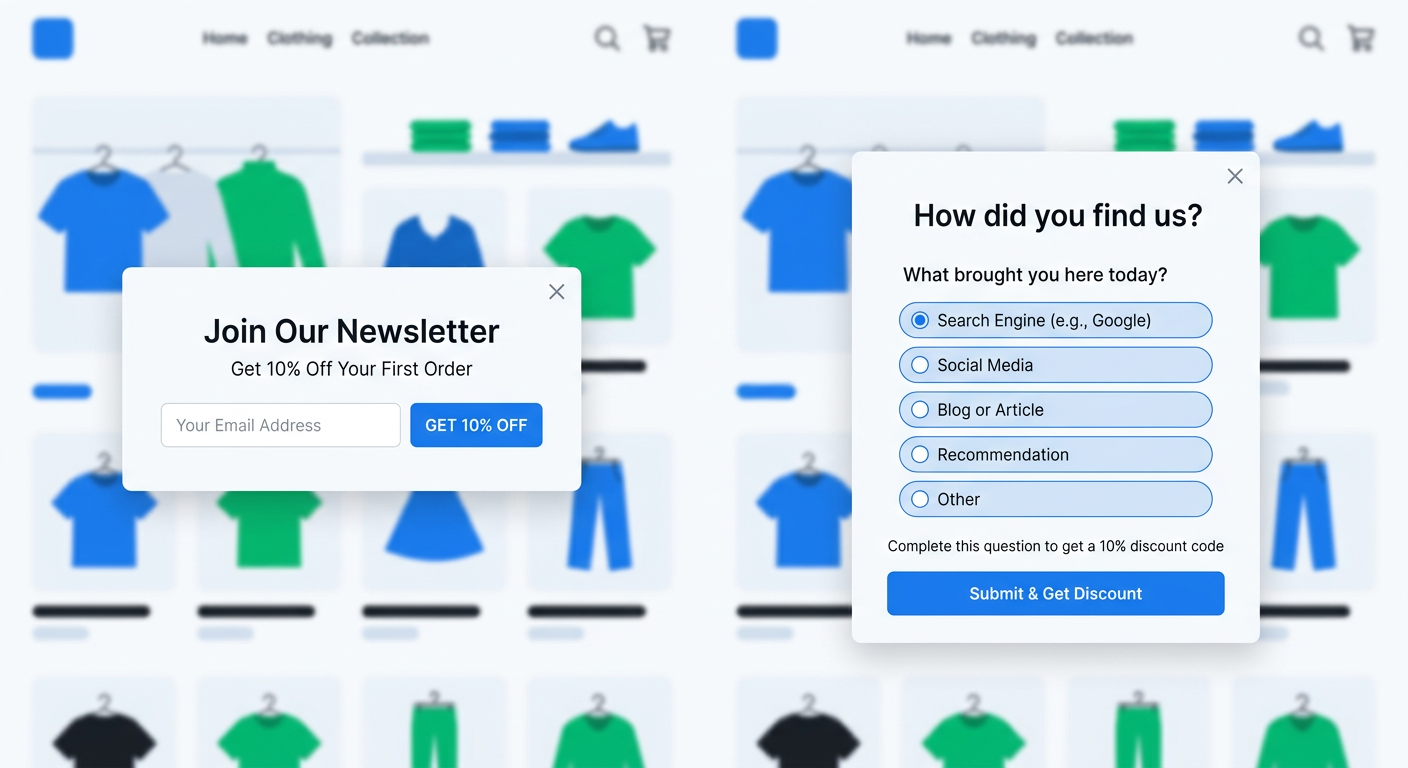
Every Shopify store has a popup. Open any DTC brand's homepage and within five seconds you'll see it: "Get 10% off your first order! Enter your email." It's the most common conversion tactic in ecommerce, and it's been essentially unchanged for a decade.
The email capture popup works. Kind of. You get an email address, add it to your Klaviyo list, and send a discount code. Some percentage of those subscribers eventually buy. Most don't. And the ones who do buy? You know almost nothing about why they showed up, what they wanted, or what almost made them leave.
Popup surveys flip this model. Instead of asking for an email, you ask a question. "What brought you to our store today?" or "What are you looking for?" The visitor answers in two seconds. You learn something useful about every visitor who engages. And you can still offer a discount code as a reward for completing the survey.
This isn't a theoretical improvement. Stores running popup surveys on Shopify see higher engagement rates, richer customer data, and better conversion from the discount codes they distribute. Here's why asking a question converts better than asking for an email, and how to set it up.
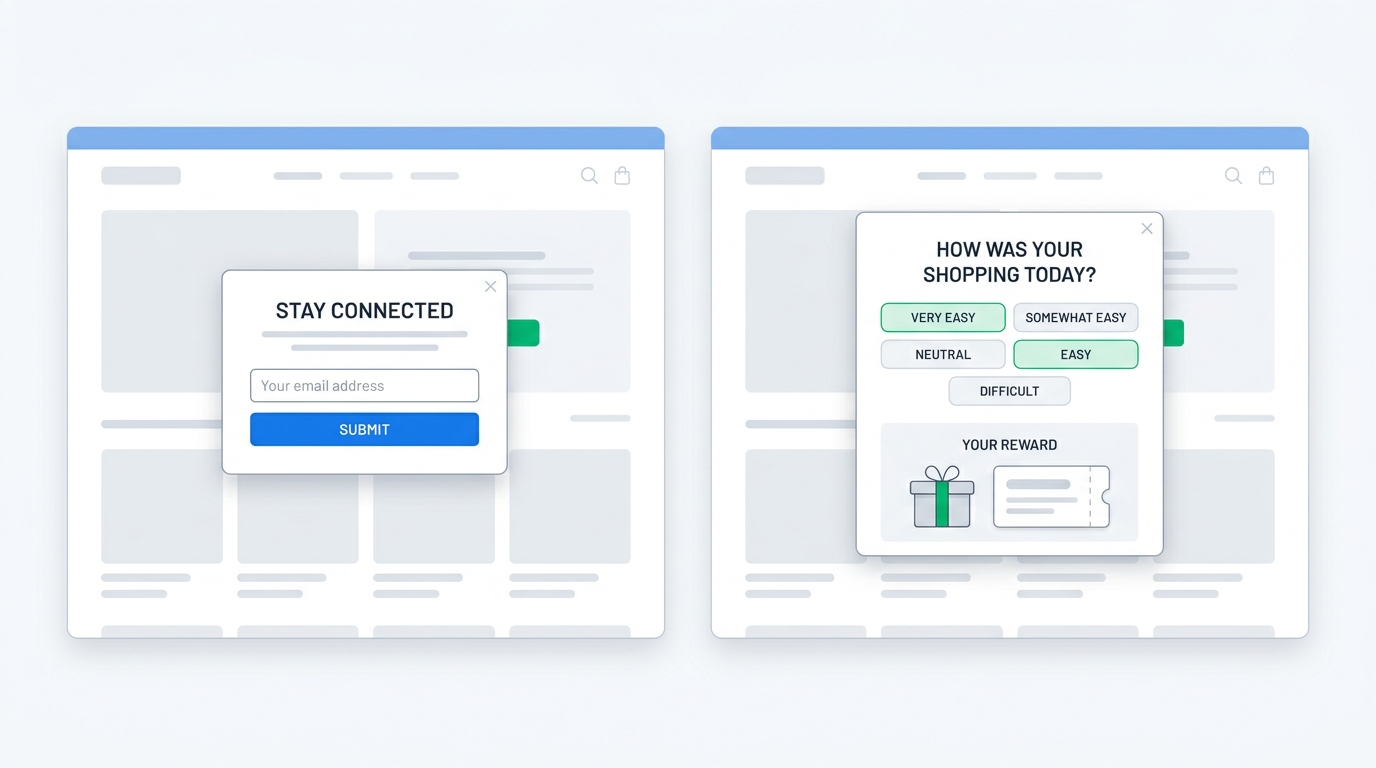
The problem with email capture popups
Email popups have dominated Shopify stores for years because they're simple to set up and the metric is easy to track. Popup fires, visitor enters email, email goes to Klaviyo, automated flow sends discount code. Clean funnel, measurable results.
But the simplicity hides several problems.
You capture contact info without context
An email address tells you how to reach someone. It tells you nothing about who they are, what they want, or why they visited your store. Every subscriber looks the same in your list: anonymous email, date captured, discount code sent.
This means your welcome flow sends the same generic sequence to everyone. The visitor who came because a friend recommended your best-selling product gets the same emails as the visitor who stumbled in from a Google ad looking for something you might not even sell. One is a high-intent prospect. The other might never open your emails. You can't tell them apart.
Discount fatigue is real
Consumers have been trained to expect a 10% off popup on every Shopify store they visit. Many have learned to dismiss it, knowing they can find the same code on a coupon extension or by Googling "[brand name] discount code." The popup becomes background noise.
Even visitors who do enter their email often do it purely for the discount, with no real interest in hearing from the brand again. This inflates your subscriber list with low-quality contacts who drag down open rates, increase Klaviyo costs, and never convert.
The exchange feels one-sided
From the visitor's perspective, you're asking them to give up their email address (and inbox space) in exchange for a discount they may not even use. It feels transactional because it is. There's no relationship being built, no value being exchanged beyond a coupon.
Compare that to being asked a genuinely relevant question: "What brought you here today?" or "What's the most important feature you're looking for?" That feels like a brand that actually cares about helping you find the right product. The interaction has substance.
How popup surveys work on Shopify
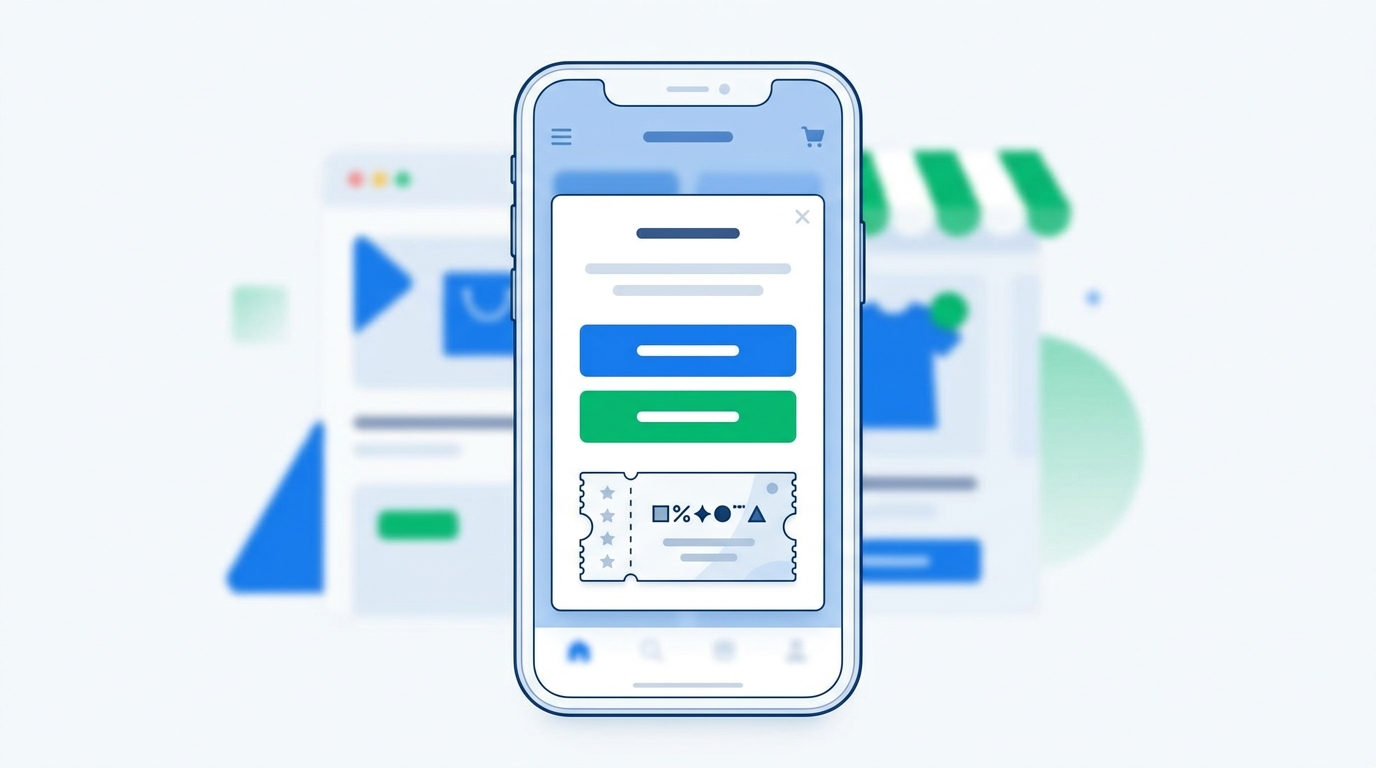
A popup survey replaces the email field with a question. It uses the same trigger mechanisms as a traditional popup (time delay, scroll depth, exit intent) but instead of collecting an email, it collects an answer.
The survey can be a single multiple choice question, an open-text prompt, or a short sequence of two to three questions. After the visitor completes the survey, they receive a unique discount code generated automatically by the app. No static codes floating around the internet.
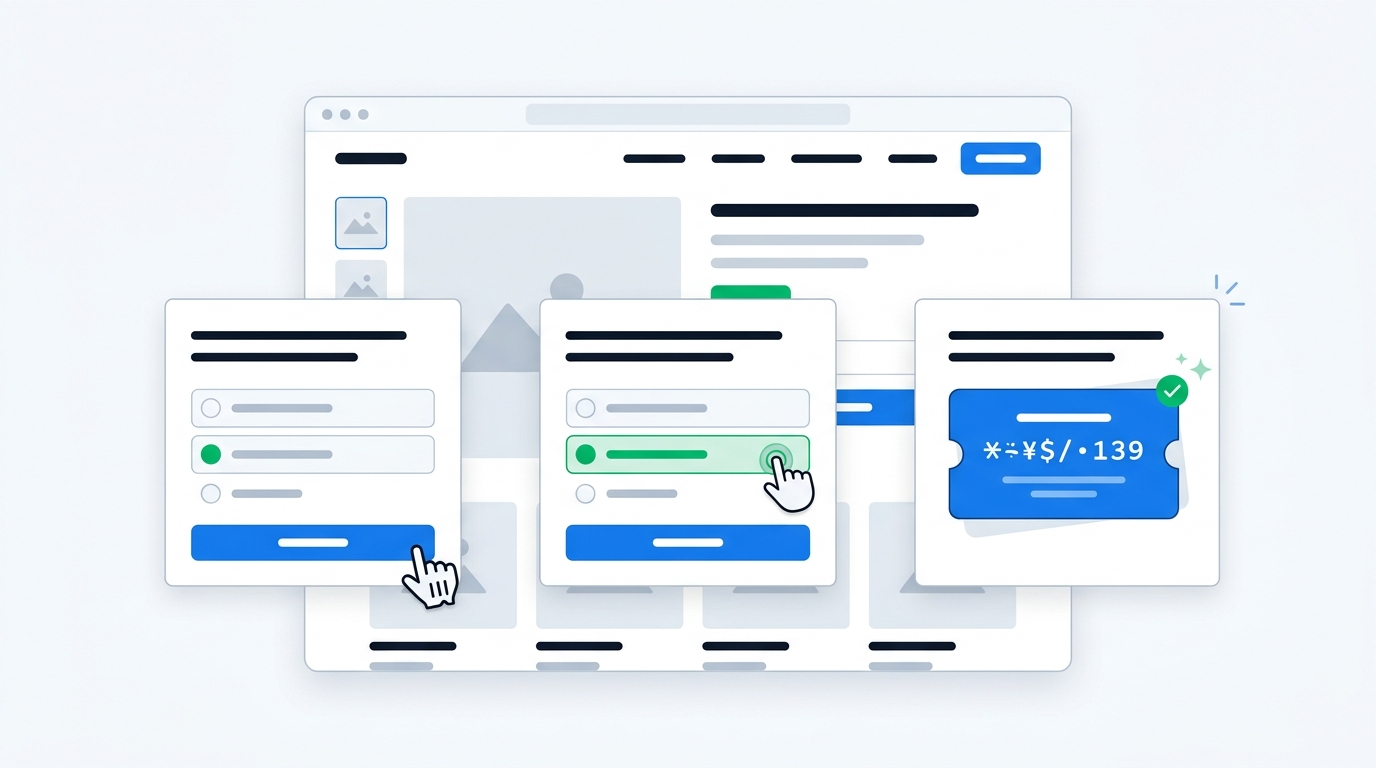
Here's what a typical popup survey flow looks like:
- Trigger: Visitor has been on a product page for 15 seconds (or attempts to exit)
- Question: "What's most important to you when choosing [product category]?" with four to five multiple choice options
- Reward: Visitor selects an answer and immediately sees a unique Shopify discount code for 10% off
The whole interaction takes about five seconds. The visitor gets their discount. You get a data point about what this visitor cares about. Both sides win.
The "survey for a discount" mechanic
This is the key differentiator. Traditional popups trade a discount for an email address. Popup surveys trade a discount for information. The visitor still gets their incentive, but you get something far more valuable than a contact: you get context.
UserLoop's popup surveys generate unique Shopify discount codes on survey completion. Each code is tied to a specific survey response, so you can track not just whether the discount was redeemed but what the customer told you when they earned it. If 80% of discount redeemers said "price" was their top concern, that tells you something different than if 80% said "ingredients."
No other Shopify popup tool generates unique discount codes tied to survey responses. Most popup apps offer static codes (the same code for everyone) or require you to create codes manually and paste them in. Auto-generated unique codes eliminate coupon sharing and give you per-response attribution.
Why popup surveys outperform email popups
The comparison isn't theoretical. Here's why popup surveys consistently deliver better results across multiple metrics.
Higher engagement rates
Answering a question is faster and feels lower-commitment than entering an email address. An email requires typing, carries privacy implications, and commits you to receiving future messages. Tapping a multiple choice answer takes one second and commits you to nothing.
This lower friction means more visitors engage with the popup instead of dismissing it immediately. When the reward (discount code) is the same either way, visitors are more willing to answer a quick question than to hand over their email.
Richer data per interaction
An email popup gives you one data point: the email address. A popup survey gives you one to three data points about what the visitor wants, what brought them here, or what's holding them back from buying. Multiply that across thousands of visitors and you've built a dataset about your audience that no amount of Google Analytics digging could produce.
This is zero-party data: information that customers intentionally and proactively share with you. It's more accurate than behavioral inferences, more compliant with privacy regulations, and more useful for personalization than anything you can scrape from cookies or pixel tracking.
Better discount redemption
When a visitor earns a discount by answering a question, they feel like they did something to get it. There's a micro sense of reciprocity. They provided information, you provided a reward. This small psychological shift leads to higher discount redemption rates compared to codes handed out just for entering an email.
The unique code aspect matters too. A visitor who receives a personalized, unique discount code is more likely to use it than one who receives the same code that shows up on RetailMeNot. Unique codes feel exclusive. Shared codes feel like a coupon clipping exercise.
Actionable insights from day one
Email popups produce a list you can market to later. Popup surveys produce insights you can act on today.
Within the first week of running a popup survey asking "What brought you to our store today?", you'll know your actual traffic mix. Not the analytics version (organic / direct / referral) but the real version: "My friend recommended you," "I saw your product on TikTok," "I was searching for [specific product type]." These responses tell you where to spend your marketing budget.
Within two weeks, patterns emerge. If 35% of your popup survey respondents say they're looking for a specific product category you don't prominently feature, that's a merchandising signal. If 20% mention a competitor's name in how they found you, that's competitive intelligence you'd never get from an email address.
What questions to ask in popup surveys
The question you ask determines the value you get. Here are the highest-ROI questions for different scenarios.
Attribution questions
"How did you hear about us?"
Best asked as open-text so visitors can tell you in their own words. This captures channels that analytics tools miss: word of mouth, podcast mentions, seeing your product at a friend's house, specific creators who mentioned you.
The challenge with open-text attribution is analysis. When you have thousands of free-text responses, grouping them manually is tedious. "Saw a TikTok," "tiktok video," "a creator on TT," and "found you on tik tok" all mean the same thing. UserLoop's AI channel grouping handles this automatically, categorizing every open-text response into clean channel buckets without any manual rules.
Intent questions
"What are you looking for today?"
Multiple choice works well here. List your top product categories plus an "Other" option. This tells you what visitors want before they've browsed, which helps you understand whether your merchandising matches visitor intent.
If 40% of visitors say they're looking for a category that's buried three clicks deep in your navigation, you know to surface it more prominently. If a significant percentage selects "Other" and types in a product you don't carry, that's product development intelligence.
Purchase barrier questions
"What's most important to you when choosing [product type]?"
Options might include: Price, Ingredients/Materials, Reviews from other customers, Shipping speed, Brand reputation. The responses tell you what to emphasize on your product pages and in your ad copy.
If "Reviews from other customers" is the top answer, invest in collecting more video testimonials and featuring them prominently. If "Price" dominates, your landing pages should lead with value propositions, not brand storytelling.
Feedback questions (exit intent)
"What stopped you from buying today?"
This is best deployed as an exit intent popup survey. When a visitor moves to leave, ask why. The responses reveal specific friction points: "Shipping was too expensive," "Couldn't find my size," "Need to think about it," "Prices are higher than [competitor]."
Each of these responses is a concrete optimization opportunity. Fix the top barriers and your conversion rate improves for every visitor, not just the ones who completed the survey. We covered this in depth in our exit intent popup survey guide.
Setting up popup surveys on Shopify
Choosing between popup types
Not every survey needs a popup. Shopify survey apps offer multiple placements, and the right choice depends on what you're trying to learn:
- Popup surveys work best for pre-purchase data: attribution, intent, and purchase barriers from visitors who haven't bought yet
- Post-purchase surveys work best for post-purchase attribution and feedback from customers who just completed an order
- Email surveys work best for product feedback and NPS from customers who've had time to use the product
Popup surveys are unique because they capture data from your entire visitor base, not just buyers. Since 95%+ of visitors never purchase, popup surveys are often the only way to learn anything about the vast majority of your traffic.
Configuration best practices
Timing matters. Don't fire the popup immediately on page load. Give visitors at least 10 to 15 seconds to browse before interrupting them. Time-delayed popups perform better than immediate ones because the visitor has context about your store before being asked a question.
One question is ideal. Multi-question popup surveys see diminishing completion rates with each additional question. If you need to ask three things, use a popup for the most important question and save the rest for a post-purchase survey or email follow-up.
Mobile matters more than desktop. Over 70% of Shopify traffic is mobile. Your popup survey must be mobile-optimized with large tap targets and minimal text. A multiple choice question with four options works perfectly on mobile. An open-text field with a tiny keyboard is a poor experience.
Frequency capping is essential. Don't show the popup to the same visitor on every page view. Once per session or once per week prevents annoyance while still capturing data from new visitors.
Targeting by page type
Different pages warrant different questions:
| Page type | Best question | Why |
|---|---|---|
| Homepage | "How did you hear about us?" | Attribution data from all visitors |
| Product page | "What's most important to you in a [product]?" | Purchase decision factors |
| Collection page | "What are you shopping for today?" | Intent and merchandising signals |
| Cart page (exit) | "What's holding you back?" | Specific purchase barriers |
This targeting ensures every question is contextually relevant, which drives higher completion rates and more useful responses.
Using popup survey data effectively
Collecting responses is the easy part. The real value comes from acting on patterns in the data.
Feed responses into your marketing
If popup surveys reveal that 30% of your visitors found you through TikTok but your ad budget is 80% Meta, you have a clear reallocation opportunity. If word of mouth is your top channel, invest in referral programs and video testimonial collection to amplify it.
Survey responses can also inform ad creative. If "ingredients" is the top concern for your visitors, your ads should lead with ingredient callouts, not lifestyle imagery. If "reviews from other customers" is what visitors care about most, feature customer testimonials in your ad creative.
Segment by response for personalized follow-up
When you combine popup survey data with email capture (some popup survey tools support collecting the email alongside the question), you can segment subscribers by their survey responses.
A visitor who said "price" is their top concern gets a welcome flow emphasizing value and bundling discounts. A visitor who said "ingredients" gets a flow featuring sourcing stories and certifications. This beats sending the same generic welcome sequence to everyone.
Analyze at scale with AI
Once you're collecting hundreds of popup survey responses per week, manual analysis becomes impractical. This is especially true for open-text questions where responses vary wildly in phrasing.
UserLoop's AI insights automatically extract themes from open-text responses and surface trends over time. You can also chat with your survey data using natural language: "What are the top purchase barriers this month?" or "How has our referral traffic changed since we launched the ambassador program?" The AI reads every response so you don't have to.
Connect to your marketing stack
Survey data becomes more powerful when it flows into your existing tools. Push popup survey responses to Klaviyo as customer properties for segmentation. Send attribution data to Meta's Conversions API so your ad optimization accounts for channels Meta can't see on its own. Export to your analytics platform for cross-referencing with behavioral data.
The more places your survey data appears, the more decisions it informs.
Common objections
Bad popups annoy visitors. A well-timed question with a useful incentive does not. If a visitor has been browsing product pages for 30 seconds and you ask "What's most important to you when choosing a moisturizer?" alongside a 10% off code, that can feel relevant instead of interruptive.
You also do not have to choose between emails and survey data. Some popup survey flows collect the answer first, then ask for an optional email before showing the discount. Others run popup surveys for some visitor segments and email popups for others.
If your current popup "works," test it against a survey popup for two weeks. Compare email capture, survey completion, discount redemption, AOV, and the value of the answers collected. Email capture rate alone is too narrow.
Getting started with popup surveys on Shopify
Setting up a popup survey takes less time than setting up a Klaviyo email flow.
Install a survey app that supports popup surveys with discount code generation. UserLoop supports this out of the box, with seven survey types in one platform including popup surveys, post-purchase, email, NPS, and video testimonials.
Choose your first question. Start with "How did you hear about us?" for attribution data, or "What are you looking for today?" for intent data. One question is enough.
Set your trigger. Time delay (15 seconds) for general pages, exit intent for product and cart pages. Set frequency capping to once per session.
Configure the discount. Enable auto-generated unique Shopify discount codes. Set the discount amount and minimum purchase threshold.
Let it run for two weeks. Collect responses, watch patterns emerge, and compare engagement metrics against your previous email popup.
You'll still distribute the same discount codes that drive purchases. The difference is that every discount now comes with context.
The shift from "email for a discount" to "answer for a discount" is small operationally but significant strategically. You stop treating every visitor as anonymous and start learning what they want.
Start with one question. See what visitors tell you. Then build from there.


The agentic growth toolkit for Shopify
Ask your customers anything
UserLoop talks to your customers at scale with surveys and contests that feed one AI-queryable dataset. AI does the setup and the analysis.
- SurveysFind out why customers buy: checkout, email, link & QR.
- ContestsGiveaways that grow your list and social following.
Free plans on both apps · live in minutes