Best Survey Apps for Shopify in 2026 (Compared by Use Case)
Searching "survey" in the Shopify App Store returns over 200 results. Most of them are either too basic to be useful or so narrowly focused they only solve one problem. Picking the right one depends entirely on what you're trying to accomplish.
A store that needs post-purchase attribution surveys has different requirements than one that wants to collect video testimonials or run NPS programs. A merchant who needs popup surveys with discount incentives needs different features than one who wants to analyze thousands of open-text responses with AI.
This guide compares the best Shopify survey apps in 2026 by use case. Instead of ranking them on a generic 1-10 scale, we'll look at what each app does best, where it falls short, and which type of merchant should choose it.
What to look for in a Shopify survey app
Before comparing individual apps, here's what actually matters when choosing one.
Survey types and placement
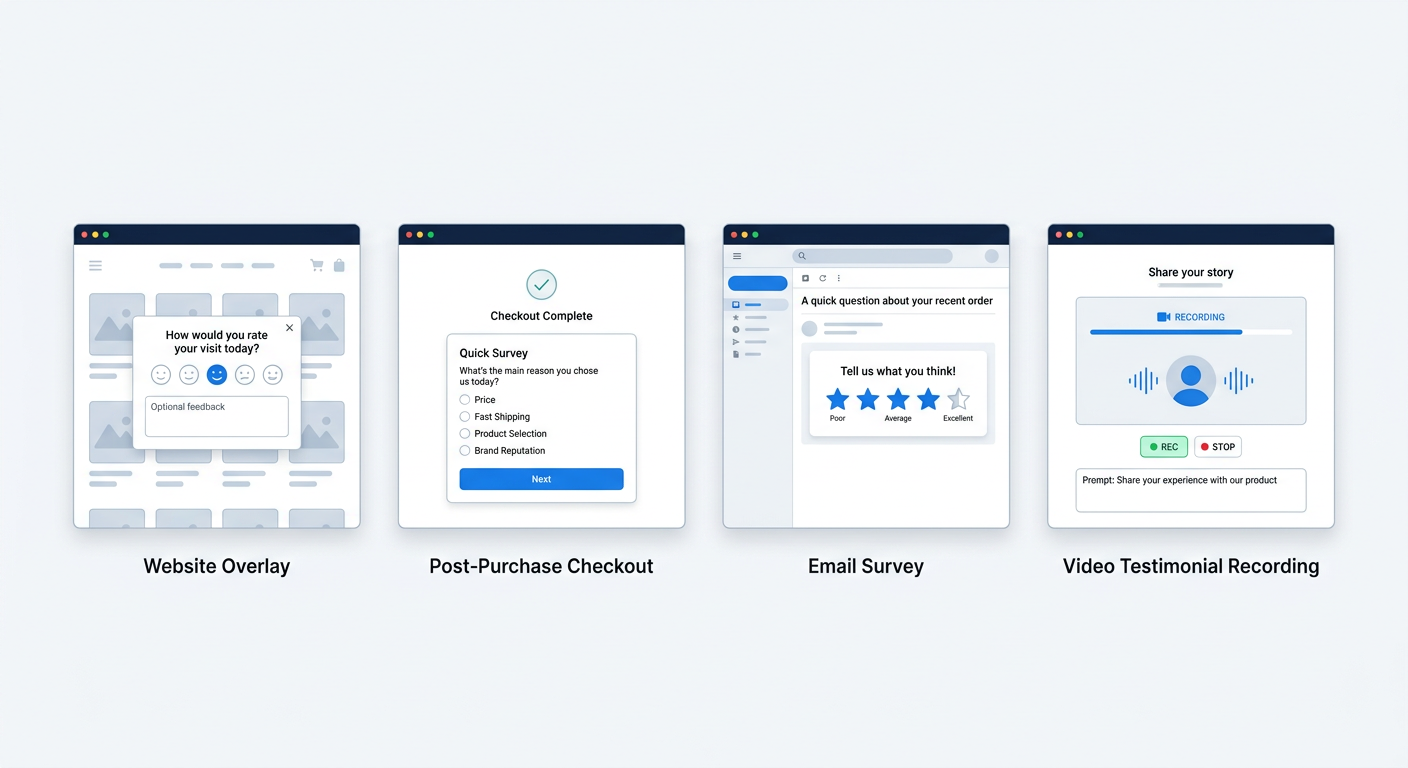
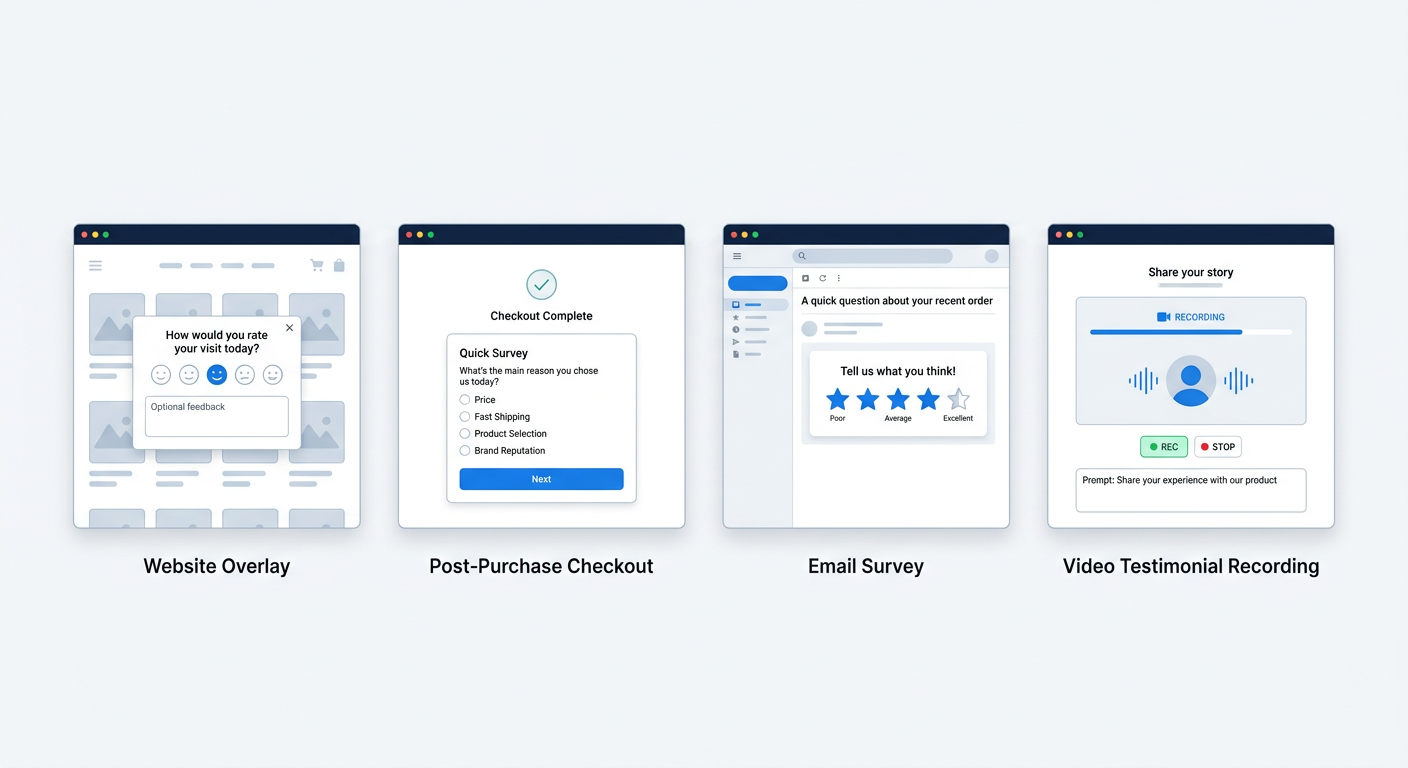
Where can the survey appear? The three main placements are:
- Post-purchase (checkout extensibility): Appears on the order confirmation or thank you page. Highest response rates because the customer just completed an action and is still engaged.
- Popup/on-site: Triggered by behavior like exit intent, scroll depth, or time on page. Good for collecting feedback from visitors who haven't purchased yet.
- Email: Sent after delivery or at timed intervals. Best for product feedback, NPS, and follow-up questions that need more context from the customer.
Some apps only support one placement. Others support all three. If you need surveys in multiple locations, choosing an app that handles all of them saves you from stitching together multiple tools.
Analysis capabilities
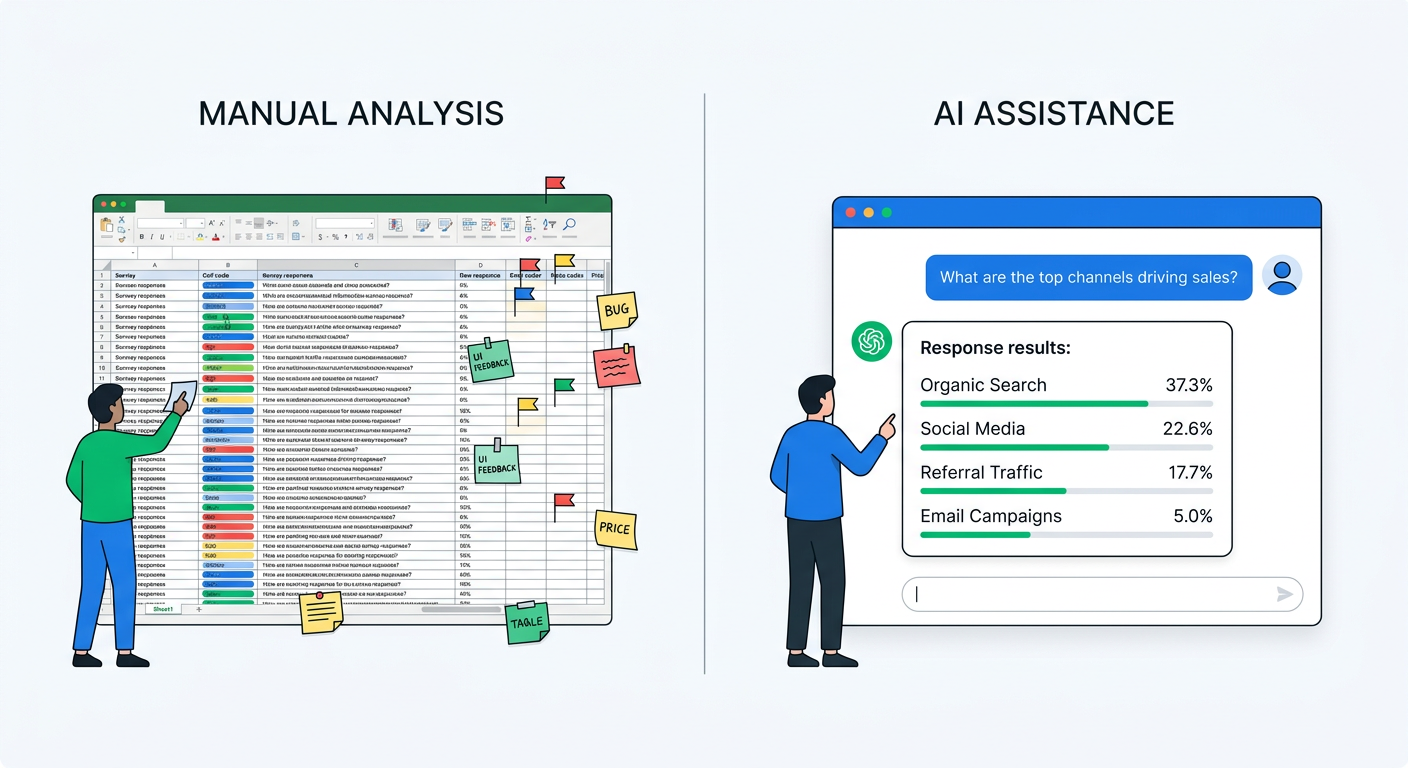
Collecting responses is the easy part. Making sense of them is where most merchants get stuck. For multiple choice questions, basic charts are fine. For open-text responses like "How did you hear about us?", you need something smarter.
Look for AI-powered analysis that can automatically categorize open-text responses, extract themes from large datasets, and let you query your data conversationally. The difference between reading 3,000 responses manually and asking an AI "what are the top purchase barriers this month?" is the difference between data you use and data you ignore.
Incentive mechanics
Can the survey offer something in return for completing it? Discount codes, free shipping thresholds, loyalty points? Incentivized surveys get dramatically higher response rates. Some apps generate unique Shopify discount codes automatically on completion. Others require you to set up static codes manually.
Integrations
Does the data go anywhere useful? Klaviyo segments, Meta Conversions API, Google Analytics, your CDP? Survey data that stays siloed in the survey tool is only half as valuable as data that flows into your marketing stack.
The best Shopify survey apps compared
UserLoop
Best for: Stores that need multiple survey types, AI analysis, and video testimonials in one platform.
UserLoop covers seven survey types: checkout (post-purchase), popup, app block, email, link, NPS, and video testimonial collection. That breadth matters because it means your survey data lives in one place regardless of where you collected it.
What stands out:
AI channel grouping for attribution. When customers answer "How did you hear about us?" with open text, UserLoop's AI automatically groups responses into clean channel buckets. "My friend told me," "a coworker recommended it," and "word of mouth from my sister" all get grouped under Word of Mouth without any manual rules or regex patterns. No other survey app does this automatically.
Popup surveys with auto-generated discount codes. Instead of the typical "enter your email for 10% off" popup, UserLoop lets you run "complete this survey for a discount" flows. The app generates unique Shopify discount codes on survey completion, so you collect zero-party data and incentivize responses simultaneously.
Video testimonial collection. Most survey tools only handle text responses. UserLoop includes built-in video testimonial collection where customers can record or upload video reviews directly from a survey. No separate UGC tool needed.
Chat with your data via MCP. UserLoop's MCP integration lets you connect your survey data to Claude or ChatGPT and ask questions in plain English. "Which channel drives the highest AOV?" or "What product complaints increased this month?" Instead of building dashboards, you have a conversation with your data.
Revenue-aware analytics. Survey responses are linked to order values, so you can see which customer segments (by satisfaction score, by attribution channel, by feedback theme) actually spend the most.
Limitations: Newer to the market than some competitors, so fewer case studies and third-party reviews available.
Pricing: Free plan available. Paid plans start at $29/month with usage-based pricing for higher volumes.
Fairing (formerly Enquire Labs)
Best for: Stores focused specifically on post-purchase attribution surveys.
Fairing built its reputation on one thing: post-purchase "How did you hear about us?" surveys. It was one of the first apps to make this question standard on Shopify checkout pages, and it does that specific job well.
What stands out:
- Strong attribution focus. Fairing's core product is the post-purchase attribution survey. It offers pre-built question templates and response analysis specifically designed for understanding marketing channel performance.
- Broad integrations. Connects to Klaviyo, Triple Whale, Northbeam, Google Analytics, and most major attribution platforms. Good for stores that want survey data flowing into their existing analytics stack.
- Question Stream feature. Lets you rotate through different questions across orders so you can ask multiple questions over time without making any single customer answer more than one or two.
Limitations:
- No popup surveys. Fairing is checkout-only. If you want to survey visitors who haven't purchased, you need a separate tool.
- No video testimonials. Text-only responses.
- Manual channel grouping. Open-text attribution responses require you to set up rules or manually categorize them. There's no AI auto-grouping for free-text answers.
- No AI conversational analysis. You get dashboards and charts, but you can't ask your data questions in plain English.
Pricing: Starts at $49/month. Higher tiers for larger order volumes.
Zigpoll
Best for: Simple, no-frills on-site surveys for quick feedback collection.
Zigpoll focuses on lightweight surveys that are quick to set up. It's a good fit for stores that want basic feedback without a complex tool.
What stands out:
- Easy setup. Minimal configuration needed. You can have a survey live in minutes.
- Multiple question types. Supports multiple choice, open text, star ratings, and NPS-style questions.
- On-site and post-purchase placement. Works both as a popup widget and on the thank you page.
- AI response analysis. Offers AI-powered summaries of open-text responses to help identify trends.
Limitations:
- No video testimonials. Text-only.
- No discount code generation. Can't automatically create unique Shopify discount codes as survey incentives.
- Limited attribution analysis. Doesn't offer the same depth of channel grouping and attribution-specific features as dedicated attribution tools.
- No MCP or conversational data analysis. AI features are limited to summaries rather than interactive querying.
Pricing: Free plan available. Paid plans from $10/month.
KnoCommerce
Best for: Enterprise and high-volume stores focused on attribution modeling.
KnoCommerce (formerly KNO) is an attribution-focused survey platform targeting larger Shopify stores. It emphasizes connecting survey data with ad platform reporting to optimize spend.
What stands out:
- Attribution modeling. Combines survey responses with platform-reported data to create blended attribution models. Useful for stores spending heavily on paid acquisition across multiple channels.
- Pre-built survey templates. Extensive library of tested question templates for attribution, product research, and customer profiling.
- Ad platform integrations. Deep integrations with Meta, Google, TikTok, and other ad platforms for feeding survey data back into optimization algorithms.
Limitations:
- Attribution-only focus. Not a general-purpose survey tool. If you need NPS, product feedback, or popup surveys, you'll need additional tools.
- No popup surveys or exit intent. Checkout placement only.
- No video testimonials. Text responses only.
- Higher price point. Designed for established brands with meaningful ad spend. Not ideal for smaller stores.
- No conversational AI analysis. Dashboards and reports, but no ability to query data in natural language.
Pricing: Custom pricing, typically starting higher than other options. Contact sales for quotes.
Grapevine Post Purchase Survey
Best for: Budget-conscious stores that just want a basic "How did you hear about us?" question.
Grapevine is one of the most popular free survey apps on Shopify. It does one thing: adds a post-purchase survey to your thank you page.
What stands out:
- Free tier. The basic plan is free, which makes it accessible for stores just starting with post-purchase surveys.
- Simple setup. Extremely straightforward. Pick a question, customize the options, install on your checkout page.
- Good for getting started. If you've never run a post-purchase survey before, Grapevine removes all friction from trying it.
Limitations:
- Very basic analysis. Simple bar charts and percentages. No AI analysis, no theme extraction, no conversational querying.
- Post-purchase only. No popup surveys, no email surveys, no video collection.
- No open-text AI grouping. If you use open-text responses, you're manually reading through them.
- Limited integrations. Doesn't connect to the same breadth of marketing tools as more established platforms.
- No incentive mechanics. Can't generate discount codes or offer rewards for survey completion.
Pricing: Free plan available. Paid plans for additional features.
Hulk NPS Post Purchase Survey
Best for: Stores specifically focused on NPS tracking.
Hulk focuses on Net Promoter Score surveys, making it a good choice if NPS is your primary metric.
What stands out:
- NPS-focused. Purpose-built for tracking NPS over time with trend analysis and benchmarking.
- Automated NPS emails. Can send NPS surveys via email at configured intervals after purchase.
- Integration with Hulk ecosystem. If you already use other Hulk apps, the survey data integrates with their product suite.
Limitations:
- NPS-only focus. Not suitable if you need attribution surveys, popup surveys, or broader feedback collection.
- No AI analysis. Manual review of open-text follow-up responses.
- No video testimonials. Text only.
- No popup or exit intent surveys. Email and post-purchase only.
Pricing: Free plan with limited responses. Paid plans from $20/month.
Comparison by use case
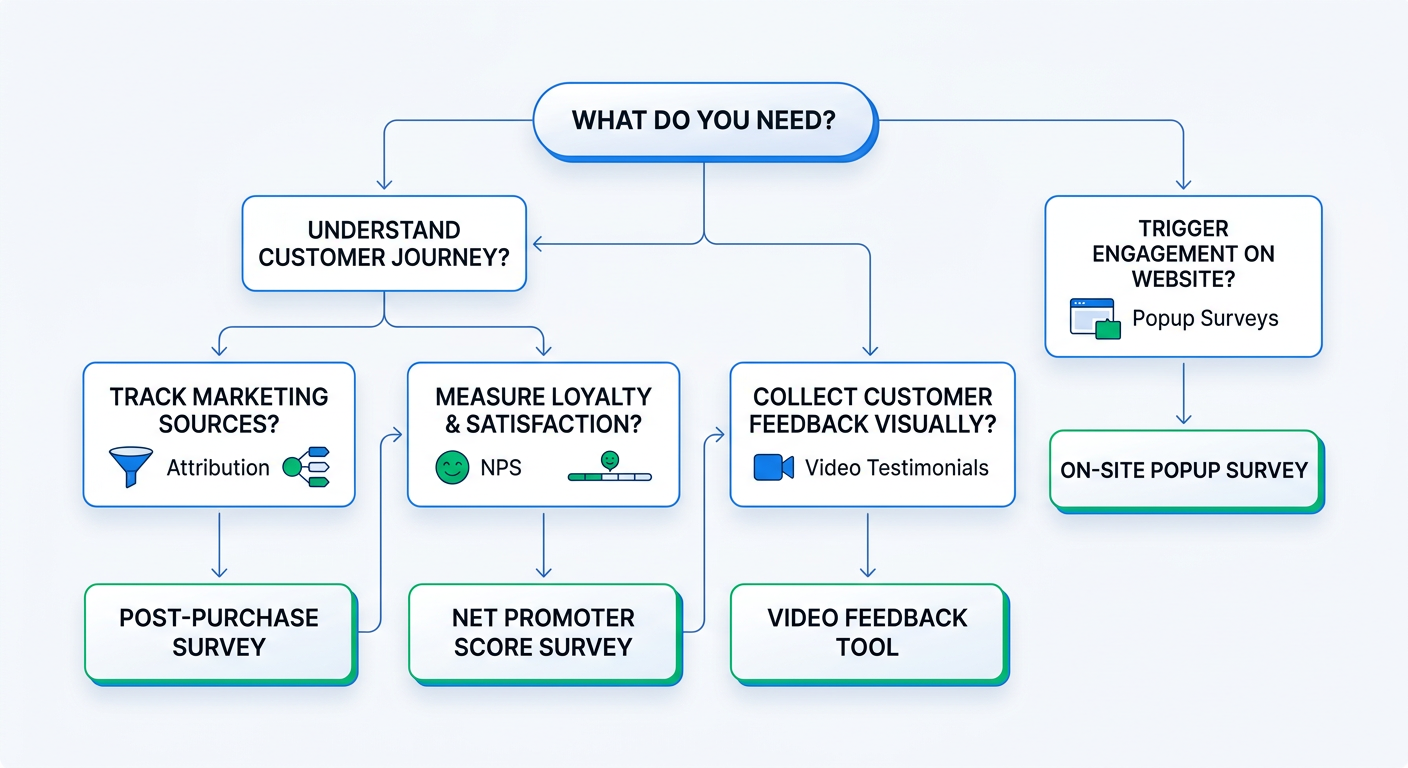
Rather than a feature matrix (which always makes everything look the same), here's how to choose based on what you actually need.
"I need to know where my customers come from"
Choose: UserLoop or Fairing.
Both handle post-purchase attribution well. The difference is in how they process responses. Fairing requires manual rules for grouping open-text answers. UserLoop's AI channel grouping does it automatically, which matters when you're processing hundreds of responses per month and the variations in how people describe "TikTok" alone could fill a spreadsheet.
If attribution is your only need and you have the bandwidth to manage grouping rules, Fairing is solid. If you want attribution plus other survey types and prefer AI handling the categorization, UserLoop covers more ground.
"I want to collect video testimonials from customers"
Choose: UserLoop.
None of the other survey apps on this list offer video testimonial collection. If you want video testimonials without hiring a UGC agency, UserLoop is the only survey platform that includes it natively. You'd otherwise need a separate tool like Videowise or Loox and manage two platforms.
As we covered in How to Collect Video Testimonials from Customers (Without an Agency), the key advantage is that video collection happens inside the same survey flow your customers are already completing. No separate emails, no friction.
"I want popup surveys that offer discounts"
Choose: UserLoop.
The "survey for a discount" mechanic is unique to UserLoop among the apps compared here. Instead of the standard email-for-discount popup, you ask a question and generate a unique discount code on completion. You collect zero-party data while incentivizing the interaction. We compared this approach in detail in Exit Intent Popup Surveys for Shopify.
"I want to analyze survey responses with AI"
Choose: UserLoop.
Conversational analysis via MCP lets you ask questions about your survey data in plain English and get answers in seconds. As we explored in Chat With Your Survey Data: How AI Is Replacing Spreadsheet Analysis, this is fundamentally different from dashboards. Instead of building reports, you ask "what changed in customer sentiment this month?" and get an answer.
Other apps offer basic AI summaries, but none provide the same depth of interactive, conversational analysis.
"I just want a basic post-purchase survey for free"
Choose: Grapevine.
If you've never run a post-purchase survey and want to test the concept with zero investment, Grapevine gets you started. Once you see the value in the data and want AI analysis, video collection, or popup surveys, you'll outgrow it quickly, but it's a fine starting point.
"I need NPS tracking specifically"
Choose: UserLoop or Hulk NPS.
If NPS is your only metric, Hulk works. If you want NPS alongside other survey types and revenue-aware NPS analytics that show how satisfaction scores correlate with customer spend, UserLoop provides more context for making NPS data actionable.
"I'm spending $50K+/month on ads and need attribution modeling"
Choose: KnoCommerce or UserLoop.
KnoCommerce's strength is in blending survey data with ad platform reporting for stores with significant paid acquisition budgets. If you're already using Triple Whale or Northbeam and want survey data piped directly into those models, KnoCommerce integrates well.
UserLoop handles attribution with AI channel grouping and offers the same post-purchase survey placement, plus every other survey type. For stores that want attribution combined with NPS, popup surveys, video testimonials, and conversational AI analysis, it's more versatile.
Features that matter more than you think
Response rates
The best survey app is worthless if nobody completes the surveys. Response rates depend more on placement and timing than on the tool itself, but some features help:
- Discount incentives dramatically increase completion rates. Apps that generate unique Shopify discount codes (like UserLoop) remove the friction of creating and managing codes manually.
- Short surveys outperform long ones. Apps that support single-question surveys on the checkout page get higher response rates than those requiring multi-step forms.
- Post-purchase placement consistently delivers the highest rates across all apps because customers are already engaged.
For a deeper dive on optimizing response rates, see 30 Post-Purchase Survey Questions That Actually Drive Revenue, which covers timing and question design.
Data analysis at scale
With 50 responses per month, you can read every answer manually. At 500, you're skimming. At 5,000, you're ignoring most of them.
The analysis tools built into each app determine whether your survey data actually gets used. Basic bar charts work for multiple choice questions. But the most valuable survey questions are open-text, and making sense of thousands of open-text responses requires AI.
AI channel grouping for attribution, theme extraction for product feedback, and conversational analysis for ad-hoc questions are the features that separate "we collect survey data" from "we act on survey data."
Platform consolidation
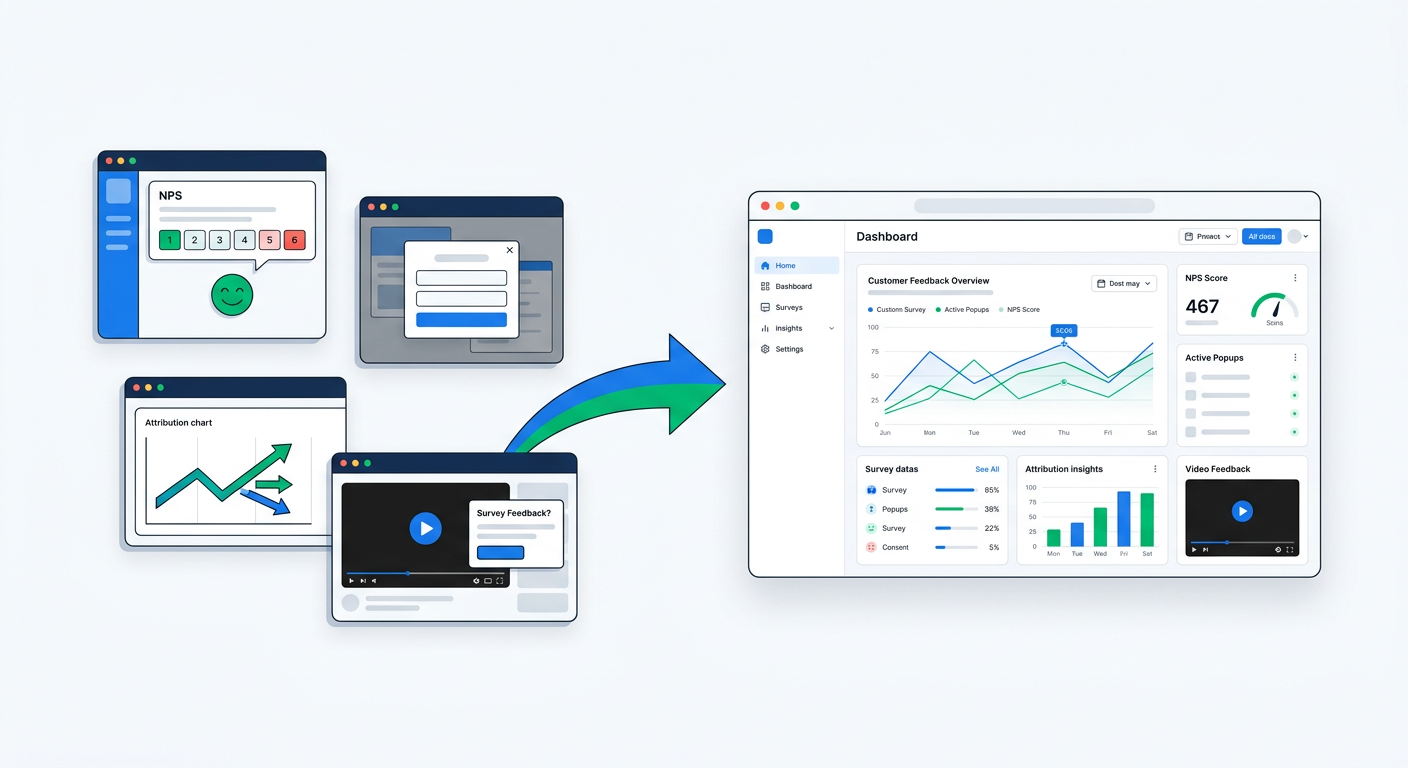
Using one app for post-purchase surveys, another for popups, another for NPS, and another for video testimonials creates fragmented data. Customer feedback that should be analyzed together ends up in four separate dashboards.
Consolidating onto a single platform that handles all survey types means every response, whether it came from a checkout survey, a popup, an email, or a video testimonial, lives in the same dataset. You can analyze patterns across touchpoints instead of within silos.
Getting started
If you're unsure which app to try first, ask yourself two questions:
- What's your primary use case? Attribution? NPS? Popup surveys? Video testimonials? General feedback?
- How many responses per month do you expect? Under 100 responses, analysis features matter less. Over 500, they become essential.
For most Shopify stores that want a single survey platform covering multiple use cases, UserLoop provides the broadest feature set: seven survey types, AI-powered analysis, video testimonials, popup surveys with discount codes, and conversational data analysis through MCP.
Start with the free plan, set up a post-purchase attribution survey, and see what your customers tell you. The first insight that surprises you, the channel you didn't know was driving sales, the purchase barrier you didn't know existed, will justify the time investment immediately.


The agentic growth toolkit for Shopify
Ask your customers anything
UserLoop talks to your customers at scale with surveys and contests that feed one AI-queryable dataset. AI does the setup and the analysis.
- SurveysFind out why customers buy: checkout, email, link & QR.
- ContestsGiveaways that grow your list and social following.
Free plans on both apps · live in minutes