How to Collect Video Testimonials from Customers (Without an Agency)

A written review says "great product." A video testimonial shows a real person, in their own home, holding your product and explaining why they love it. There's no contest when it comes to trust and conversion impact.
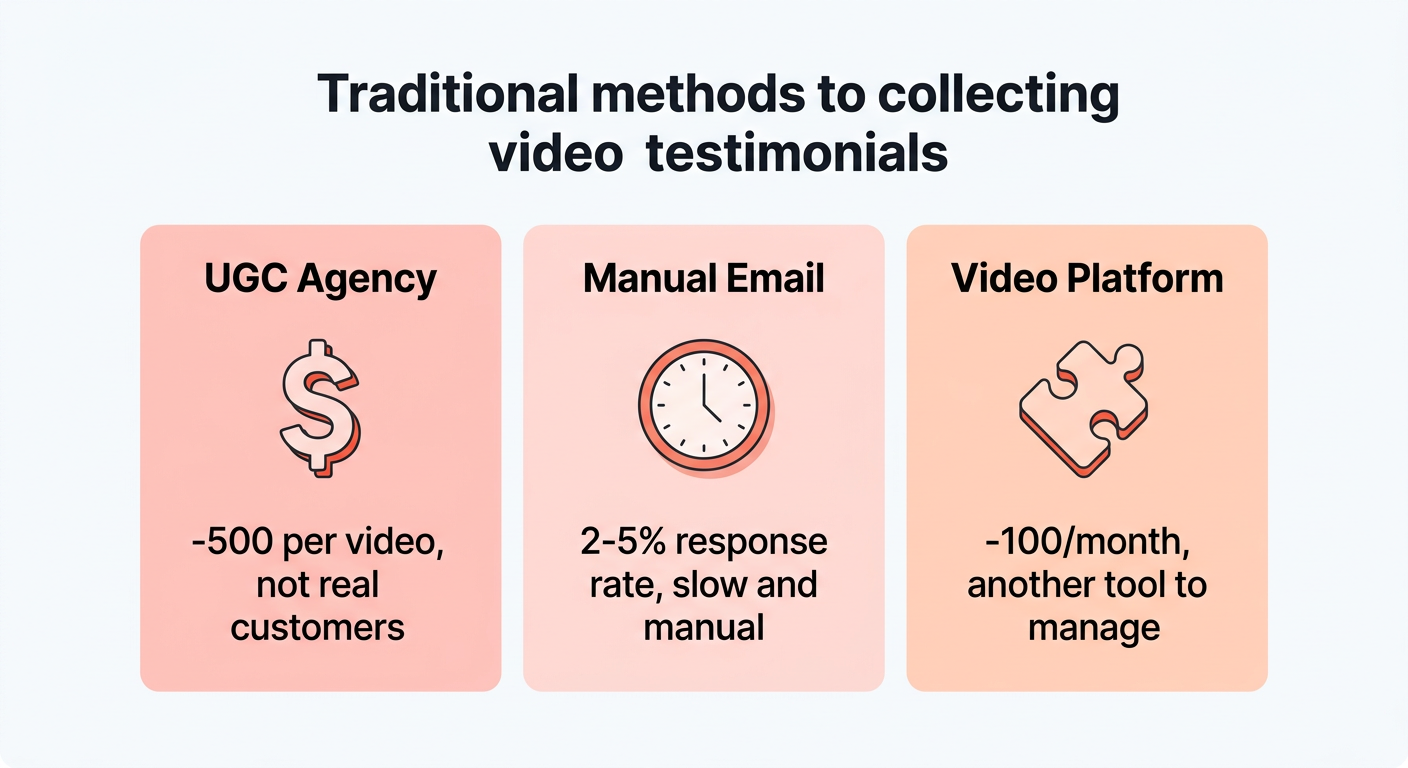
But most Shopify merchants never collect video testimonials. The process is too expensive, too manual, or both. You either hire a UGC agency at $150-500 per video, send awkward email requests that go unanswered, or just skip video entirely and rely on star ratings.
There's a simpler path. You can collect video testimonials directly from customers using surveys, with no agency, no production team, and no awkward back-and-forth. A customer gets a survey after their purchase, one of the questions asks for a short video, and they record it on their phone in 30 seconds.
This guide covers why video testimonials matter, why the traditional ways of collecting them don't work for most stores, and how to set up an automated video collection system on Shopify.
Why video testimonials convert better than written reviews
Written reviews are valuable. They build trust and influence purchase decisions. But video testimonials do something text can't: they transmit emotion, authenticity, and context all at once.
When a potential customer watches a real person talk about your product, they get:
- Facial expressions and tone of voice. These are almost impossible to fake. A genuine smile while talking about a product is more convincing than any five-star rating.
- Real-world context. The customer is in their kitchen, their office, their living room. They're holding your product. This is social proof in its most concrete form.
- Specific detail. Video testimonials tend to be more specific than written reviews. People naturally elaborate when they're talking versus typing. "The fabric is incredibly soft and my daughter loves the color" tells a richer story than "Great quality, 5 stars."
- Emotional connection. Viewers relate to people who look and sound like them. A video from someone in their demographic, solving the same problem they have, is the closest thing to a personal recommendation from a friend.
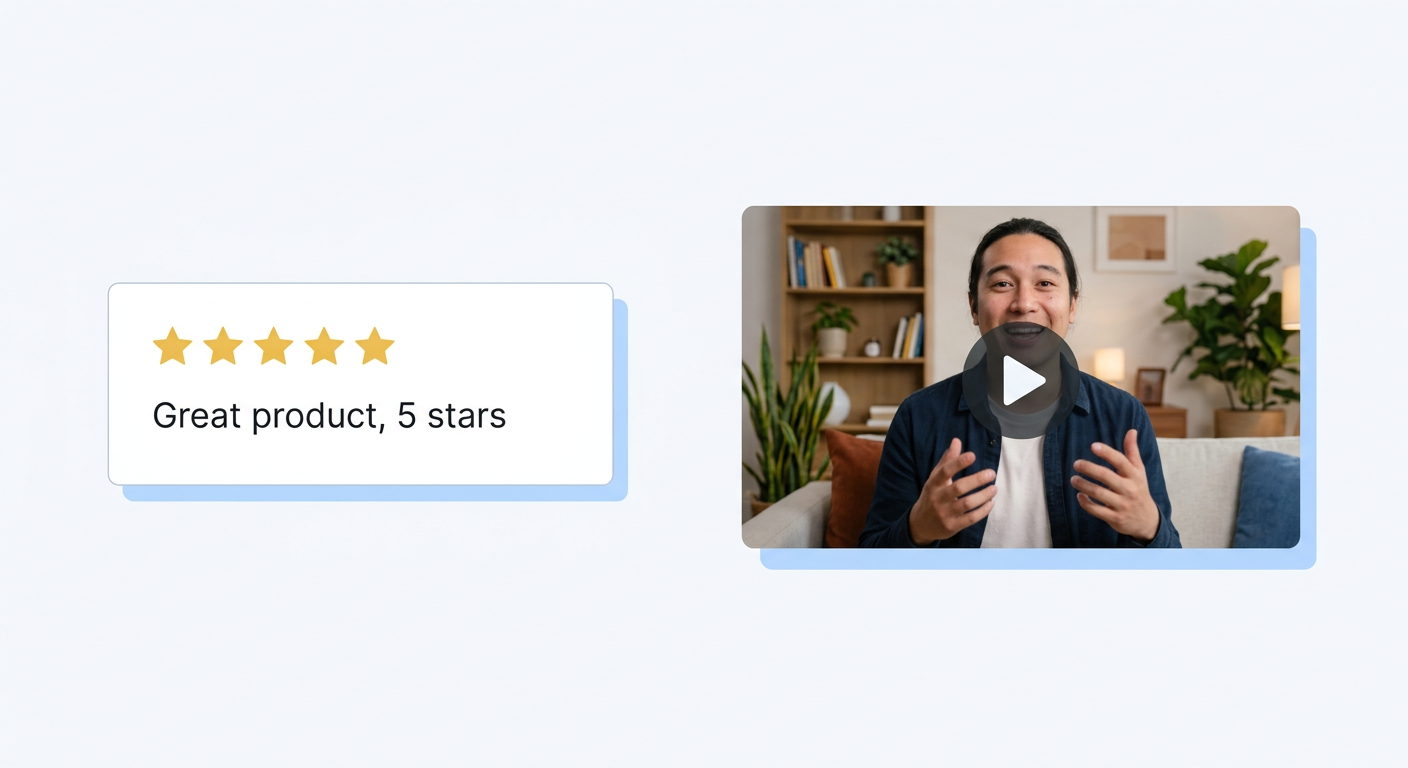
The data supports this. Video testimonials on product pages can increase conversions by 20-40% compared to pages with only written reviews. On landing pages and in ads, customer videos consistently outperform brand-produced creative in both click-through and conversion rates.

The old way of collecting video testimonials (and why it doesn't scale)
Most merchants who want video testimonials end up choosing one of three paths. Each has significant drawbacks.
Hiring a UGC agency
UGC agencies connect brands with creators who produce "authentic-looking" video content. Prices range from $150 to $500+ per video, with minimums of 5-10 videos per order. A single batch of testimonials can cost $1,000-5,000.
The bigger problem: these aren't real customers. They're paid creators reading a brief. Audiences are increasingly good at spotting the difference. A scripted UGC video from someone who's never used your product lacks the authenticity that makes testimonials work.
Manual email outreach
Some merchants email their best customers and ask them to record a video. This is free but painfully slow. You have to identify good candidates, write the email, follow up when they don't respond, provide recording instructions, wait for them to find time, then receive videos in random formats and quality levels.
Response rates are typically 2-5%. For every 100 emails you send, you might get 2-5 usable videos. Most merchants try this once, get discouraged, and stop.
Dedicated video review platforms
Tools like Tolstoy, Videowise, and VideoAsk specialize in video collection. They work, but they're another app in your stack, another monthly fee ($30-100+/month), and another dashboard to manage. If you're already collecting feedback through surveys, running a separate video tool creates fragmentation.
A better approach: collect video testimonials through surveys
What if video collection wasn't a separate process at all? What if it was just another question type in the surveys you're already sending?
That's the approach we built into UserLoop. Video is a question type, just like multiple choice, rating scale, or open text. You add a video question to any survey, and customers can record or upload a testimonial right from their phone.
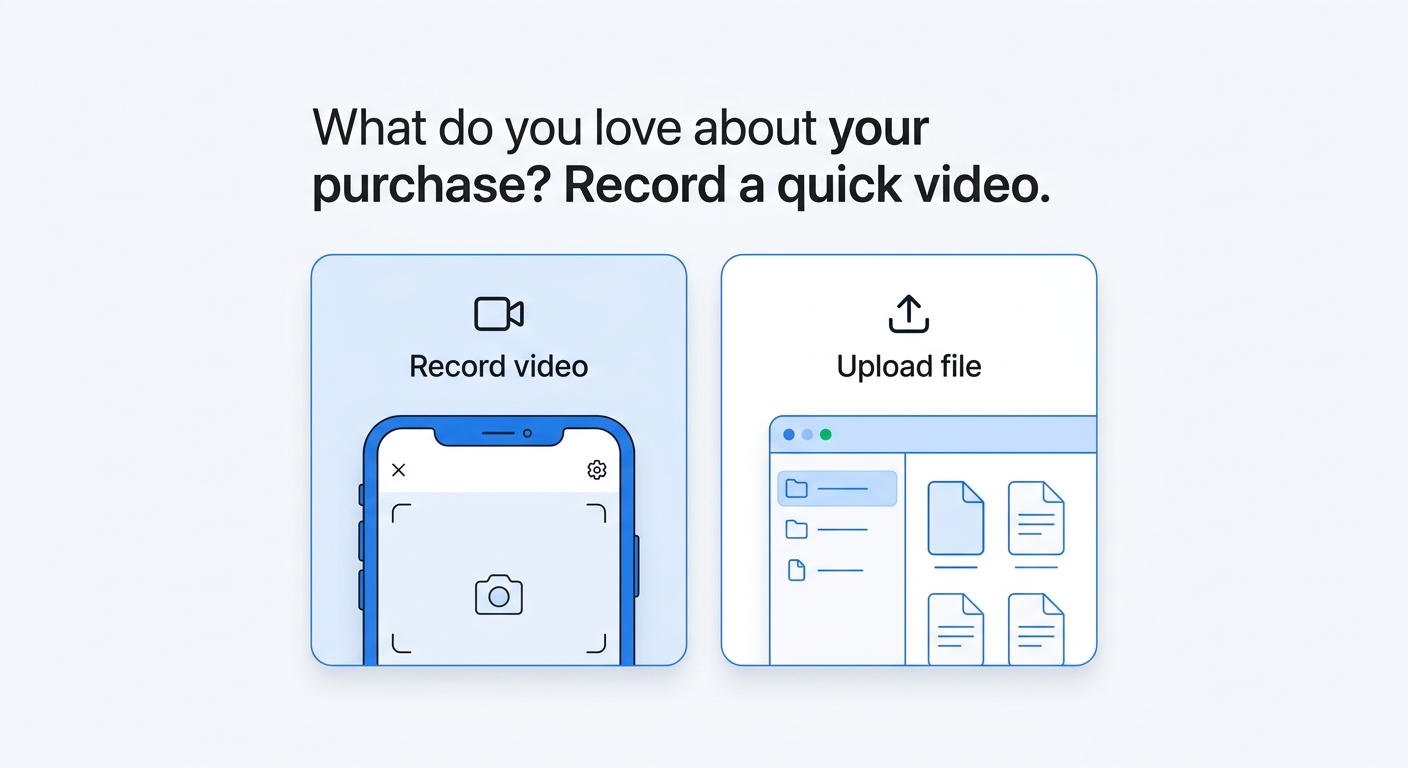
This works because the infrastructure is already there. You're already surveying customers after purchase. You already have their attention. Adding a video question to an existing survey is one click, not a new workflow.
Why survey-based video collection works so well
Timing is right. Post-purchase surveys reach customers when they've just received and used your product. Their experience is fresh. They're in a feedback-giving mindset. This is the optimal window for a testimonial request.
Friction is minimal. The customer is already completing a survey. The video question is just the next step. They tap "record," say a few sentences, and tap "done." No app downloads, no account creation, no uploading to a separate platform.
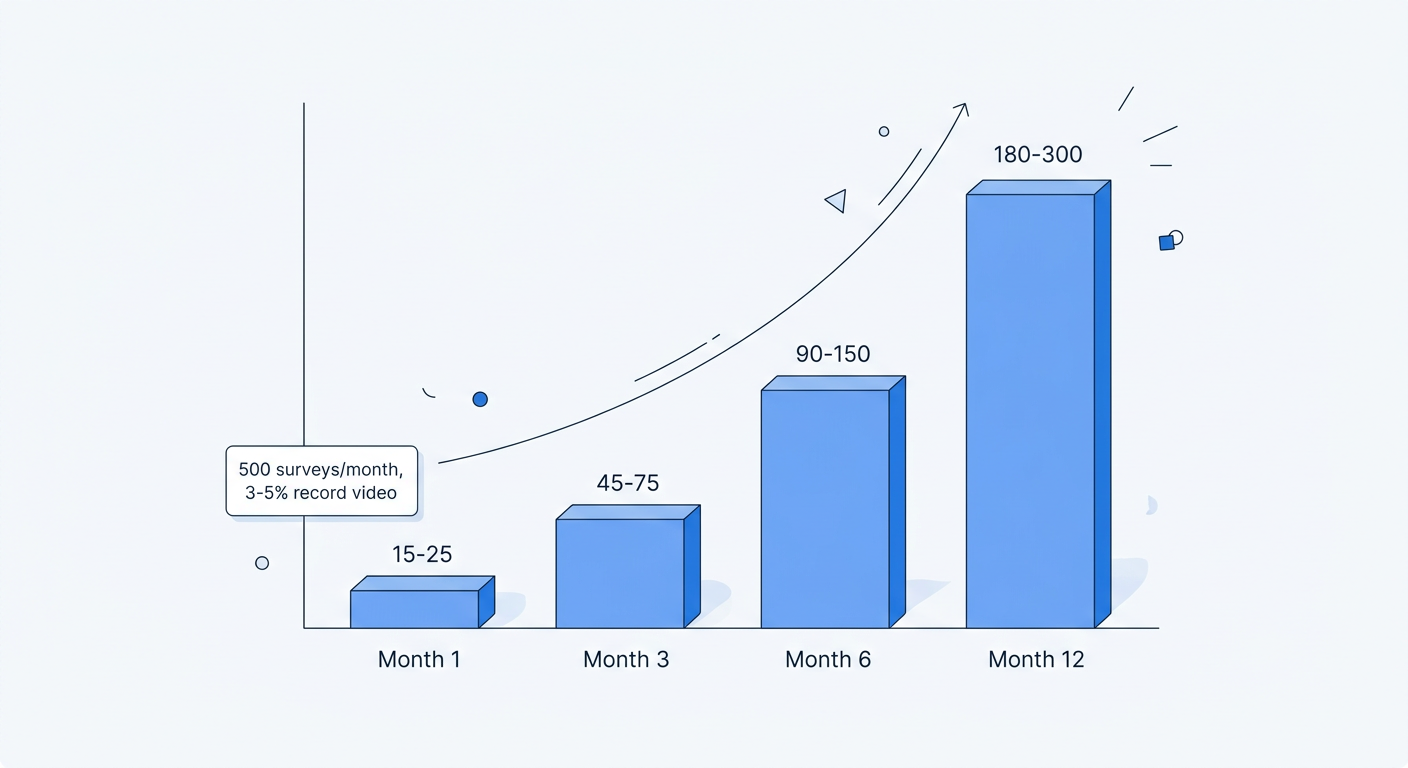
Volume is automatic. Every customer who receives your survey sees the video question. If you're sending 500 post-purchase surveys per month and 3-5% record a video, that's 15-25 fresh testimonials every month without any manual effort. Over a year, you'll have 180-300 authentic customer videos.
Quality is genuine. These are real customers giving real feedback. They're not reading a script or following a brief. The authenticity shows, and that's exactly what converts.
How to set up video testimonial collection on Shopify
Here's how to start collecting video testimonials with UserLoop. Setup takes about 10 minutes.
1. Create or edit a survey
You can add video questions to link surveys or popup surveys. The most common approach is a post-purchase link survey sent via email. Start there.
If you already have a post-purchase survey running, just add a video question to it. If not, create a new survey.
2. Add a video question
Add a question with the video question type. Write a prompt that encourages specific, authentic responses. Good prompts:
- "Would you record a quick video telling us what you love about [product]?"
- "What would you tell a friend who's thinking about buying from us?"
- "Can you show us how you use [product] in a quick 30-second video?"
Keep the prompt conversational. Avoid corporate language like "Please provide a video testimonial for our marketing materials." People want to help a brand they like, not produce content for a marketing department.
3. Make it optional (but incentivized)
Always make the video question optional. Forcing a video response will tank your overall survey completion rate. Most customers will skip it, and that's fine. You only need a small percentage to record.
To increase participation, attach a discount code reward to the survey. Customers who complete the full survey (including the video) receive a unique Shopify discount code. This can double or triple your video submission rate. Even a modest incentive like 10-15% off their next order is enough to motivate customers who are already happy with their purchase.
4. Set up the recording experience
UserLoop's video question gives customers two options:
- Record on camera. Opens the device camera for an in-the-moment recording. Up to 2 minutes, though most good testimonials are 20-45 seconds.
- Upload a file. Lets them select an existing video from their camera roll. Useful for customers who want to re-record or already have a video ready.
Both options work on any device. Most customers will record directly from their phone since that's where they open the survey email.
5. Monitor and collect
Video responses appear alongside all your other survey data in the UserLoop dashboard. You can review them, download them, and organize them by product, sentiment, or theme.
If you're using UserLoop's AI insights, your video responses are analyzed alongside text responses, giving you a complete picture of customer sentiment across both formats.
Where to use your video testimonials
Once you have a library of customer videos, use them everywhere. The same 30-second clip can work across multiple channels.
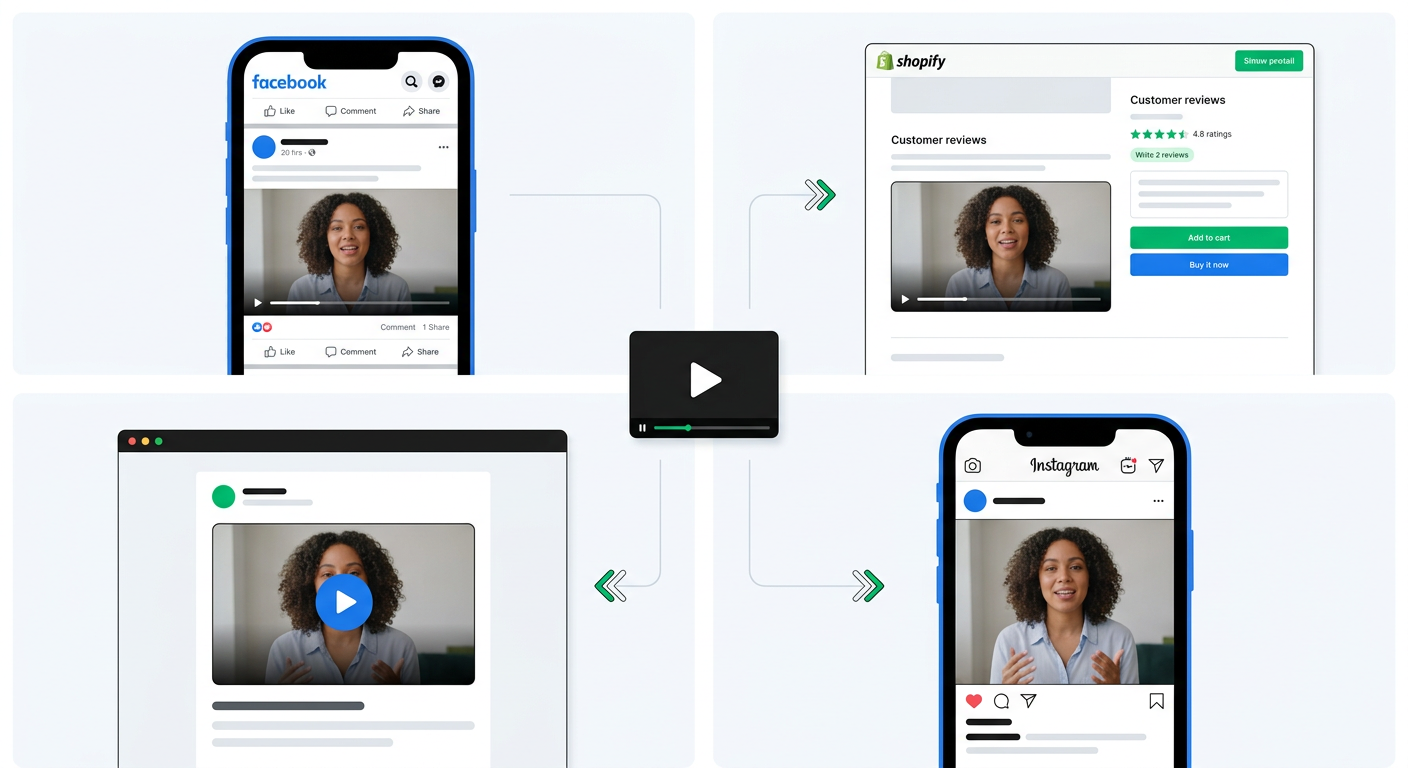
Meta and social ads
Customer video testimonials consistently outperform brand-produced ad creative on Meta (Facebook and Instagram). They look native to the feed, they feel authentic, and they stop the scroll in a way that polished ads don't.
Take your best testimonials, trim them to 15-30 seconds, and run them as ads. Test different customers, different products, and different angles. You'll likely find that a genuine customer video shot on an iPhone outperforms creative that cost 10x more to produce.
Product pages
Embed testimonial videos directly on product pages. Place them near the reviews section or alongside your product photos. Video testimonials on product pages address the specific concerns shoppers have at the point of purchase: "Does it really look like that? Is it actually that easy to use? Would someone like me be happy with it?"
Landing pages
If you run dedicated landing pages for ad campaigns, customer videos are powerful hero content. A testimonial video at the top of a landing page immediately establishes trust before the visitor reads a single line of copy.
Email campaigns
Include video thumbnails in your email marketing. A "Hear from our customers" section with a video thumbnail and play button consistently drives higher click-through rates than text-only testimonials.
Social media organic
Repurpose customer videos as organic social content. With permission, share them on your brand's Instagram, TikTok, or Facebook. Real customer content performs well organically because platforms favor authentic, user-generated material over polished brand content.
Tips for getting more (and better) video testimonials
Ask the right customers at the right time
The best testimonials come from repeat customers and customers who left high ratings on previous surveys. If someone gave you a 5-star NPS score, they're primed to record a video. Target your video surveys accordingly.
Timing matters too. For physical products, send the video request 7-14 days after delivery. The customer has had time to use the product but the experience is still fresh. For digital products or services, 3-7 days is usually the sweet spot.
Give them a prompt, not a script
Guide customers with a specific question ("What's your favorite thing about [product]?" or "How has [product] changed your routine?") but don't script the response. Scripted testimonials sound scripted. The small imperfections in a genuine response are what make it believable.
Keep it short
Tell customers upfront that 30 seconds is plenty. Most people overestimate how long a video needs to be. When you say "just 30 seconds," it feels achievable. When you say "record a testimonial," it feels like a production.
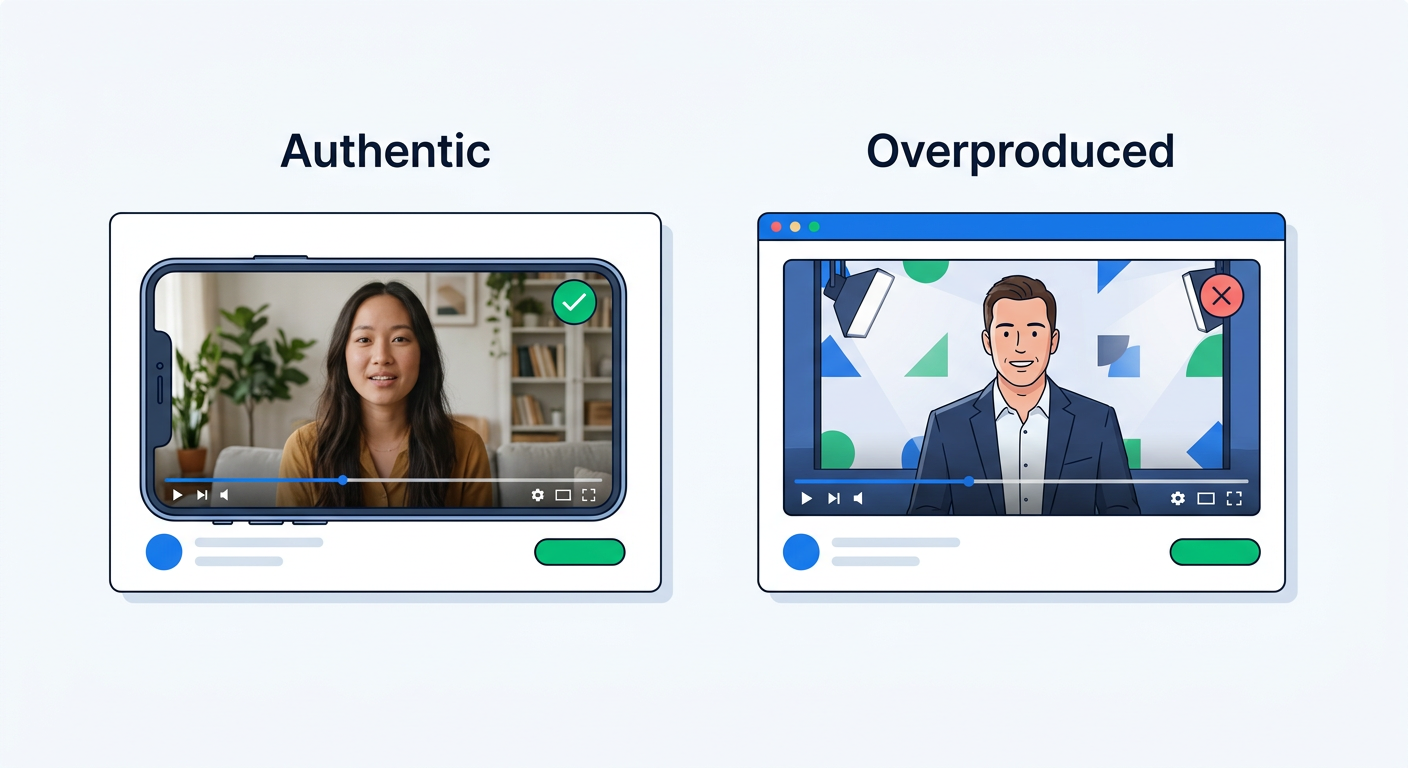
Don't worry about production quality
A video shot on a phone in natural lighting is perfect. It's what viewers expect from real customer content. Overly polished testimonials trigger skepticism. The slight shakiness, the background noise, the imperfect framing all signal authenticity.
Offer a meaningful incentive
A discount code on the next purchase is the most effective incentive for video testimonials. It works because: the customer already likes your product (they just bought it), the discount gives them a reason to buy again, and it frames the video as a fair exchange rather than a favor.
10-15% off is the sweet spot. High enough to motivate action, low enough to protect your margins.
Video testimonials plus surveys: why one tool beats two
Most Shopify stores that want video testimonials end up with two separate systems: a survey tool for feedback and a video platform for testimonials. This creates unnecessary complexity and cost.
With UserLoop, video is just another question type. The same tool that collects your post-purchase attribution data, your NPS scores, and your product feedback also collects video testimonials. One dashboard, one set of analytics, one monthly fee.
This matters because video testimonials don't exist in isolation. A customer who records a video also answers your other survey questions. You know their NPS score, their attribution source, their purchase history. That context makes the testimonial more useful. You can segment your video library by customer type, product, satisfaction level, or acquisition channel.
Start collecting video testimonials today
You don't need an agency. You don't need a dedicated video platform. You don't need to send manual email requests and hope for the best.
Add a video question to your next post-purchase survey, attach a discount incentive, and let the responses come in. Within a month, you'll have a library of authentic customer videos you can use in ads, on product pages, in emails, and across social media.
UserLoop video testimonials are available on the Pro plan. Install UserLoop from the Shopify App Store to get started, or add a video question to an existing survey if you're already using UserLoop.


The agentic growth toolkit for Shopify
Ask your customers anything
UserLoop talks to your customers at scale with surveys and contests that feed one AI-queryable dataset. AI does the setup and the analysis.
- SurveysFind out why customers buy: checkout, email, link & QR.
- ContestsGiveaways that grow your list and social following.
Free plans on both apps · live in minutes