How to Use MCP to Connect Your Customer Data to Claude and ChatGPT
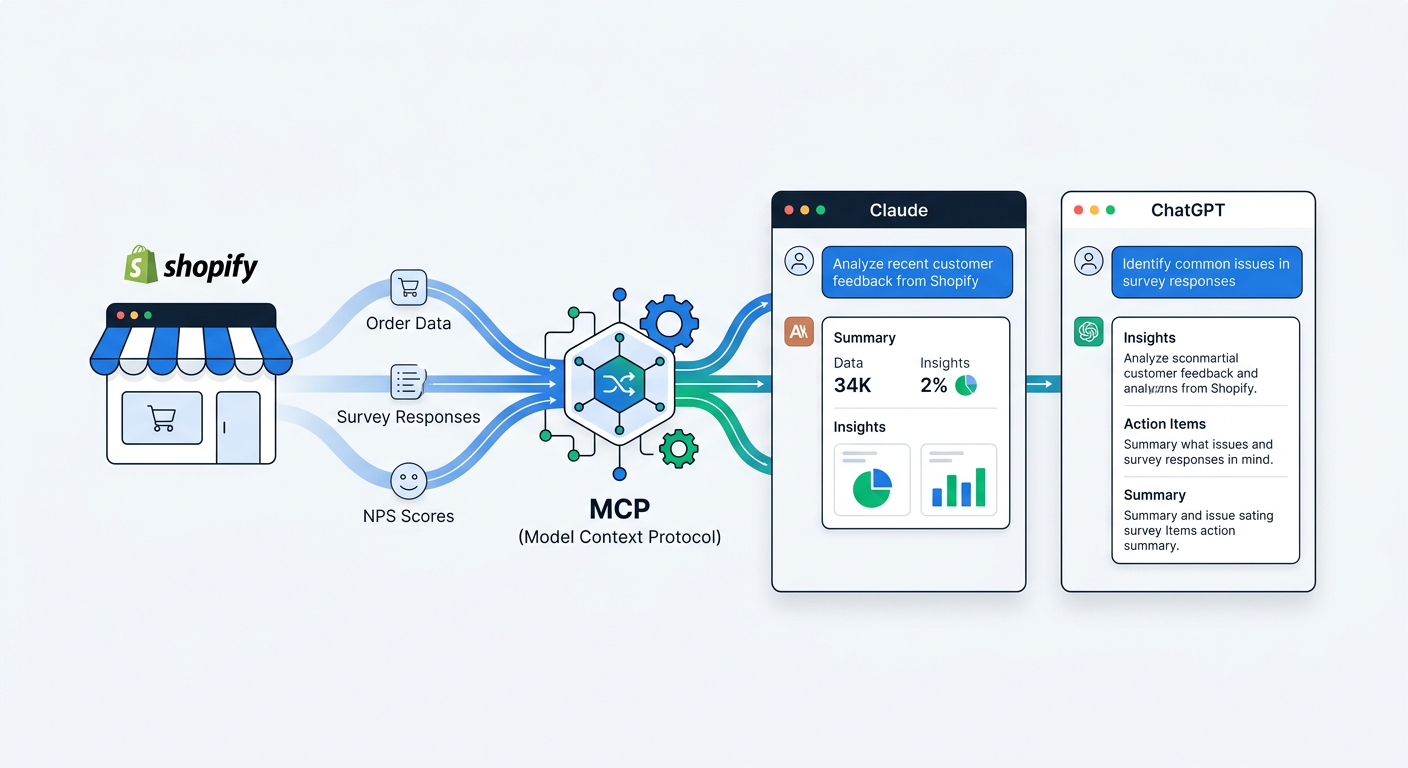
You have thousands of survey responses, attribution data, NPS scores, and product feedback sitting in your Shopify stack. You also have access to Claude or ChatGPT. The problem: they don't know about each other.
You could copy-paste data into a chat window. You could export CSVs and upload them. But both approaches are tedious, limited, and stale the moment you hit enter. You're working with a snapshot, not your actual data.
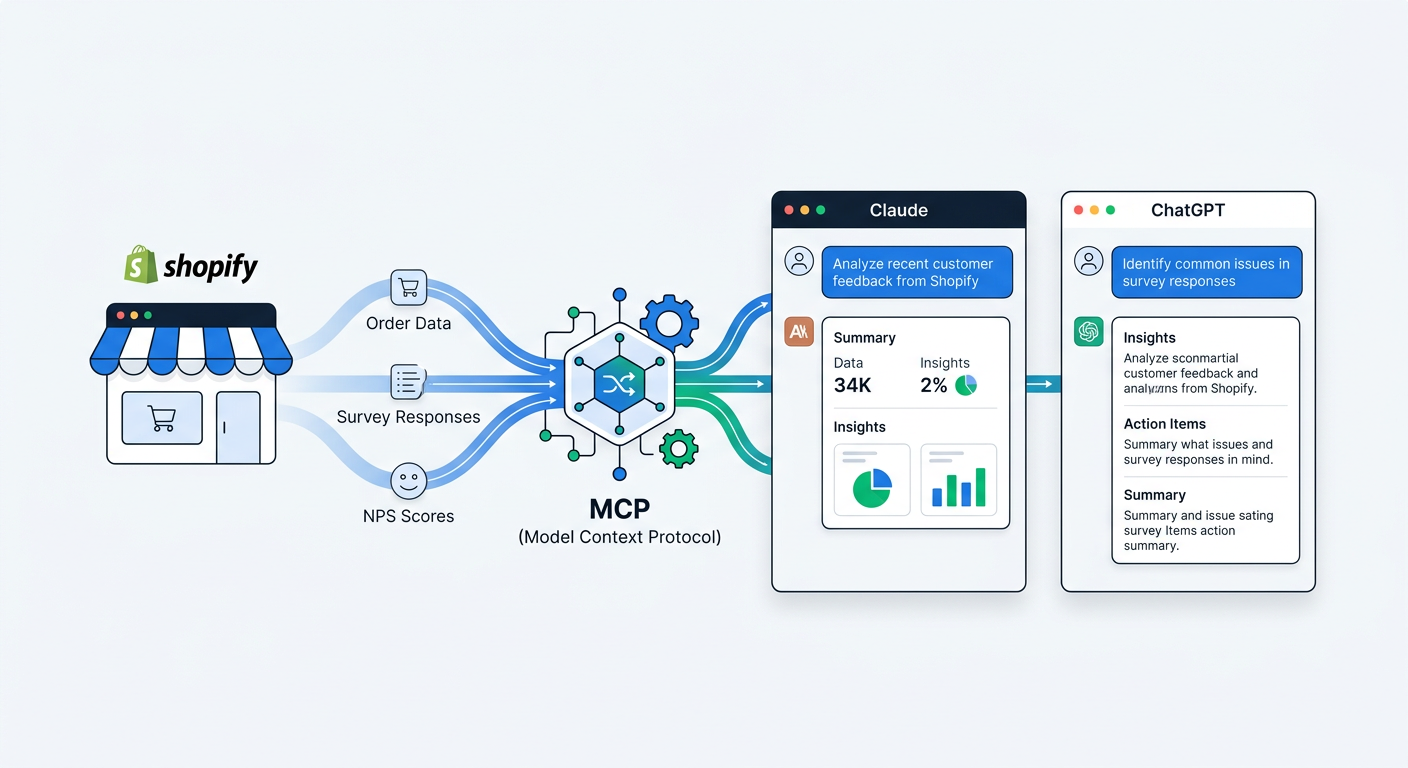
MCP (Model Context Protocol) fixes this. It's an open standard that gives AI assistants direct, structured access to external data sources. Instead of feeding data to the AI manually, MCP lets the AI reach into your tools and pull what it needs in real time.
This guide explains what MCP is, how it works, and how to connect your Shopify customer data to Claude and ChatGPT so you can have real conversations with your survey data, attribution reports, and customer feedback.
What is MCP and why should you care?
MCP stands for Model Context Protocol. It was created by Anthropic and released as an open standard in late 2024. The idea is simple: AI models are powerful but isolated. They can reason, analyze, and generate insights, but only about information you manually provide. MCP breaks that wall.
Think of MCP as a USB-C port for AI. Just like USB-C lets you plug any compatible device into your laptop, MCP lets you plug any compatible data source into your AI assistant. The AI can then query that data source directly, pulling exactly the information it needs to answer your question.
Without MCP, asking Claude about your survey data looks like this:
- Log into your survey tool
- Export the data as a CSV
- Upload the CSV to Claude
- Ask your question
- Realize you need different data, repeat from step 1
With MCP:
- Ask Claude your question
- Claude queries your survey data directly and responds
That's the entire workflow. No exports, no uploads, no stale data.
How MCP works technically
MCP follows a client-server architecture. Your AI assistant (Claude, ChatGPT, or any MCP-compatible client) is the client. Your data source runs an MCP server that exposes specific capabilities.
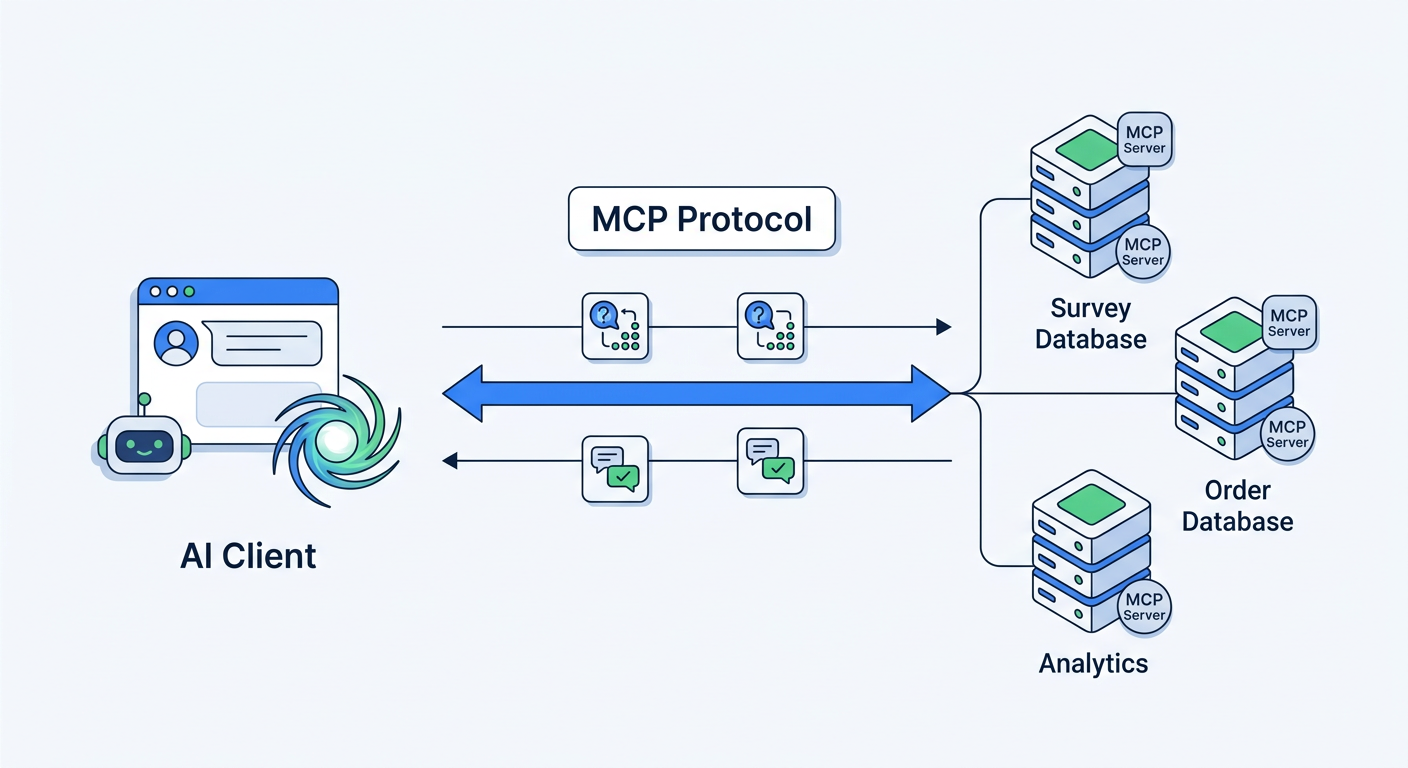
When you connect an MCP server to your AI assistant, the server tells the client what it can do. For a survey data server, that might include:
- Tools: Functions the AI can call, like "get survey responses," "get attribution breakdown," or "get NPS scores for a date range"
- Resources: Data the AI can read, like survey question configurations or customer segment definitions
The AI assistant then uses these capabilities automatically when answering your questions. If you ask "What are our top attribution channels this month?", Claude recognizes it needs survey data, calls the appropriate MCP tool, gets the results, and synthesizes an answer.
All of this happens in the background. You just ask a question in plain English.
What you can do with MCP-connected customer data
Once your customer data is connected via MCP, the AI becomes an analyst who has access to everything and never sleeps. Here are the types of questions that become trivial.
Real-time attribution analysis
"Where are our customers coming from this week?"
Instead of checking a dashboard, exporting data, or waiting for a weekly report, you ask the question and get an answer that reflects data from the last hour. The AI pulls your post-purchase survey responses, runs the attribution breakdown, and tells you.
Follow-up questions happen naturally:
- "How does that compare to last month?"
- "Which channel has the highest average order value?"
- "Are TikTok customers buying different products than Google customers?"
Each follow-up triggers another query. The AI handles the data retrieval and comparison automatically. This is the kind of ad-hoc analysis that would take a data analyst 30 minutes per question. With MCP, it takes seconds.
Deep product feedback exploration
"What are customers saying about our new packaging?"
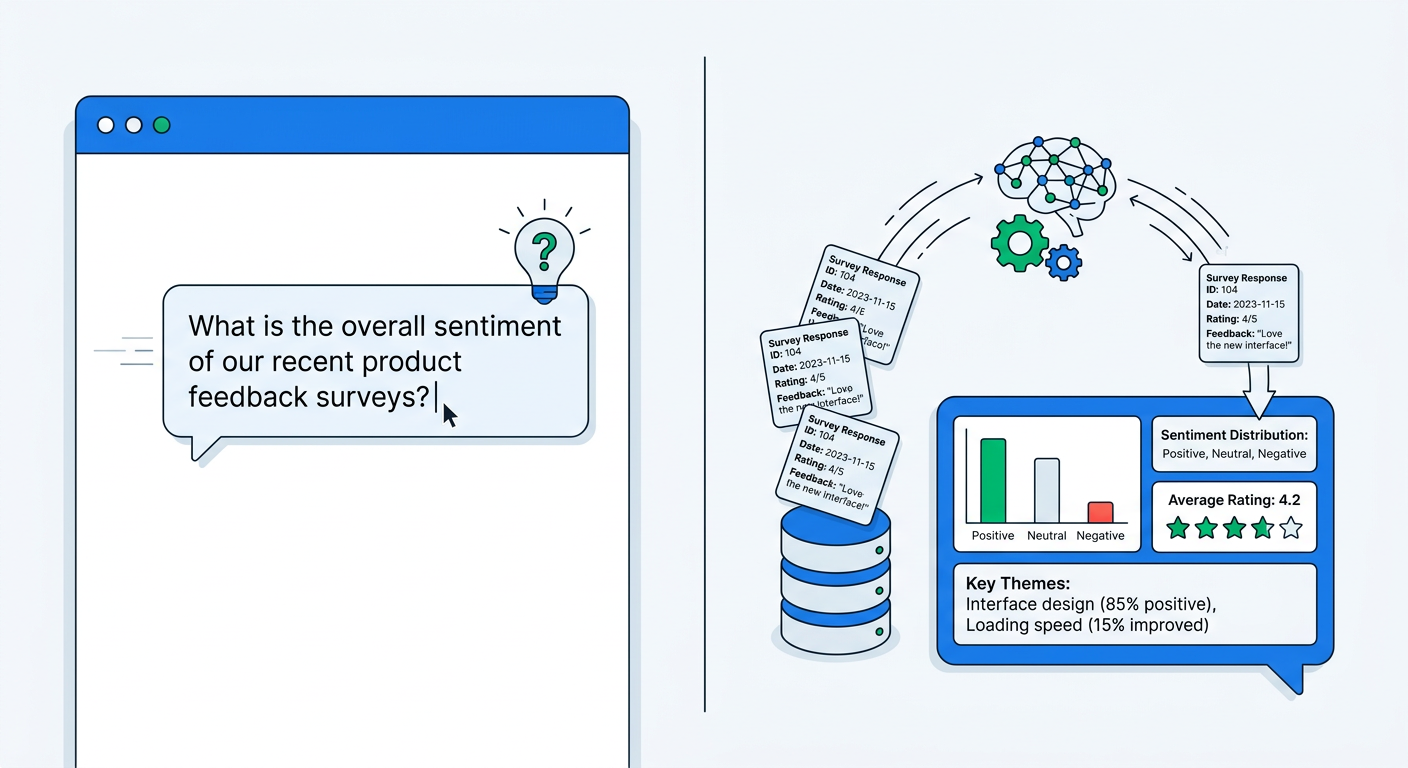
The AI searches through thousands of open-text survey responses, identifies mentions of packaging, groups them by sentiment, and summarizes the findings. If you're using AI-powered survey analysis, the theme extraction has already pre-processed the data, making the MCP query even faster.
Cross-referencing surveys with revenue
This is where MCP with customer data gets genuinely powerful. Because survey responses are linked to Shopify orders, the AI can answer questions that combine qualitative feedback with quantitative revenue data.
- "What's the average order value of customers who found us through podcasts?"
- "Do customers who rate us 9-10 on NPS spend more than those who rate us 7-8?"
- "Which product feedback themes correlate with the highest repeat purchase rates?"
These questions would require SQL joins across multiple tables in a traditional analytics setup. With MCP, you ask in English and get an answer.
Trend monitoring
"Has anything changed in our customer feedback over the last 30 days?"
The AI compares recent data against historical baselines and flags shifts. Maybe shipping complaints jumped 40% since you changed carriers. Maybe a specific product suddenly has more quality mentions. Maybe a new attribution channel appeared that wasn't there before.
This kind of monitoring is nearly impossible to do manually at scale. With MCP, it's a single question.
How to set up MCP with your Shopify survey data
Setting up MCP requires two things: an MCP server that exposes your data, and an AI client that supports MCP connections.
Step 1: Get your MCP server URL
UserLoop provides a built-in MCP server that connects your survey, attribution, NPS, and feedback data to any MCP-compatible AI assistant. To get your connection details:
- Log into your UserLoop dashboard
- Go to Integrations > MCP
- Copy your MCP server URL and authentication token
The server exposes tools for querying survey responses, attribution data, NPS scores, product feedback, and video testimonial metadata. All data is returned in structured formats that AI assistants can interpret and analyze.
Step 2: Connect to Claude Desktop
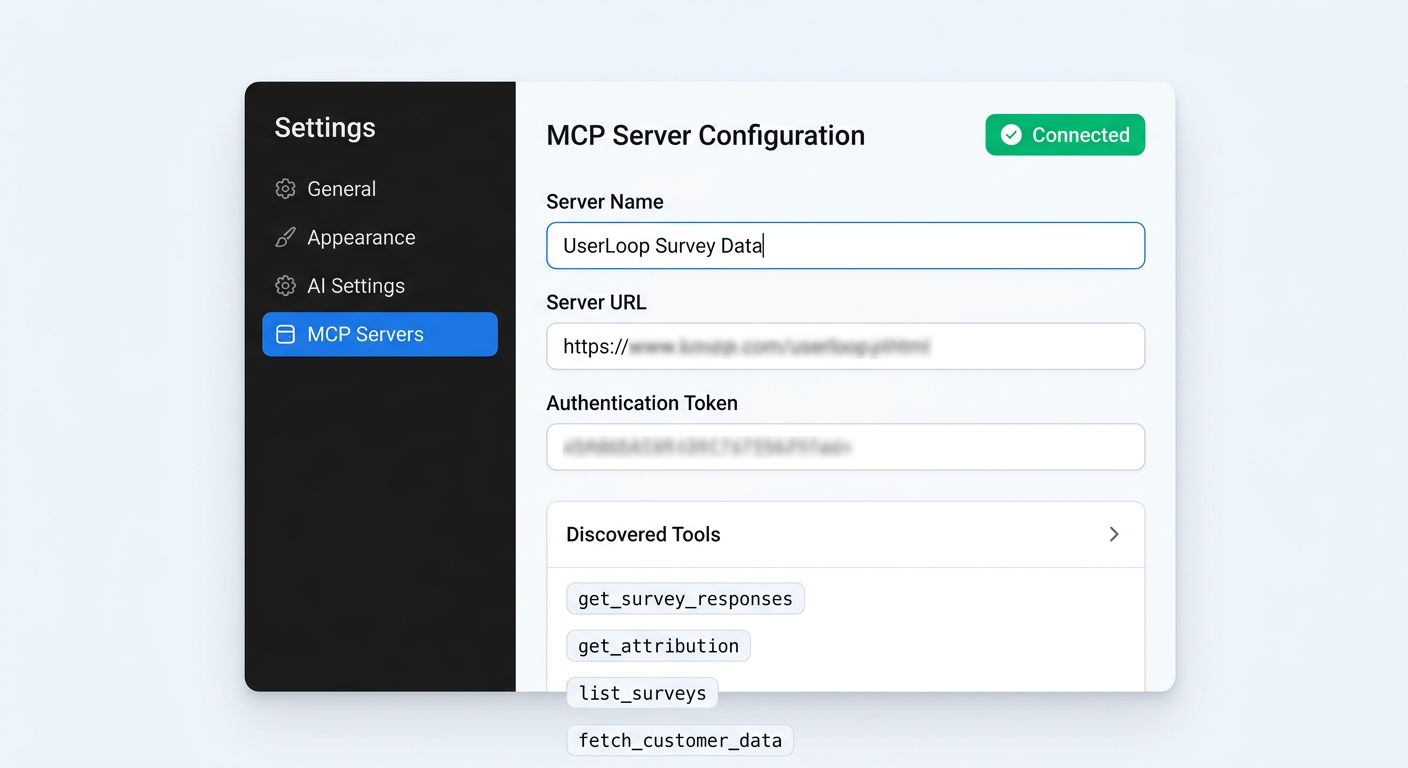
Claude Desktop has native MCP support. Here's how to add your UserLoop data:
- Open Claude Desktop
- Go to Settings > MCP Servers
- Click Add Server
- Enter a name (e.g., "UserLoop Survey Data")
- Paste your MCP server URL
- Add your authentication token
- Click Connect
Claude will discover the available tools and confirm the connection. You'll see a small indicator showing your MCP servers are active.
Step 3: Connect to ChatGPT
ChatGPT supports MCP through its plugin and action system. The setup process:
- Open ChatGPT
- Go to Settings > Connected Apps or use the GPT Builder
- Add a new action with your MCP server URL
- Configure authentication with your token
- Test the connection
Once connected, ChatGPT can call UserLoop's data tools when answering your questions, just like Claude.
Step 4: Start asking questions
With the connection active, open a new conversation and start asking about your data. Good first questions to test the connection:
- "How many survey responses did we collect last month?"
- "What are the top 5 attribution channels?"
- "What's our current NPS score?"
If the AI returns real numbers from your data, the connection is working. From there, you can ask anything.
Real-world MCP conversations with customer data
To show what MCP-connected customer analysis actually looks like in practice, here are example conversations that demonstrate the depth of insight you can extract.
Example 1: Diagnosing a conversion drop
You: "Our conversion rate dropped 15% last week. What are customers saying in exit surveys?"
AI: Based on 342 popup survey responses from the last 7 days, the top exit reasons are: (1) Shipping cost too high, mentioned in 28% of responses, up from 12% the previous week. (2) Couldn't find size guide, 15%. (3) Wanted to compare prices, 14%. The shipping cost spike correlates with your March 10th change to the free shipping threshold.
You: "What was the old threshold vs. the new one, and what are people specifically saying about it?"
AI: Customers are comparing your shipping to competitors. Common responses include: "I can get free shipping at [competitor] with no minimum," "Almost bought but $12 shipping on a $40 order is too much," and "$75 for free shipping is way too high." 23 of 96 shipping-related responses specifically mention the dollar amount.
You: "What would happen if we set the threshold at $50 instead of $75?"
AI: Looking at your order data, 62% of orders in the last 90 days were above $50, compared to only 34% above $75. A $50 threshold would qualify nearly twice as many orders for free shipping while still being above your average cart value of $47.
That entire analysis, pulling survey responses, identifying trends, cross-referencing with order data, happened through a conversation. No dashboards. No exports. No SQL.
Example 2: Evaluating a marketing channel
You: "We started running podcast ads last month. How is podcast attribution tracking?"
AI: In the last 30 days, 89 customers mentioned podcasts in their post-purchase attribution survey. UserLoop's AI channel grouping identified mentions across 12 different podcast names. The top three: "Marketing Brew Daily" (23 mentions), "The Skincare Edit" (19 mentions), and "DTC Pod" (14 mentions). Average order value for podcast-attributed customers is $72.30, compared to $54.80 overall.
You: "Are podcast customers buying different products?"
AI: Yes. Podcast customers over-index heavily on the Premium Bundle (34% vs. 12% store average) and the Discovery Set (28% vs. 15%). They under-index on individual items, suggesting they prefer higher-value introductory purchases.
Example 3: NPS deep dive
You: "Break down our NPS by customer segment. Are there patterns?"
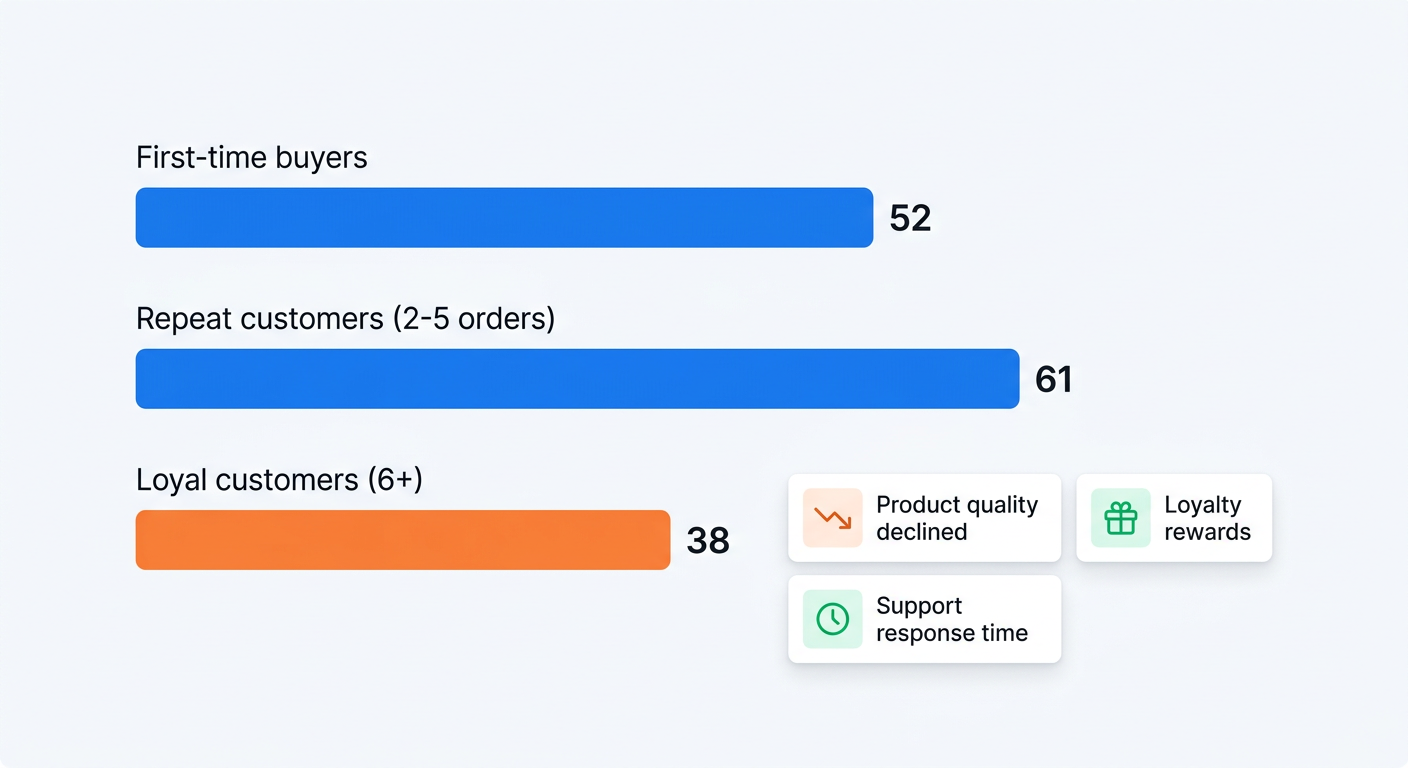
AI: Current NPS across all customers: 47. Breaking down by segment: First-time buyers: 52. Repeat customers (2-5 orders): 61. Loyal customers (6+ orders): 38. The drop in loyal customer NPS is notable.
You: "That's surprising. Why are loyal customers less satisfied?"
AI: Analyzing detractor feedback from customers with 6+ orders, the top themes are: (1) "Product quality has declined" (mentioned by 31% of loyal detractors). (2) "Loyalty program rewards aren't meaningful" (24%). (3) "Customer service response time" (18%). Several responses specifically reference changes made in the last quarter.
MCP vs. other ways to analyze customer data
Dashboards
Dashboards are good at showing you what you've already decided to track. They fail at answering questions you haven't anticipated. If your dashboard shows attribution by channel but you suddenly want to know the AOV of customers who mentioned a specific influencer, you need a new dashboard widget or a custom report. With MCP, you just ask.
CSV exports
Exporting data and analyzing it in a spreadsheet or BI tool gives you full flexibility, but at a massive time cost. Every analysis session starts with an export, cleaning, and structuring step. By the time you have your answer, the data is already stale. MCP keeps you connected to live data.
API integrations
Custom API integrations can pipe data wherever you need it, but they require engineering resources to build and maintain. MCP is a standardized protocol, so once your data source supports it, any MCP-compatible AI client can connect without custom code.
In-app AI features
Some tools offer built-in AI analysis within their dashboards. This is useful but limited to what the tool's developers built. MCP gives you the flexibility to ask any question, combine data from multiple sources, and use whichever AI model you prefer.
Tips for getting the most out of MCP with customer data
Ask follow-up questions. The first answer is rarely the last one you need. The real value of MCP comes from drilling deeper. Ask "why," ask "compared to what," ask "what changed."
Combine qualitative and quantitative. The most valuable insights come from connecting what customers say (survey responses) with what they do (purchase data). MCP makes this combination effortless.
Use it for monitoring, not just analysis. Start your week with "What changed in customer feedback since last Monday?" MCP turns one-off analysis into an ongoing conversation with your data.
Connect multiple MCP servers. MCP supports multiple data sources simultaneously. Connect your survey data alongside your analytics, CRM, or support tools for cross-platform insights.
Share insights with your team. When MCP surfaces an important finding, screenshot the conversation or summarize it. The conversational format makes insights easier to share and understand than a chart with no context.
Getting started
MCP transforms your AI assistant from a general-purpose chatbot into a customer intelligence analyst that has access to your actual data. The barrier between "I have a question about my customers" and "here's the answer" becomes a single message.
UserLoop's MCP integration connects your survey data, attribution reports, NPS scores, and product feedback to Claude, ChatGPT, and any MCP-compatible AI assistant. Setup takes minutes, and you can start asking questions immediately.
If you're not yet collecting the survey data that makes this powerful, install UserLoop from the Shopify App Store to start running popup surveys, post-purchase attribution surveys, NPS programs, and video testimonial collection on your Shopify store.
The data you collect today becomes the insights you query tomorrow. The sooner you start, the more history your AI analyst has to work with.


The agentic growth toolkit for Shopify
Ask your customers anything
UserLoop talks to your customers at scale with surveys and contests that feed one AI-queryable dataset. AI does the setup and the analysis.
- SurveysFind out why customers buy: checkout, email, link & QR.
- ContestsGiveaways that grow your list and social following.
Free plans on both apps · live in minutes