"Automated Email Surveys for Shopify: When, What, and How to Ask"
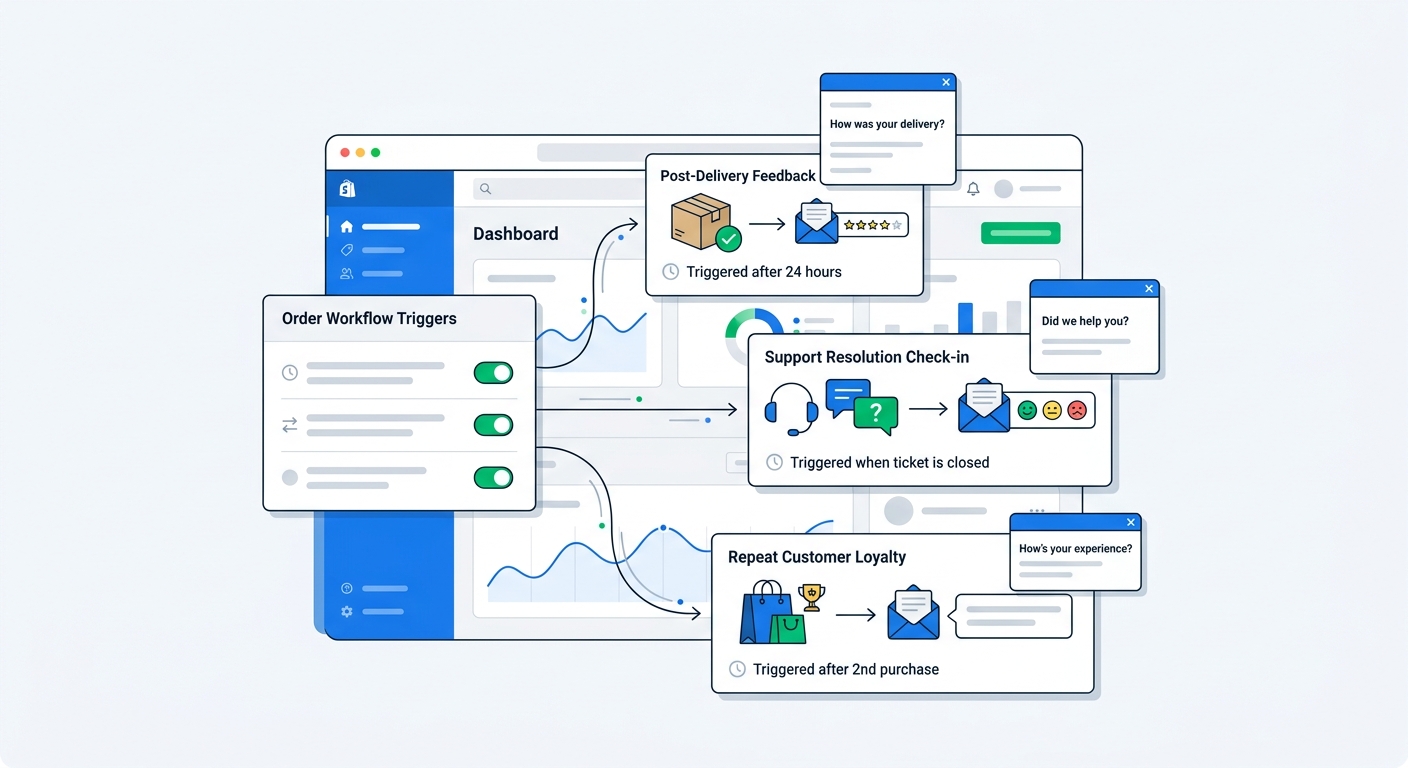
Automated email surveys are one of the easiest ways to get better customer data on Shopify, and one of the easiest ways to annoy customers if you set them up badly.
The difference is timing.
A survey sent three days after delivery can uncover fit issues, shipping frustration, or delight while the experience is still fresh. A survey sent at random two months later gets ignored, or worse, reminds the customer you exist only to ask for favors.
That is why automation matters. You are not just saving manual work. You are sending the right question at the right moment, based on what the customer actually did.
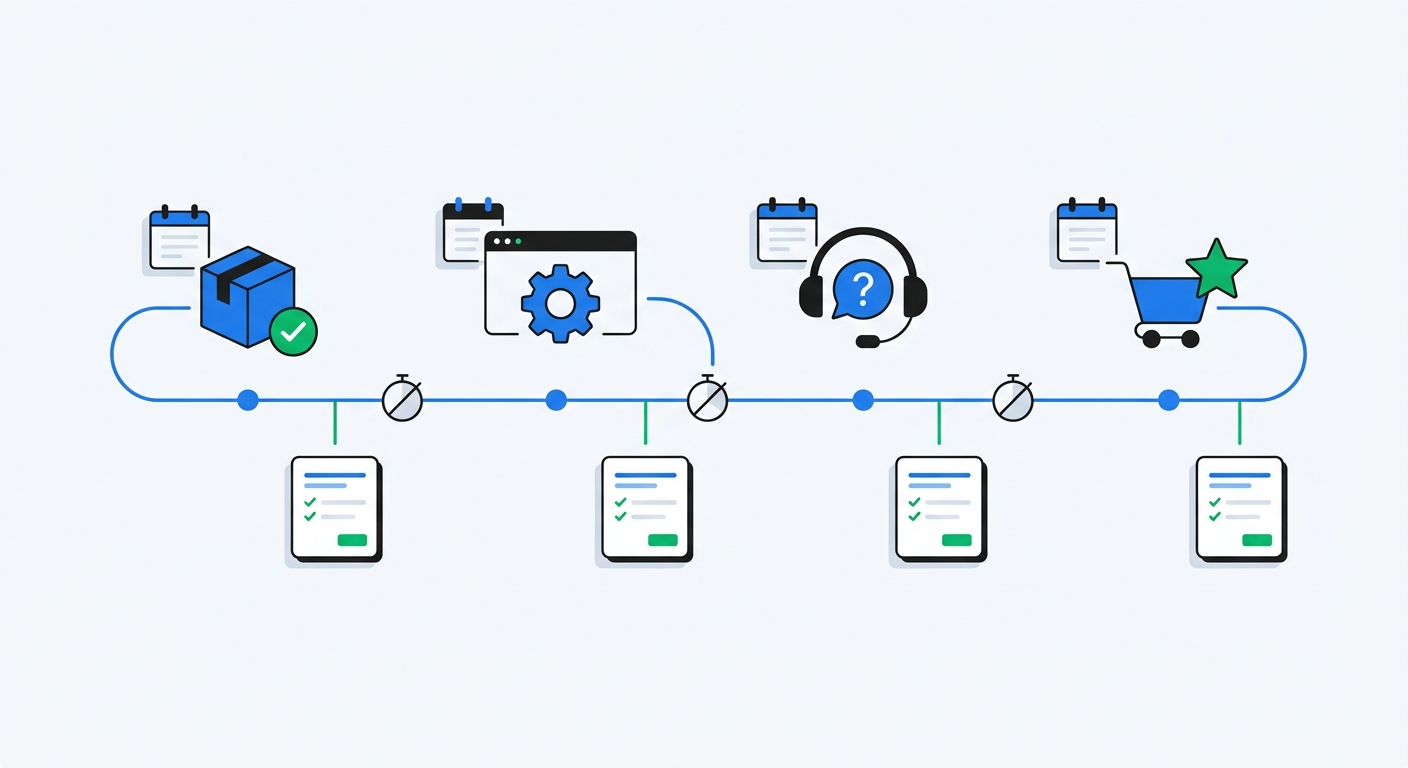
For Shopify merchants, email surveys work best when they are event-driven. Trigger them after an order is delivered, after support closes a ticket, after a subscription renewal, or after enough time has passed for the customer to form an opinion. Then connect the responses to order value, products purchased, and acquisition source so the feedback turns into decisions instead of a pile of text responses nobody reads.
In this guide, I'll walk through when automated email surveys make sense, which questions to send, how to avoid survey fatigue, and how to set up a workflow that actually produces useful revenue-linked feedback.
Why automated email surveys still matter on Shopify
Popups and on-site surveys are great for capturing intent in the moment. Checkout surveys are great for attribution. But email surveys solve a different problem: they let you ask after the customer has had time to experience the product.
That makes email the right channel for questions like:
- Did the product meet expectations?
- Would the customer recommend the brand?
- What almost made them return the item?
- How was the support experience?
- Which products should they try next?
You cannot get honest answers to those questions at checkout. The customer has not lived through the experience yet.
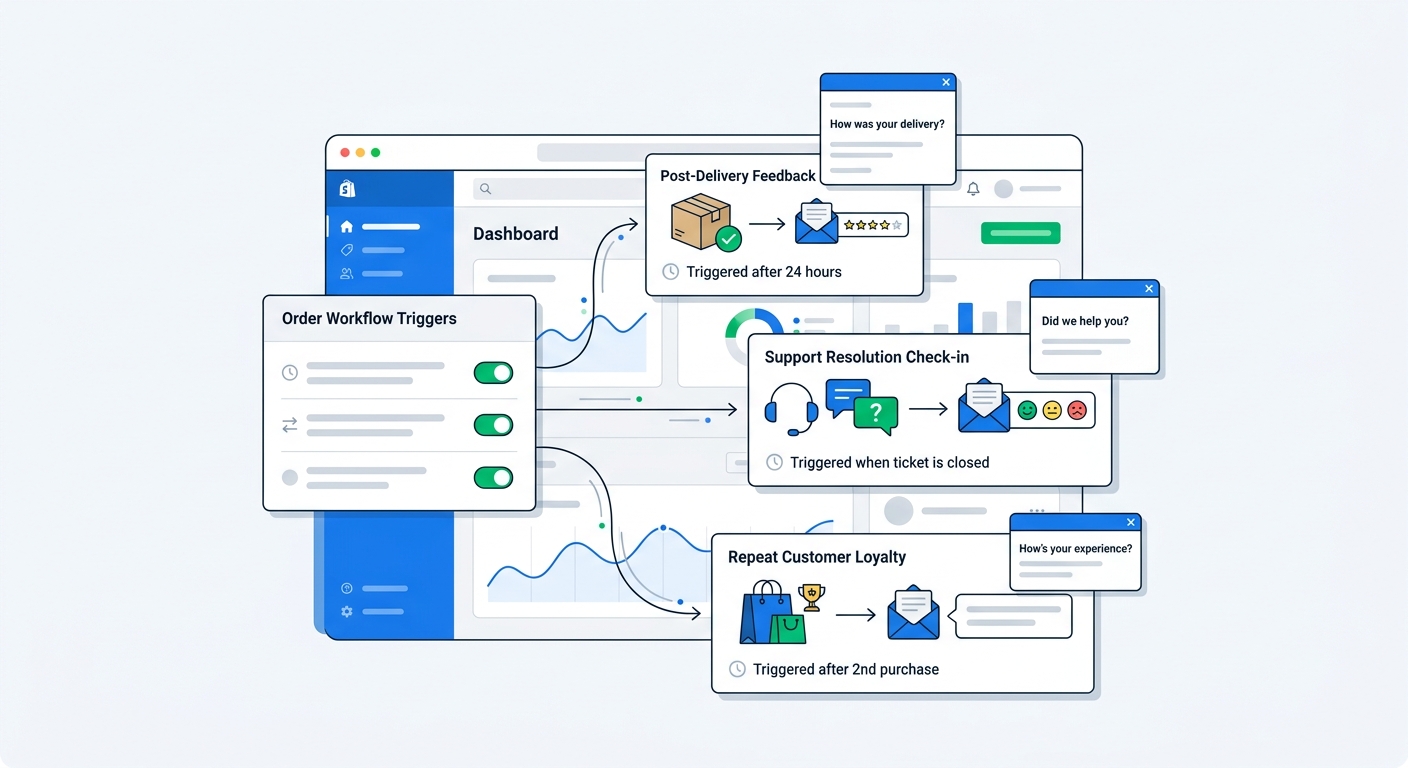
This is where UserLoop's email and NPS survey workflows are useful. Instead of sending a generic form blast to your whole list, you can automate different surveys based on what happened: fulfilled order, delivered order, first purchase, repeat purchase, or support outcome. That gives you cleaner data and much better response quality.
The other reason email surveys matter is depth. A popup needs to be short because it interrupts browsing. Email can carry a bit more context, especially when the ask feels relevant and timely. You can send a one-question NPS survey, a short CSAT survey, or a product feedback flow with one follow-up question and still keep completion friction low.
The biggest mistake merchants make with email surveys
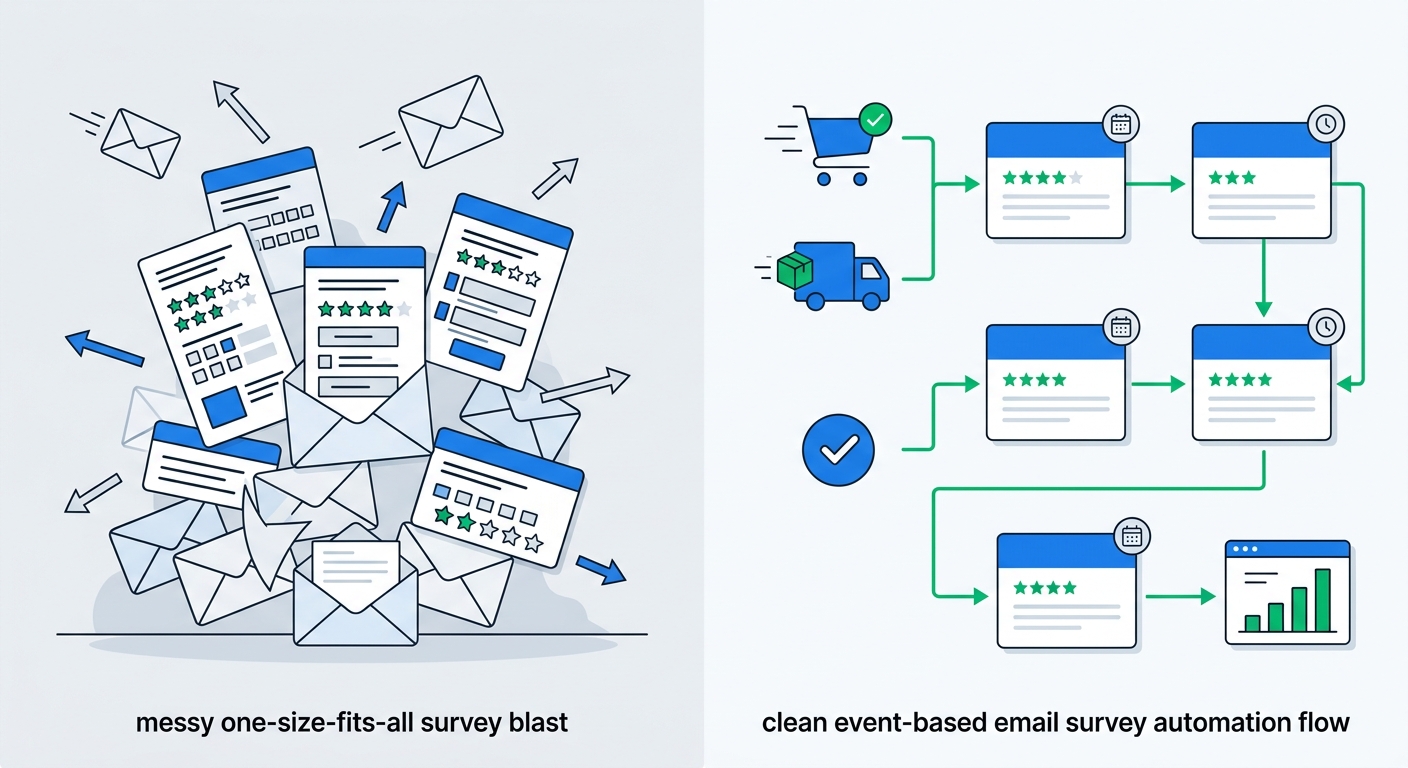
They automate the send, but not the logic.
A lot of stores think automation means, "send an email survey 14 days after every purchase." That is technically automated, but strategically lazy.
A better setup asks a few basic questions first:
- Was this the customer's first order or fifth?
- Was the product something they can evaluate in three days or thirty?
- Was there a support interaction that should trigger a separate satisfaction survey?
- Has this customer already received a survey recently?
- Do we need attribution, product feedback, NPS, or all of the above at different stages?
If you send the same survey to every customer on the same timeline, your data will be noisy and your response rates will fall. If you match survey type and timing to the journey stage, you get sharper insights without hammering the inbox.
Which automated email surveys to send, and when
Most Shopify brands do not need ten survey automations. They need three or four good ones.
1. Post-delivery product feedback survey
This is the workhorse.
Send it after the customer has had enough time to receive and try the product. For many stores, that means 7 to 14 days after delivery. For skincare, supplements, or products with a delayed payoff, it may be 21 to 30 days.
Use it to ask:
- Did the product meet expectations?
- What almost stopped you from buying?
- What would you improve?
- Did anything surprise you, good or bad?
This survey is useful because it catches friction before it becomes churn, negative reviews, or silent drop-off. It also feeds your product and merchandising decisions with language taken straight from customers instead of internal guesswork.
If you're comparing methods, our guide on how to collect customer feedback on Shopify breaks down where email surveys fit relative to popups, post-purchase surveys, and review requests.
2. Automated NPS survey
NPS should not go out immediately after purchase. That is nonsense. You are not measuring loyalty at that point, you are measuring purchase excitement.
A proper NPS email survey goes out after the customer has actually used the product, usually 10 to 30 days after delivery depending on the category. The core question stays simple: how likely are you to recommend us to a friend?
The real value comes from what happens next. Responses should be linked to order data so you can see whether promoters spend more, whether detractors cluster around certain products, and whether high-AOV customers are actually less happy than the average customer.
If you want the full setup, read How to Set Up NPS Surveys on Shopify. The short version is this: automated NPS is worth running only if you will segment the data and act on it.
3. Support satisfaction email survey
This one is underused.
If a customer had to contact support, you should measure that experience separately from product satisfaction. Otherwise you end up blending two very different signals. A customer might love the product and hate the support process, or the other way around.
Trigger a short CSAT survey after a ticket closes. Keep it brutally simple:
- How satisfied were you with the support you received?
- Was your issue fully resolved?
- Anything we should have done better?
This is the kind of workflow that surfaces operational issues fast. If shipping confusion spikes, if return handling gets messy, or if response times slip, you'll see it in the comments before it fully shows up in churn or refund rates.
4. Repeat-purchase or subscription health survey
For stores with repeat buying cycles, automation should not stop after order one.
Send a survey after the second or third purchase, or after a subscription renewal. At that point, the customer has enough experience to tell you something useful about product consistency, value for money, and brand trust.
This is also a good moment to identify promoters for video testimonials. Someone who has bought more than once and gives you a strong satisfaction signal is far more likely to record a credible customer video than someone you chase cold.
What to ask in an automated email survey
The best automated email surveys are short, specific, and matched to the trigger.
Bad survey question: "Tell us about your experience."
Better survey question: "Now that you've had your order for 10 days, how likely are you to recommend us?"
Context matters. The more obviously the question fits the moment, the more likely customers are to answer.
A simple framework that works
For most email survey automations, use this structure:
- One primary question tied to the event
- One follow-up question based on the answer
- One optional segmenting field only if it will directly affect action
Examples:
Post-delivery feedback
- Primary: "How did your order work out?"
- Follow-up: "What could have made it better?"
NPS
- Primary: "How likely are you to recommend us to a friend?"
- Follow-up for promoters: "What do you love most?"
- Follow-up for detractors: "What went wrong?"
Support CSAT
- Primary: "How satisfied were you with the support you received?"
- Follow-up: "Was anything missing or frustrating?"
Repeat-customer survey
- Primary: "What keeps bringing you back?"
- Follow-up: "What would make your next order even better?"
Avoid turning email surveys into market research dissertations. If you need six questions to get value, your workflow probably needs two surveys at different moments, not one bloated survey.
Best timing for Shopify email surveys
Timing is where most of the gains are.
Send based on delivery, not purchase date
Purchase date is convenient, but often wrong. If fulfillment takes time or shipping runs late, a survey tied to purchase date can arrive before the package does. That makes you look sloppy.
Tie email surveys to fulfillment or delivery events whenever possible. That is the difference between "How was your new product?" and "What product?"
Match the delay to the product category
A rough rule of thumb:
- Immediate-use products: 5 to 10 days after delivery
- Apparel or physical goods: 7 to 14 days after delivery
- Skincare, supplements, habit-based products: 21 to 30 days after delivery
- Furniture or higher-consideration products: 14 to 21 days after delivery
- Support surveys: within 1 to 24 hours after resolution
The customer should have enough time to form a real opinion, but not so much time that the memory decays.
Cap survey frequency hard
This part matters more than merchants think.
If one customer places three orders, contacts support, and gets hit with two feedback surveys plus an NPS request in a month, you've built a spam machine.
Set frequency caps. A simple policy works:
- No more than one email survey every 30 days per customer
- NPS no more than once per quarter
- Support CSAT exempt only when it follows a real support interaction
Survey fatigue is real. When it kicks in, response rates drop and the people who still answer become less representative.
How to make automated email survey data actually useful
Collecting responses is easy. Using them well is where most teams fall apart.
Link responses to revenue and order data
A spreadsheet full of comments is not a strategy.
You want every survey response connected to:
- order value
- products purchased
- first-time vs repeat status
- acquisition channel, when available
- delivery or support context
That changes the quality of your analysis immediately. Instead of asking, "what are customers saying?" you can ask, "what are high-AOV repeat customers saying about Product X?" That is a much better question.
This is also why combining email surveys with post-purchase attribution surveys is powerful. Attribution tells you where the customer came from. Email surveys tell you what happened after the sale. Together, they show not just which channels convert, but which channels produce satisfied customers who come back.
Use AI to analyze open-text responses
If your survey workflow works, you will get too many text responses to read manually.
That is a good problem, but it still needs solving.
AI-powered survey analysis groups open-text feedback into themes automatically, so you can spot patterns like sizing complaints, shipping confusion, or packaging praise without manually tagging hundreds of comments. If you want to go deeper, you can chat with your survey data and ask questions in plain English instead of digging through rows in a spreadsheet.
That matters for email surveys because they tend to generate richer comments than on-site prompts. Customers answer in sentences. AI is what makes those sentences usable at scale.
Route actions by response type
A survey response should trigger something.
- Promoter response: ask for a review or video testimonial
- Detractor response: alert support or CX for follow-up
- Product complaint cluster: send to product or ops
- Shipping complaint spike: investigate fulfillment and policy messaging
- High-value unhappy customer: escalate fast
If responses just land in a dashboard and die there, the automation stopped too early.
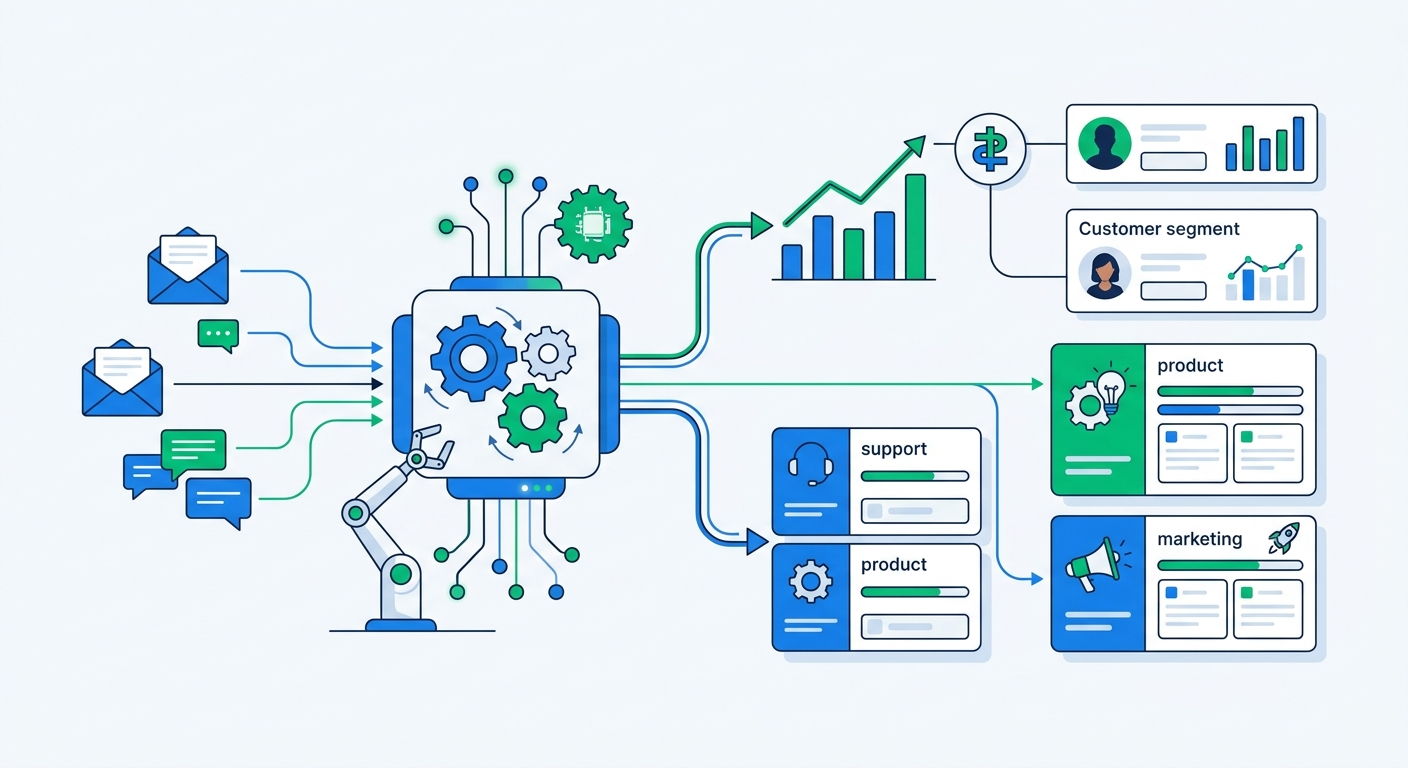
Automated email surveys vs popup and post-purchase surveys
These are not interchangeable. Use the format that matches the moment.
Popup surveys are best before purchase or during browsing. They are useful for zero-party data, discount exchange flows, and conversion friction. We broke that down in Popup Surveys vs. Email Popups.
Checkout and post-purchase surveys are best right around the transaction. They are ideal for self-reported attribution and purchase motivation.
Automated email surveys are best after the customer has lived with the result. That makes them the right tool for satisfaction, product quality, support experience, and loyalty.
The smart setup is not choosing one. It is using each survey type for the job it is actually good at.
For example:
- Use a checkout or post-purchase survey to ask, "How did you hear about us?"
- Use a popup survey to capture zero-party data or offer a survey-triggered discount
- Use an automated email survey 10 days later to ask whether the product met expectations
- Use NPS later to measure loyalty
That sequence gives you a much fuller view of the customer journey than any single survey can.
A practical Shopify setup for automated email surveys
If you want the simplest setup that still produces useful data, do this:
Minimum viable workflow
- Create a post-delivery email survey triggered 10 days after delivery
- Ask one satisfaction or product feedback question with one follow-up
- Create a separate NPS email survey triggered 21 to 30 days after delivery
- Add a support CSAT survey that sends after ticket resolution
- Cap total survey frequency per customer
- Link responses to Shopify order data and revenue
- Review themes weekly, not just response counts
That setup is enough for most stores to uncover real issues and identify promoter segments.
What UserLoop does differently
The advantage of UserLoop on Shopify is not just that it sends email surveys. Plenty of tools can send emails.
The useful part is that UserLoop combines email surveys with checkout, popup, app block, link, NPS, and video flows in one platform, then ties responses back to orders and revenue. That means you are not juggling one tool for attribution, another for NPS, and another for testimonials.
It also means customer feedback does not sit in silos. A promoter from an automated email survey can flow directly into a video testimonial request. An attribution response can be compared against downstream satisfaction. Open-text feedback can be grouped with AI instead of cleaned up manually.
That all-in-one setup is a lot more practical than duct-taping together a survey stack and pretending the exports will get reviewed later.
Start with one workflow, not five
If you have no automated email surveys running today, don't overengineer it.
Start with one well-timed post-delivery survey. Make it short. Tie it to delivery, not purchase date. Connect the responses to order value. Read the comments. Fix the obvious issues. Then add NPS and support CSAT once the first workflow is producing signal.
That is how you keep this from turning into another abandoned dashboard.
Ready to launch automated email surveys on Shopify? Start with UserLoop's email and NPS survey workflows or install UserLoop from the Shopify App Store to connect feedback directly to orders, revenue, and follow-up actions.


The agentic growth toolkit for Shopify
Ask your customers anything
UserLoop talks to your customers at scale with surveys and contests that feed one AI-queryable dataset. AI does the setup and the analysis.
- SurveysFind out why customers buy: checkout, email, link & QR.
- ContestsGiveaways that grow your list and social following.
Free plans on both apps · live in minutes