"Zero-Party Data for Ecommerce: What It Is, How to Collect It, Why It Matters"
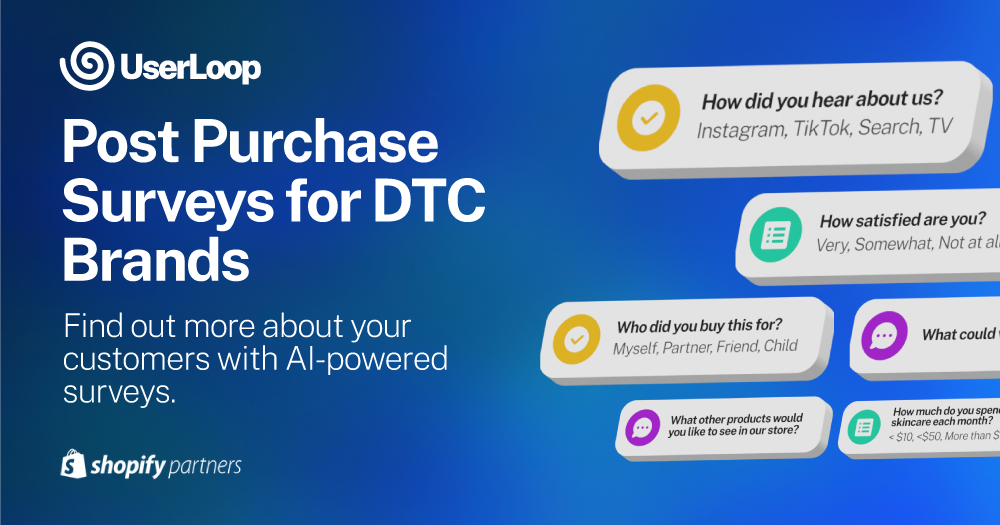
Third-party cookies are going away. iOS tracking restrictions already cut ad attribution accuracy in half for most Shopify stores. Google has been phasing out third-party cookies in Chrome since 2024. The data you used to get for free from platforms and pixels is disappearing.
First-party data picks up some of the slack. You can track what customers do on your site: what they browse, what they add to cart, what they buy. But first-party data only captures behavior. It doesn't tell you why someone bought, what they were looking for, how they heard about you, or what would make them come back.
Zero-party data fills that gap. It's information customers give you directly and intentionally. Survey responses, preference selections, feedback forms, "how did you hear about us" answers. Data that no pixel can capture and no privacy regulation can take away, because the customer chose to share it.
This guide covers what zero-party data actually is (and isn't), the specific types that matter for ecommerce, how to collect it without annoying your customers, and what to do with it once you have it.
What is zero-party data?
Forrester coined the term in 2020 to describe data that a customer "intentionally and proactively shares with a brand." It includes preferences, purchase intentions, personal context, and how they want to be recognized.
The concept is simple: instead of inferring what a customer wants from their clicks and pageviews, you ask them directly and they tell you.

Here's how it compares to other data types:
Third-party data is collected by companies you have no direct relationship with. Ad networks, data brokers, and cookie-based tracking platforms aggregate browsing behavior across the web and sell access. This is what's disappearing.
Second-party data is someone else's first-party data that they share with you. Partnership deals, data clean rooms, and platform-provided audience data fall here. Useful but limited.
First-party data is what you collect directly from interactions on your own properties. Site analytics, purchase history, email engagement, browsing behavior. Valuable, but it only shows you what happened, not why.
Zero-party data is what the customer actively volunteers. It requires a conscious act of sharing. A survey response is zero-party data. A page view is not. A preference selection in a quiz is zero-party data. A click on a product is not.
The distinction matters because zero-party data is both the most accurate and the most privacy-resilient type of customer data you can collect. No one can regulate it out of existence because the customer explicitly chose to share it.
Why zero-party data matters more now than ever
Three forces are converging to make zero-party data essential for ecommerce brands.
The tracking collapse
iOS 14.5's App Tracking Transparency prompt cut Facebook ad attribution accuracy dramatically. Google's Privacy Sandbox continues to restrict cross-site tracking in Chrome. Safari and Firefox blocked third-party cookies years ago.
The practical impact: your ad platforms increasingly can't tell you which channels are driving sales. ROAS numbers in Meta Ads Manager and Google Ads are estimates, not measurements. The further a customer's journey spans across devices and sessions, the less your tracking captures.
Zero-party data provides a direct solution. When you ask customers "how did you hear about us?" after purchase, you get attribution data that doesn't depend on cookies, pixels, or cross-device tracking. A customer who tells you "I saw your product on TikTok" gives you information no pixel could capture.
The personalization gap
Customers expect personalized experiences, but the data that powered personalization is getting harder to collect. Without third-party data, you're left personalizing based on on-site behavior alone. That works for returning visitors with purchase history, but it leaves new visitors in the dark.
Zero-party data lets you personalize from the first interaction. A popup survey asking "what are you looking for today?" gives you enough context to recommend relevant products before the visitor even browses. Preference data from quizzes, surveys, and onboarding flows turns anonymous visitors into known prospects.
The compliance advantage
GDPR, CCPA, and a growing list of privacy regulations restrict how you collect, store, and use customer data. Zero-party data has the cleanest compliance profile of any data type. The customer explicitly provided it. You didn't track, infer, or purchase it. There's no consent ambiguity.
This doesn't mean zero-party data is exempt from privacy regulations. You still need to handle it responsibly and disclose how you'll use it. But the consent basis is straightforward: the customer answered your question voluntarily.

Types of zero-party data for ecommerce
Not all zero-party data is equally useful. Here are the specific types that drive real business decisions for Shopify stores.
Attribution data
"How did you hear about us?" is the single most valuable zero-party data question for most ecommerce brands. It tells you which marketing channels are actually driving new customers, independent of any pixel or tracking setup.
Raw attribution responses can be messy. When you ask an open-text "how did you hear about us" question, you'll get answers like "from a friend," "saw you on insta," "Google search," "my sister told me," and "tiktok ad." These need to be grouped into clean channel buckets to be useful.
UserLoop's AI channel grouping automatically categorizes open-text attribution responses into standardized channels: Social Media (Paid), Social Media (Organic), Word of Mouth, Search, Influencer, Podcast, and so on. No manual tagging required. This gives you a clean attribution picture that complements (and often corrects) your pixel-based data.
Product preferences
What products are customers interested in? What features matter to them? What's their use case? This data helps you personalize recommendations, prioritize product development, and segment your marketing.
Collect it through popup surveys ("what are you looking for today?"), post-purchase surveys ("what will you use this product for?"), or on-site quizzes that guide visitors to the right product.
Purchase motivations
Why did someone buy? What convinced them? What almost stopped them? This data is gold for conversion optimization.
Post-purchase survey questions like "what almost stopped you from buying?" and "what convinced you to choose us over alternatives?" reveal the real drivers and barriers in your customer journey. Every response is a data point that helps you optimize your product pages, pricing, and messaging.
Customer satisfaction signals
NPS scores, CSAT ratings, and qualitative feedback about the purchase experience are zero-party data. The customer is telling you how they feel about your brand, in their own words.
These signals become especially powerful when linked to revenue data. Knowing that your NPS detractors have 60% lower repeat purchase rates than promoters tells you exactly how much customer satisfaction is worth in dollar terms.
Demographic and lifestyle context
Age ranges, household composition, interests, and lifestyle details help you understand who your customers actually are versus who you think they are. This data is sensitive, so collect it sparingly and only when it directly informs better service.

How to collect zero-party data on Shopify
The biggest mistake brands make with zero-party data collection is treating it as a one-time project. You don't collect zero-party data once and check a box. You build collection into every customer touchpoint, so data flows in continuously.
Here are the five most effective collection methods for Shopify stores, ranked by volume and quality.
1. Post-purchase surveys
Post-purchase surveys are the highest-volume, highest-quality source of zero-party data for most Shopify stores. A customer just bought something. They're engaged. They're willing to share feedback. Response rates for well-designed post-purchase surveys typically run 30-50%.
What to collect:
- Attribution: "How did you hear about us?"
- Satisfaction: "How would you rate your shopping experience?" (NPS or CSAT)
- Product feedback: "What will you use this product for?"
- Improvement signals: "What almost stopped you from buying?"
The key is keeping surveys short. One to three questions gets the highest completion rates. If you want to ask more, use conditional logic to show different questions to different segments.
With UserLoop, post-purchase surveys appear on the order confirmation page (Shopify checkout extensibility) and in follow-up emails. Every response is automatically linked to the order, so you can analyze feedback by product, order value, customer segment, and channel.
2. Popup surveys
Popup surveys capture zero-party data from visitors who haven't purchased yet. This is data you can't get any other way: the preferences and intentions of people who are browsing but haven't committed.
What to collect:
- Intent: "What are you looking for today?"
- Barriers: "What stopped you from buying today?" (exit intent)
- Discovery: "How did you find our store?"
- Preferences: "Which category interests you most?"
The survey-for-a-discount mechanic works well here. Ask a question, reward the answer with a unique Shopify discount code. You collect zero-party data and drive conversions. The visitor answers in one tap, gets 10% off, and you learn why they were leaving or what they're looking for.
3. Email surveys
For collecting feedback days or weeks after purchase, email surveys reach customers when they've had time to use the product. These are ideal for product feedback, satisfaction measurement, and video testimonial collection.
What to collect:
- Product satisfaction: "How are you liking your [product]?"
- Usage context: "How often do you use it?"
- Referral likelihood: NPS score
- Testimonials: Video or text reviews
Email surveys typically get 10-20% response rates. Lower than post-purchase checkout surveys, but the feedback is richer because the customer has actually used the product.
4. App block surveys
Embedded surveys on your Shopify storefront (via app blocks in your theme) collect data passively as visitors browse. Place a one-question survey on a product page, a collection page, or a dedicated feedback page.
What to collect:
- Product interest signals
- Feature preferences
- Category browsing intent
App block surveys work best for always-on data collection that doesn't interrupt the shopping experience. They sit naturally within the page layout rather than appearing as popups.
5. Link surveys
Shareable survey links let you collect zero-party data anywhere: in emails, social media posts, SMS messages, packaging inserts, or customer service interactions. Any touchpoint where you can share a URL becomes a data collection point.
What to collect:
- Event-specific feedback (post-event, post-support)
- Community input (product development, feature requests)
- Campaign-specific attribution

What to do with zero-party data once you have it
Collecting zero-party data is only half the job. The other half is turning raw responses into decisions. Here's a practical framework for the three highest-impact use cases.
Fix your marketing attribution
If you're running ads on Meta, Google, TikTok, and other platforms, your ad dashboards are all claiming credit for the same sales. Self-reported attribution from post-purchase surveys cuts through the noise.
Compare your survey-based attribution data to your platform-reported data. You'll almost always find discrepancies. Common patterns:
- Podcast and word-of-mouth are underreported. These channels rarely get pixel credit because the customer heard about you offline and searched for you later. Google gets the click credit. The survey reveals the real source.
- Paid social is overreported. Meta and TikTok claim conversions from anyone who saw an ad in a 7-day window. Survey data often reveals these customers discovered you through other channels first.
- Organic search is a catch-all. Many customers who say "I Googled you" actually discovered you elsewhere first and used search to navigate to your site.
UserLoop's AI channel grouping automatically organizes open-text attribution responses into clean channel categories, so you can build a reliable attribution picture without manually reading thousands of responses.
Personalize the customer experience
Zero-party preference data lets you segment and personalize in ways that behavioral data alone can't support.
Email segmentation. Tag customers based on their survey responses and send targeted campaigns. Customers who said they bought for a gift get your gifting guide. Customers who mentioned a specific use case get content relevant to that use case.
Product recommendations. If a popup survey reveals that a visitor is looking for outdoor gear for hiking, show them hiking products, not your full catalog.
Ad targeting. Export your zero-party segments to ad platforms. Create lookalike audiences based on customers who discovered you through specific channels or who have specific preferences. These audiences perform better than broad targeting because they're based on real customer intent, not inferred behavior.
Improve your products
Aggregate product feedback from surveys reveals patterns that individual reviews miss. When 200 customers answer "what would make this product better?" and AI theme extraction groups their responses into themes, you see clear priorities.
Maybe "more color options" appears in 35% of responses. Or "sizing runs small" is a recurring theme. These aren't one-off complaints; they're statistically significant signals that should drive product decisions.
You can also connect your survey data to Claude or ChatGPT using UserLoop's MCP server and ask questions in plain language: "What are the top three product improvement requests this quarter?" or "How does satisfaction differ between first-time and repeat buyers?"

Zero-party data best practices
Ask less, learn more
Every additional question in a survey reduces completion rates. The best zero-party data programs collect a little bit of data at every touchpoint rather than a lot of data in one survey.
Post-purchase: ask 1-2 questions. Popup: ask 1 question. Email follow-up: ask 2-3 questions. Over the course of a customer's journey, you'll build a rich profile without ever asking them to fill out a 15-question form.
Make it worth their time
Customers share data when they get something in return. A discount code, a personalized recommendation, a better experience next time. The exchange should feel fair.
Popup surveys that reward completion with a discount code have 3-5x higher completion rates than surveys with no incentive. The discount drives conversions. The survey drives insights. Both sides win.
Close the feedback loop
When customers give you feedback and you act on it, tell them. "You told us sizing was confusing, so we added a new sizing guide." This reinforces the value of sharing feedback and increases willingness to participate in future surveys.
Connect responses to revenue
Zero-party data becomes exponentially more powerful when linked to purchase data. Knowing that customers who discovered you through TikTok have 2x higher AOV than those from Facebook ads changes how you allocate budget. Knowing that NPS promoters have 3x higher lifetime value changes how you prioritize customer satisfaction.
UserLoop links every survey response to Shopify order data automatically, so you can segment by revenue, AOV, repeat purchase rate, and customer lifetime value.
Don't hoard data you won't use
Only collect data you'll act on. Asking customers about their favorite color when you sell electronics is a waste of their time and yours. Every question should tie to a specific business decision you're trying to make.
Zero-party data vs. other data types: a practical comparison
| Aspect | Zero-party | First-party | Third-party |
|---|---|---|---|
| Source | Customer tells you | You observe behavior | External aggregator |
| Accuracy | High (direct from source) | Medium (inferred) | Low (modeled) |
| Privacy risk | Low (explicit consent) | Medium | High |
| Durability | High (no platform dependency) | Medium | Declining |
| Setup effort | Medium (requires surveys) | Low (analytics tools) | Low (buy access) |
| Depth | High (motivations, preferences) | Medium (actions only) | Low (broad demographics) |
The takeaway: zero-party data and first-party data are complementary. First-party data tells you what happened. Zero-party data tells you why. Together, they give you a complete picture that doesn't depend on any third-party platform, cookie, or pixel.
Start collecting zero-party data today
The brands that will thrive in a post-cookie world are the ones building direct data relationships with their customers right now. Every day without zero-party data collection is a day of customer insights you'll never recover.
You don't need a complex data infrastructure to start. A two-question post-purchase survey ("How did you hear about us?" and "How would you rate your experience?") takes five minutes to set up and immediately gives you two of the most valuable types of zero-party data: attribution and satisfaction.
UserLoop gives you seven survey types (checkout, popup, app block, email, link, NPS, and video), AI-powered analysis, and automatic revenue linking, all in one Shopify app.
Install UserLoop from the Shopify App Store and start your first zero-party data survey today. Free plan available. Popup surveys with discount code automation start at $19/month.


The agentic growth toolkit for Shopify
Ask your customers anything
UserLoop talks to your customers at scale with surveys and contests that feed one AI-queryable dataset. AI does the setup and the analysis.
- SurveysFind out why customers buy: checkout, email, link & QR.
- ContestsGiveaways that grow your list and social following.
Free plans on both apps · live in minutes