How to run a Shopify Exit Survey
Showing a survey to customers who leave your Shopify store can be an invaluable source of customer feedback.
By running a simple survey, you can learn from your customers and discover what you could be doing better.
Whether it’s pricing, the design of your site, lack of shipping options or something else - there’s no better way than simply asking your customers for direct feedback.
The surveys typically work by detecting the customer is moving their mouse towards the top of the screen after only being on the page for a few seconds - then they show a pop up message.
One of the most popular kinds of exit survey is a HDYHAU survey, which helps you understand how customers found your store in the first place. Check out our tutorial on HDYHAU surveys here.
Some apps also let you send surveys to your customers by email, allowing you to reach them even after they’ve left your store.
If you want to maximize your response rate, it’s worth considering adding a coupon incentive. This provides your customers with a discount when they’ve completed your survey.
If you're thinking about running an exit survey, it's also a good idea to have considered installing a checkout upsell app. The post purchase page is one of the most valuable pages on your store - and installing the right app can help you dramatically boost sales. We recommend checking out Aftersell - it's a great option for boosting revenue after purchase.
Thankfully, there are lots of great apps that can help you run a Shopify Exit Survey, let’s take a look at some of our top picks…
Best apps for a Shopify Exit Survey
There are lots of apps on the Shopify App Store that can help you run a successful exit survey.
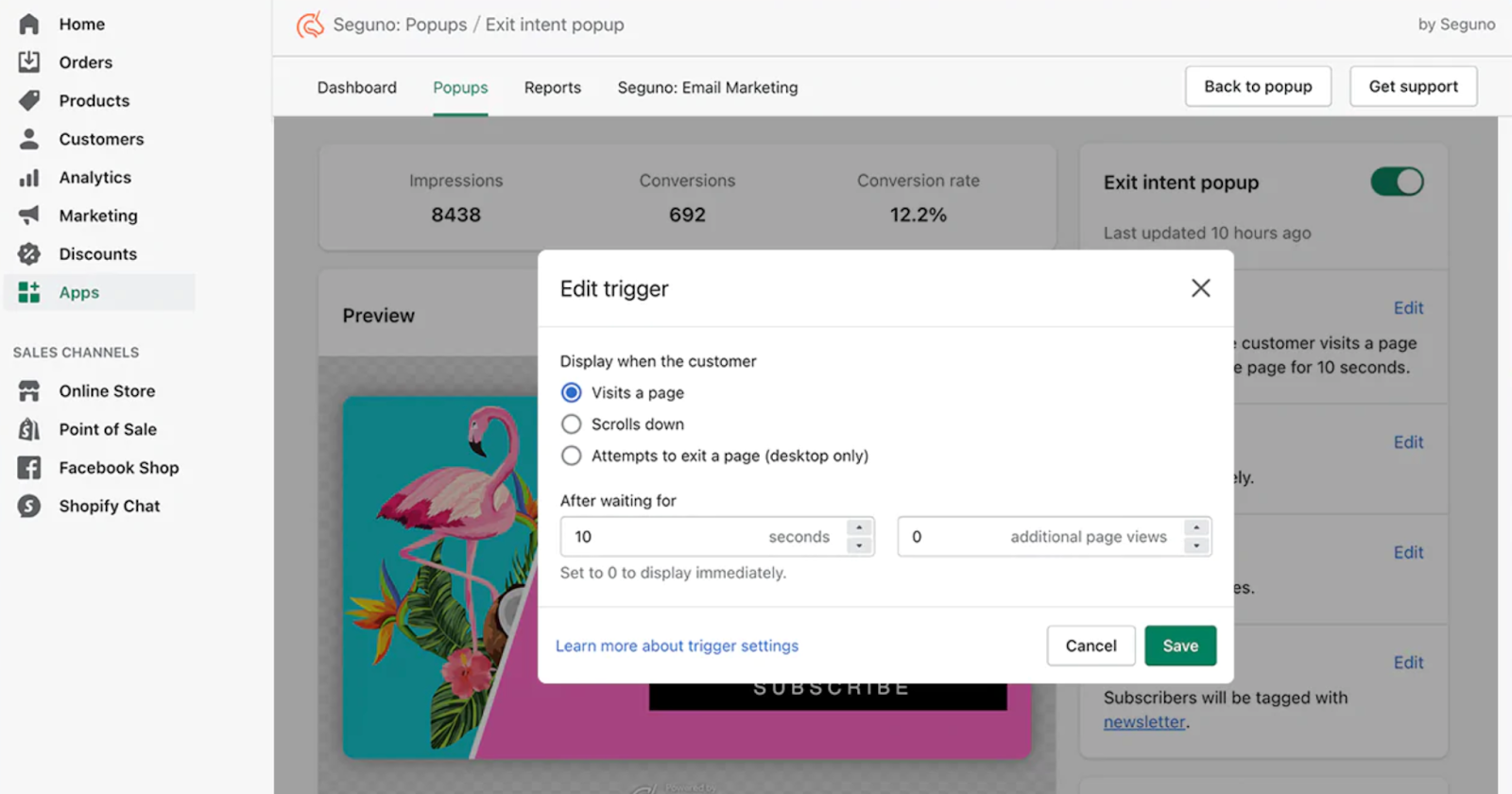
1. Seguno. This is a great app for starting with a simple popup survey for exiting customers, and what’s more it’s totally free for up to 1,000 impressions a month. Paid plans then start at $10.
Seguno specialises in showing exiting customers a discount to try and retain them.
There are lots of triggers you can customise to control exactly when the pop up is shown.
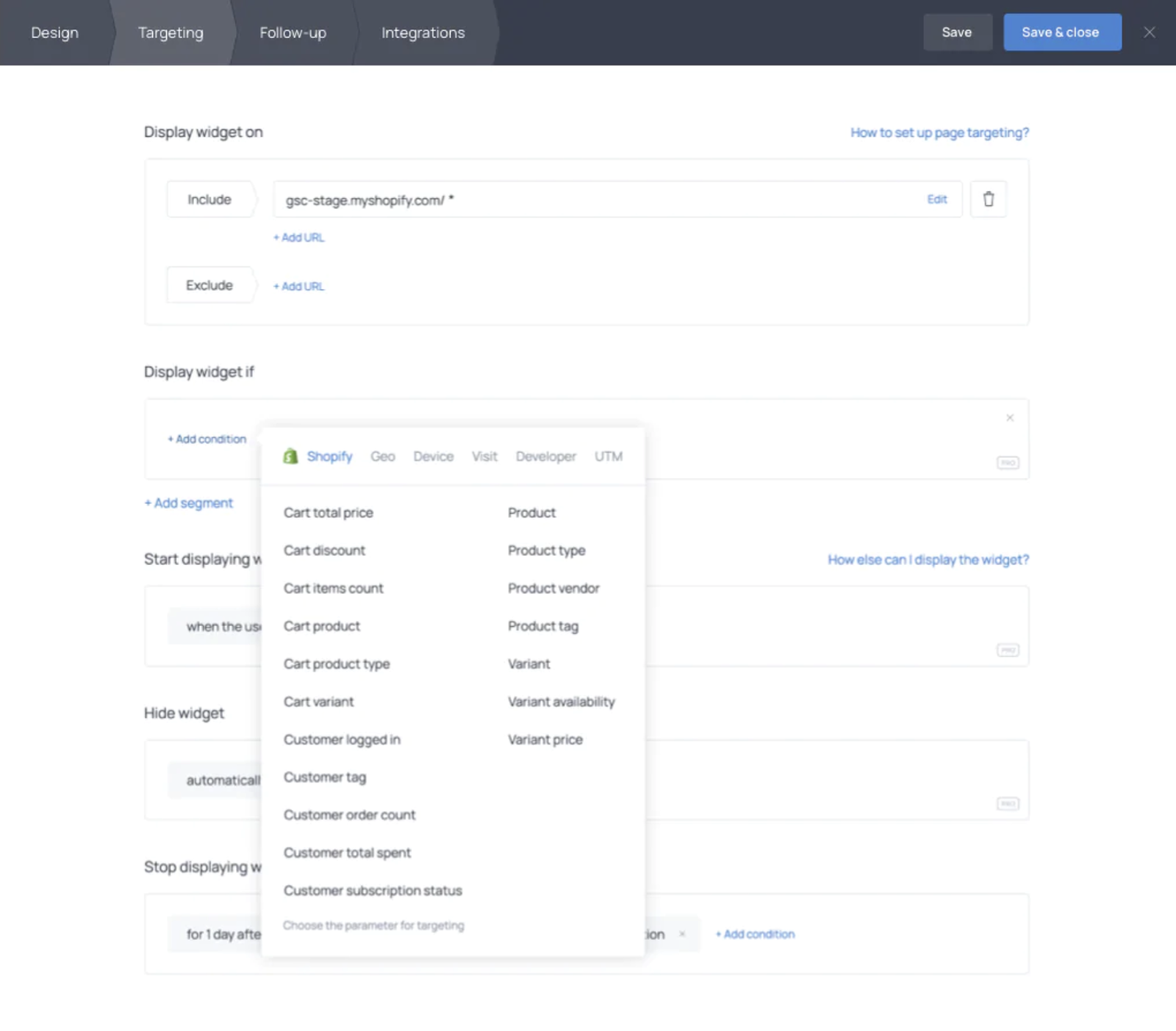
- GetSiteControl. This app is for slightly bigger stores and lets you set up a whole host of different kinds of popups based on customer behaviours. It’s primarily based around offering discounts but you can also use it for email address collection.
There’s a huge amount of conditional rules you can apply which determine when to show the popup. Maybe you only want to show the popup to customers who spent a certain amount, or purchased a certain product.
Paid plans start at $9/month for 20,000 pop up opens.
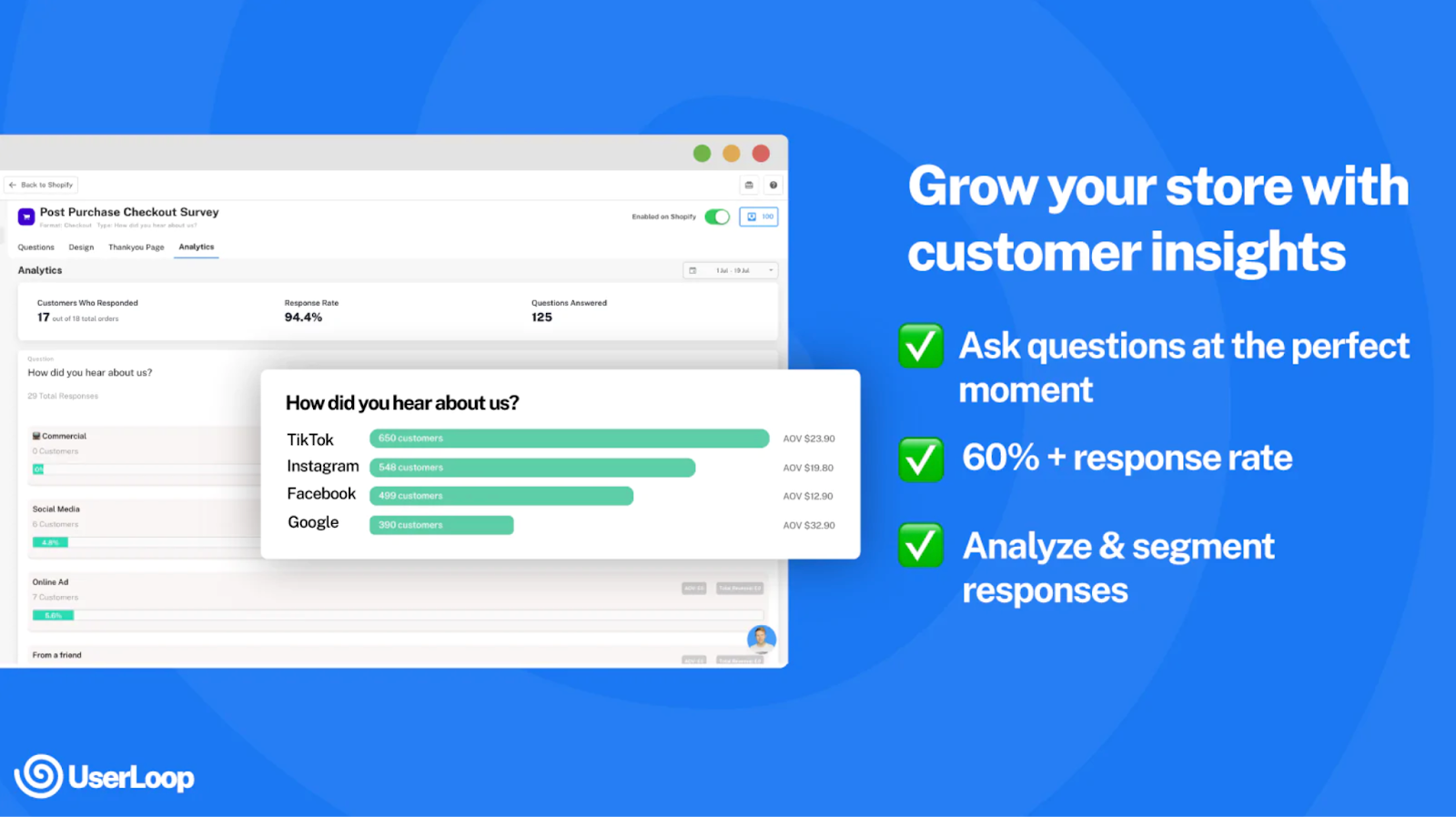
3. UserLoop. This app is designed for stores that want to learn more about their customers through highly targeted surveys. You can add surveys to any page on your store (including your checkout) or even send surveys to customers by email.
You can offer customers incentives for completing a survey with discount codes, and there are hugely powerful analytics designed to help you understand your customers better.
There’s a free plan to get you started with 50 free responses every month, then paid plans start at $29/month. There’s also free library of ready made questions developed by D2C experts to help you get started
So whether you’re a small store just getting started with learning more about your customer, or a larger brand looking to collect customer data at scale - there’s an app to suit your needs.
If you’re also trying to boost your average order value, check out our post on maximising your post purchase upsells - it’s another great way to grow your store.


The agentic growth toolkit for Shopify
Ask your customers anything
UserLoop talks to your customers at scale with surveys and contests that feed one AI-queryable dataset. AI does the setup and the analysis.
- SurveysFind out why customers buy: checkout, email, link & QR.
- ContestsGiveaways that grow your list and social following.
Free plans on both apps · live in minutes