How to create a QR code survey
QR codes are a very powerful way of collecting customer data. Creating a quick and easy survey which customers can respond to simply by scanning a QR code lets you collect data from places you usually cant.
They only take minutes to set up and can be an ongoing source of valuable customer feedback, product feedback and even reviews.
In this post, we'll go over how to set up your first QR Code survey, and analyze the responses.
What can you use a QR Code Survey for?
QR Code surveys are perfect for collecting data from customers when they're not in front of their computer. Responses are typically collected from a mobile device whilst the customer is out and about. Here are some of the most popular uses for QR Code Surveys:
In Store Feedback. Adding a QR Code survey to your in store POS, shelf edge or in-store materials is a great way to get qualified feedback from customers whilst theyre in your store. All customers have to do is pull out their smartphone wherever they are in store and scan the code to start taking the survey. You can collect useful information about how staff are performing, what the store experience is like, or whether the customer had a good experience.
Packaging Feedback. A great application for a QR code survey is to add the QR code to your product's packaging. This makes it super easy for the customer to scan the code whilst they're experiencing your product and to give you valuable feedback about their experience. This can also be a great way of driving reorders.
In Your Advertising. Simply adding a QR code to your advertising, whether it's print or online can be a really effective way of connecting with your customers. You can also use a survey as competition entry form - so scanning the QR code would allow the customer to sign up to your newsletter and enter the competition at the same time.
How do you set up a QR Code Survey?
The quickest and easiest way to set up a QR Code Survey is using a tool like UserLoop, you can sign up free and create your first survey right now!
The app lets you add the questions you want to ask, and then generate a QR code which you can download. You can then add that QR code image wherever you want - in store, in your ads or on your packaging! Whenever a customer scans it they'll be able to respond to your survey.
- Generate your QR Code. Once you've added your survey questions, hit the QR code icon at the top to generate your code, you can then download it to your computer.
Add your questions. Decide what you want to ask your customers after they scan your QR code. UserLoop has tons of built in best practice commerce survey questions, or you can build your own.
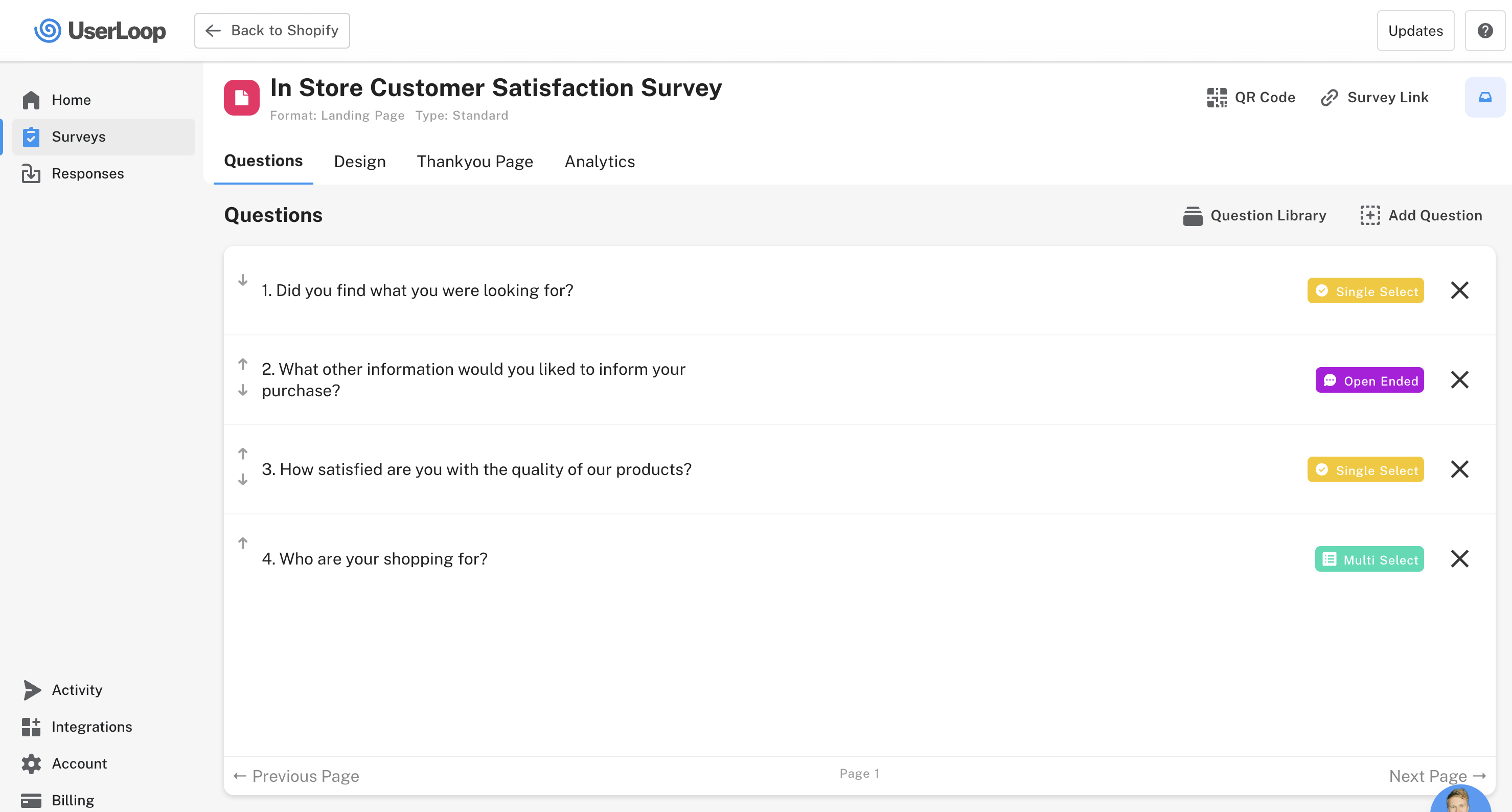
Once you've got your code, scan it to test out your survey then add it wherever you like to start collecting responses!
Here's a video tutorial showing how to create your survey in UserLoop. Get your free account here.


The agentic growth toolkit for Shopify
Ask your customers anything
UserLoop talks to your customers at scale with surveys and contests that feed one AI-queryable dataset. AI does the setup and the analysis.
- SurveysFind out why customers buy: checkout, email, link & QR.
- ContestsGiveaways that grow your list and social following.
Free plans on both apps · live in minutes