Top 8 Tactics to Improve NPS Response Rates
NPS is a well-known metric that allows businesses to benchmark customer satisfaction and pinpoint areas for enhancement. On average, NPS surveys typically see response rates between 20% and 40%, depending on the industry. For retailers with highly engaged customers and well-implemented survey practices, response rates can even reach 60% or more.
To get the most actionable insights and reach the 60% NPS response rates , it's important to optimize the survey process, ensuring customers are engaged and willing to respond. In this blog we provide a comprehensive guide, based on best practice learning, on how retailers can improve your NPS survey response rates by focusing on timing, simplicity, personalization, and incentives.
1. Optimize Survey Timing
Timing is crucial when sending NPS surveys. Surveys delivered at the right moment can capture customers' true feelings while the experience is still fresh. Here’s how to optimize the timing of your surveys:
- Post-Purchase or Post-Delivery: Sending a survey shortly after a purchase or delivery is ideal. For instance, sending an NPS survey 1-2 days after a customer receives their order allows them to provide feedback while the experience is top-of-mind. Similarly, for service-related interactions, sending a survey soon after a customer support interaction ensures feedback is current and relevant.
- Avoid Sending Surveys Too Soon or Too Late: If sent too early, customers may not have enough experience with the product to provide meaningful feedback. Conversely, sending surveys too late can result in low response rates as the experience may no longer be impactful. Striking the right balance in timing can significantly boost your chances of getting accurate responses.
💡 To Learn About Every Type of NPS Surveys Head to - Different Types of NPS Surveys for Retailers: what to use when
2. Keep the Survey Simple
When it comes to NPS surveys, simplicity is key. A complex or lengthy survey can deter customers from responding. Here are some tips to keep your surveys simple:
- Limit Questions to the Essentials: Focus on the core NPS question, "How likely are you to recommend our company to a friend or colleague?" Include just one or two follow-up questions for context, such as "What is the main reason for your score?" This helps prevent survey fatigue and increases completion rates.
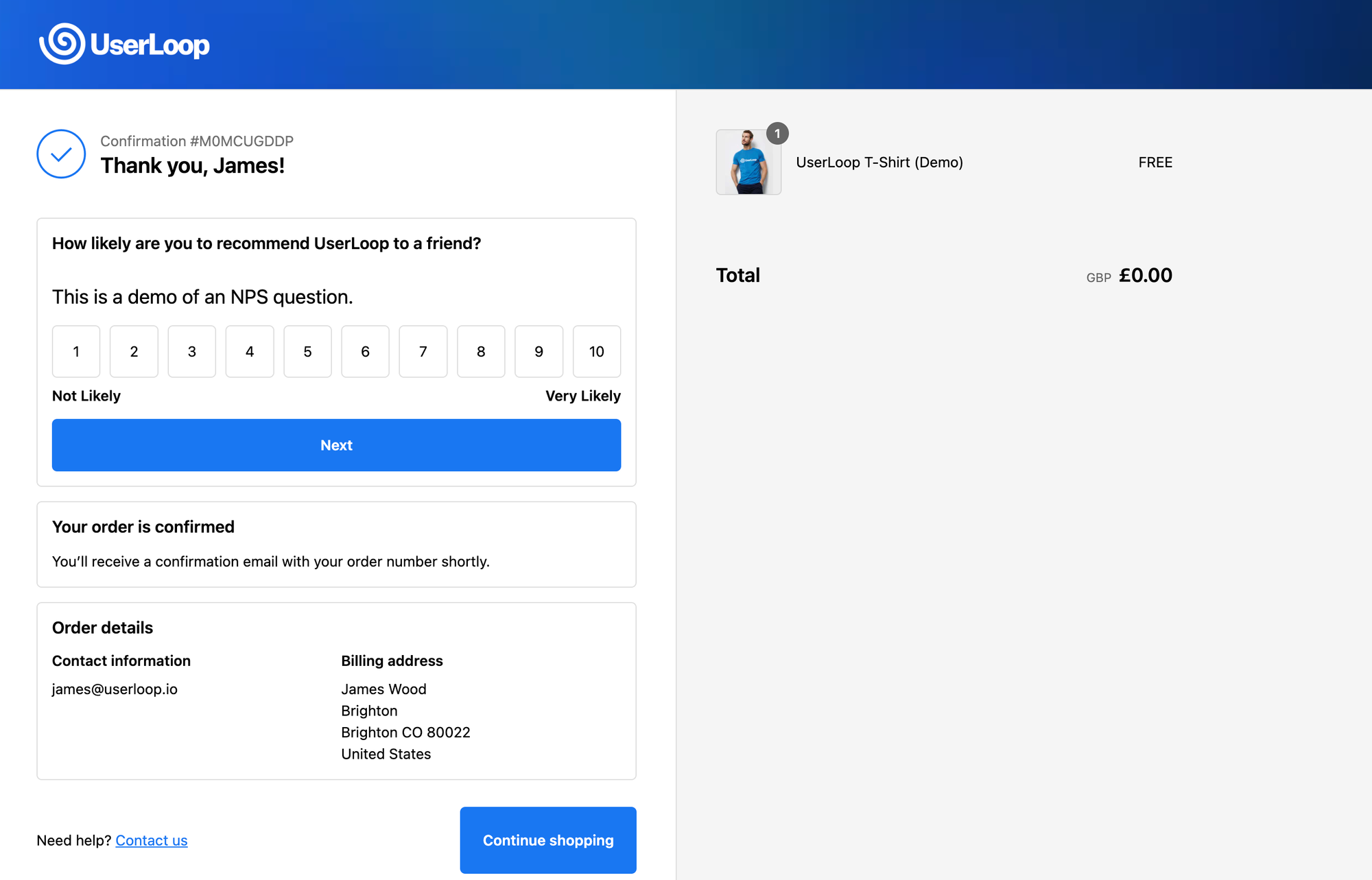 Keep it simple on NPS
- Use Open-Ended Questions Wisely: Including an open-ended question as a follow-up allows customers to share more detailed feedback without overwhelming them with too many questions.
💡 To Lean How to Get The Best Out of Your Survey Results Head To - NPS Survey Best Practices: How to Maximize Customer Insights
3. Personalize the Survey Invitation
Personalization can make customers feel valued and increase their likelihood of responding to the survey:
- Use the Customer's Name: Addressing customers by their name in the survey email creates a more personalized experience. For example, starting with "Hi [Customer Name], we'd love to hear your feedback!" can make the survey feel less generic.
- Tailor the Content Based on Recent Interactions: Mention details about the customer's recent interaction, such as a product they purchased or a service they used, to show that you value their individual experience.
4. Use Multiple Channels
Reaching customers through their preferred communication channels increases the likelihood of participation. A multi-channel approach can significantly boost response rates:
- Email and SMS: While email is a common method for NPS surveys, SMS can be a more direct approach for those who prefer texting. Using both methods allows you to reach different customer segments.
- In-App Notifications: For businesses with a mobile app, sending survey notifications directly in the app can provide a seamless way to gather feedback.
- Social Media and Web Pop-Ups: Surveys promoted on social media or through pop-ups on your website can reach customers at various touchpoints, especially after key actions like purchases.
5. Offer Incentives
Incentives can motivate customers to complete surveys and can lead to higher response rates. Here’s how to do it right:
- Provide Small Rewards: Offer small incentives like discount codes or entries into a giveaway for completing the survey. This can encourage participation without compromising the survey's objectivity.
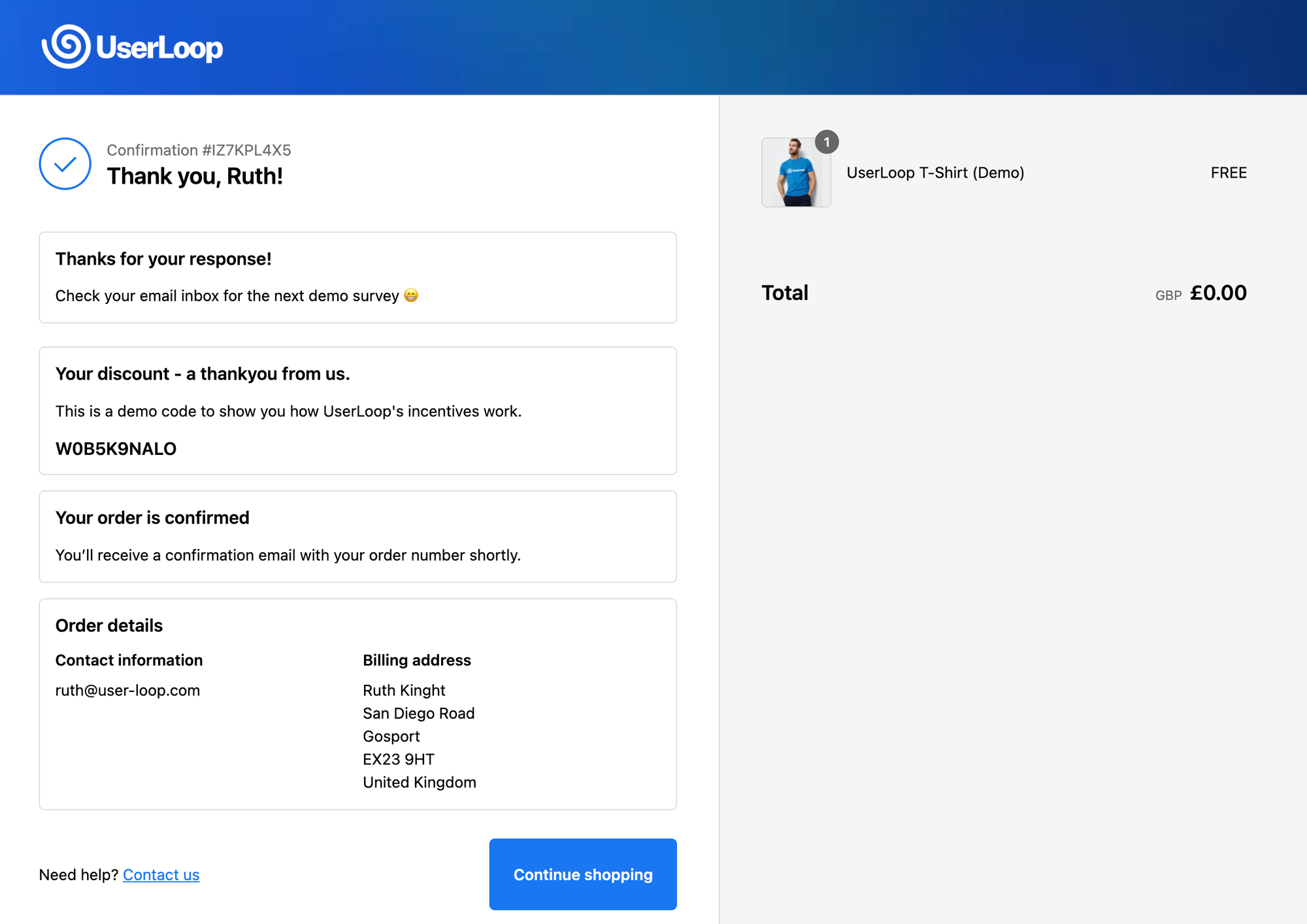 Discount Code Incentive
- Avoid Bias: Make it clear that the incentive is for participating in the survey, not for providing a particular rating. For example, state, "Complete our survey for a chance to win a $50 gift card," rather than offering rewards for high scores.
6. Follow Up with Reminders
Reminding customers who haven’t responded can boost response rates:
- Send Friendly Follow-Ups: A follow-up email 3-5 days after the initial survey can improve response rates without feeling pushy. A simple, polite reminder like "We'd still love to hear your feedback!" can go a long way.
- Include the Survey Link Again: Make it easy for customers to participate by including the survey link in the reminder.
7. Ensure Mobile Compatibility
Since many customers will open surveys on mobile devices, it’s essential to ensure mobile compatibility:
- Responsive Survey Design: Use a survey platform that adapts to different screen sizes, ensuring a seamless experience on mobile, tablet, and desktop.
- Preview the Survey on Mobile: Test the survey on a smartphone before sending it to ensure all elements display properly and are easy to navigate.
Retail Case Study: Improving NPS Response Rates with Incentives
One example of a retail brand optimizing its NPS surveys comes from a popular online clothing store that used UserLoop to boost its survey response rate. The store implemented the following strategies:
- Timing Optimization: They sent NPS surveys two days after delivery, giving customers enough time to experience their new purchases.
- Incentivized Participation: To encourage responses, the store offered a 10% discount on the next purchase for completing the survey. This reward was presented as a thank-you gesture, not tied to any particular rating.
- Multi-Channel Approach: The store utilized email for the initial survey and followed up with a text message reminder, ensuring they reached customers on the platform they preferred.
- AI Powered Analysis: The retail client relied on the AI analytics and Insights Hub to deliver actionable insights fast.
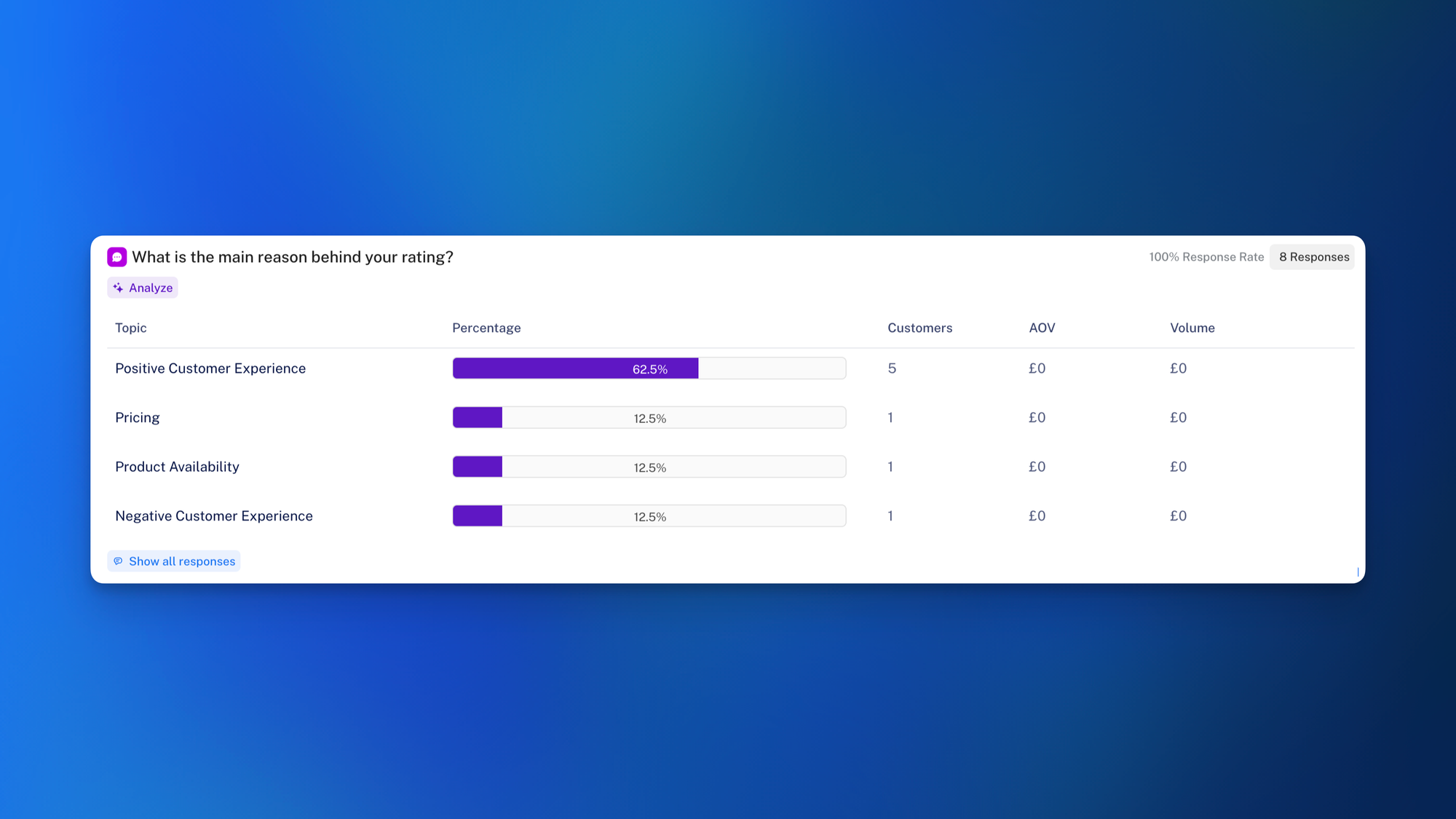 AI Powered Analysis from UserLoopTop oTjkhkjhT
These tactics led to a 65% response rate—significantly higher than the industry average. The store's customer satisfaction improved as they used the feedback to fine-tune their product offerings and enhance customer service.
8. Target a Good NPS Response Rate
The ideal NPS response rate varies, but B2B businesses should generally aim for 20-40%. Highly engaged retailers who implement best practices like incentives and multi-channel distribution can achieve response rates as high as 60% or more.
Set a NPS target response rate and keep monitoring optimizing towards that aim. Implement a survey tool that feeds you insights taking the burden off analysis, making it quicker and easier to refine questions and supporting processes.
About UserLoop: Simplifying NPS Surveys for Shopify Users
UserLoop helps Shopify store owners easily collect customer feedback through NPS surveys and more. Our platform integrates seamlessly with Shopify to automate surveys at key touchpoints like post-purchase, delivery, or cart abandonment, capturing customer sentiment when it's most relevant.
Key features of UserLoop include:
- Automated Survey Triggers: Send NPS surveys at optimal moments based on customer actions.
- Personalized Invitations: Use customer data from Shopify to tailor survey messages and make customers feel valued.
- Multi-Channel Distribution: Reach customers through email, SMS, in-app notifications, and web pop-ups.
- Incentives Management: Boost survey response rates with unique discount codes or gift cards, automatically generated to reduce misuse.
- AI-Powered Analytics: UserLoop's AI tools help analyze responses, identify trends, and segment customers based on purchase behavior, order value, or other criteria.
Trusted by thousands of eCommerce brands, UserLoop enables Shopify merchants to gain deep insights into customer satisfaction and loyalty, helping them improve the shopping experience and grow their business.
💡 Head to the Shopify App Storeto start your UserLoop free trial


The agentic growth toolkit for Shopify
Ask your customers anything
UserLoop talks to your customers at scale with surveys and contests that feed one AI-queryable dataset. AI does the setup and the analysis.
- SurveysFind out why customers buy: checkout, email, link & QR.
- ContestsGiveaways that grow your list and social following.
Free plans on both apps · live in minutes