How to collect customer feedback on a Shopify Store
Are you looking for an easy way to boost your sales on your Shopify store?
Did you know that any action you take to improve your conversions starts with understanding your customer’s opinions?
And the only way to get that information is to ask for it. Simple surveys allow you to collect ultra-specific data you can use to make changes that will ultimately boost your conversions and sales.
But do you know the best way to collect the customer feedback you need? If not, this post is for you.
Today we’ll explore ways you can use feedback surveys to help boost your Shopify store sales. We’ll be covering:
Why customer feedback is so important
The 4 ways you can collect it easily
Which kind of survey to run
Our top tips for ultimate feedback success
Why is customer feedback essential for Shopify store growth?
The bottom line is that asking for feedback allows you to understand what your customers love, and hate. So you can fix what doesn’t work (especially when you identify trends in negative feedback) and enhance what you do well.
Customer feedback is the driving force you should use to steer your Shopify Store towards success. Without it, it’s like steering a ship without a map or a compass. You just wouldn’t do it.
So if you’re not collecting this type of data right now, check this out...
**The 4 best ways to collect valuable customer feedback you can use to boost sales
1. Shopify Survey Apps**
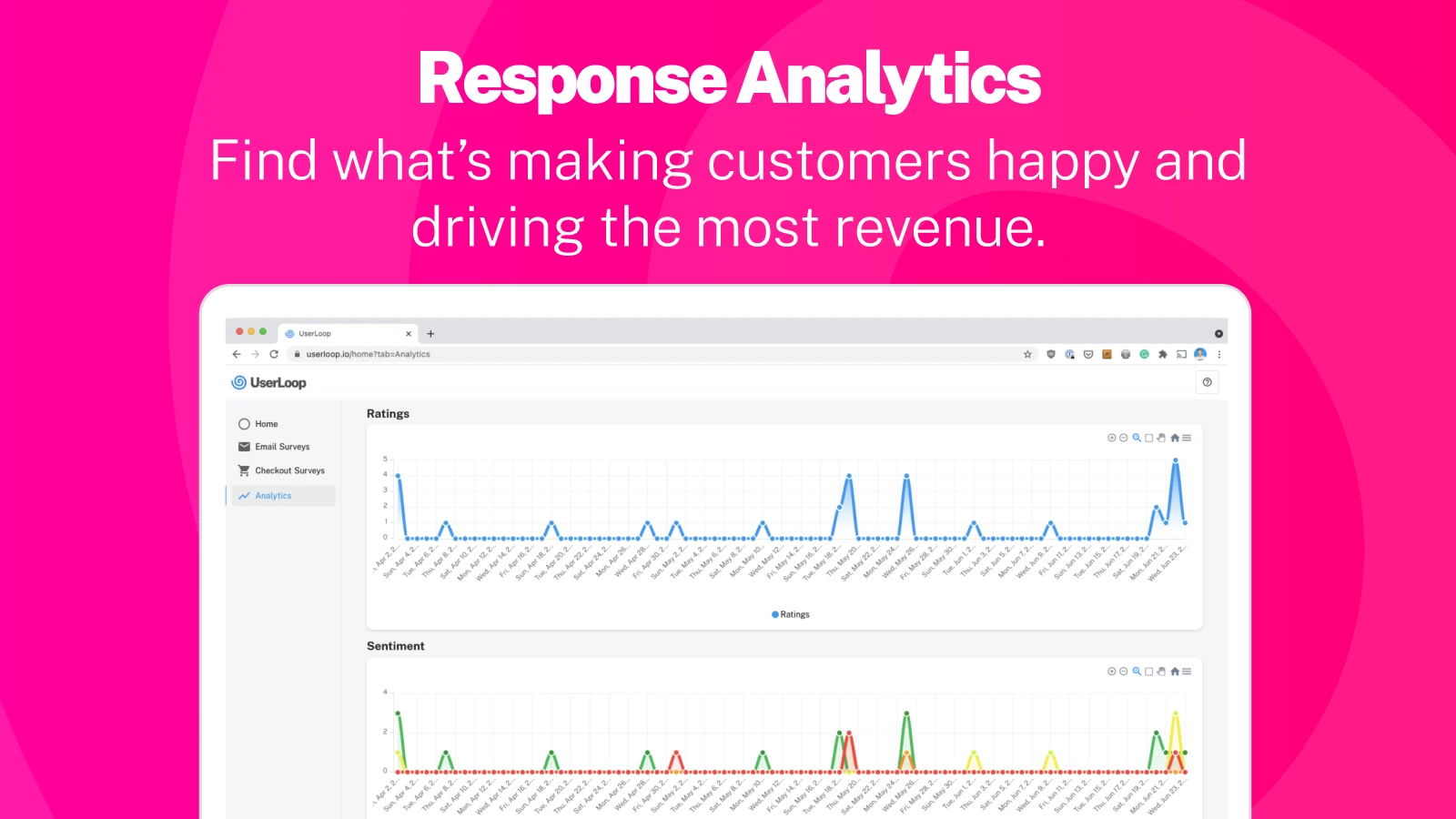
Get the UserLoop Shopify app here and start with 50 free responses per month!
2. Emails
The second most effective way to get specific customer feedback is via email campaigns. You can use the built-in Shopify Email or any email platform you like such as Mailchimp or MailerLite.
Simply create an effective email campaign and send it out to your email list of customers.
Want to learn how to create the perfect survey email for Shopify Customers and steal an email template you can use immediately? Just download our free guide to create the perfect survey email here:
3. Exit-intent popups
An exit-intent popup is the one that pops up when you move your mouse towards the top of the screen about to click the X.It’s perfect for asking the customer why they are leaving without purchasing. With a quick one-click survey they can let you know your prices were too high, or they found a better deal elsewhere or that they were just browsing in 2 seconds.
Exit-intent popups are a great way to understand your customer’s behaviour and optimise your site to improve conversions. But beware… improper use of popups can negatively affect UX and Google tends to dislike them.
Consider this when deciding if exit-intent popups are right for your Shopify store.
4. Live chat surveys
Do you offer live chat on your Shopify store? If not, you can skip this section as we don’t recommend getting live chat as a primary source for collecting customer feedback.
But if you do, then you can capitalise on this service by asking users to complete a satisfaction survey after they’ve finished chatting with your agents. It’s a great way to measure customer satisfaction.
What kind of survey to run?
When it comes to surveys, there are many different formats for you to chose from. Whether you're looking to understand how happy your customers are, or how likely they are to recommend you, there's a survey format for you.
Let's take a look at 3 of the most popular ecommerce survey formats.
NPS - Net Promoter Score. This survey format asks your customers a simple question. How likely they are they to recommend you to their friends. Customers respond with a 1-10 score. This is one of the leading ways brands measure how well they are performing. You can read more about it in our recent post about Shopify NPS here.
CSAT - Customer Satisfaction Score. This survey type asks your customers how satisfied they are with your service - it's a great way to discover ways to improve your offering. You can read more about Shopify Customer Satisfaction scores here.
HDYHAU - How did you hear about us. This survey format is designed to give you more information on your marketing attribution. The survey is usually placed at the end of your store's checkout process and asks users to tell you how they heard about you to make their order. This can give you invaluable information on which marketing channels are driving the most sales to your store.
Top tips for Shopify customer feedback success (you’ll love number 3)
Just having the surveys isn’t always enough to get the results you need. If you want to power up your survey response rates take note of our top tips for success…
Follow up - Make sure you follow up on the feedback you receive. For positive responses, this can just be a message thanking them for completing the survey. But for negative responses, you should follow up with the unhappy customer. UserLoop makes it super easy to turn unhappy clients into loyal promoters of your brand!
Reward customers - If you can reward customers with a discount or freebie for completing the survey you’ll see your response rates rocket!
Use a Survey app - Shopify apps like UserLoop make creating custom surveys quick and easy.
Follow up - Make sure you follow up on the feedback you receive. For positive responses, this can just be a message thanking them for completing the survey. But for negative responses, you should follow up with the unhappy customer. UserLoop makes it super easy to turn unhappy clients into loyal promoters of your brand!
Now that you’re equipped to go out and collect customer feedback for your Shopify store, take action!
Implement effective surveys in all relevant areas with UserLoop and start collecting data you can use to grow and better your Shopify Store. Your bank balance and your customers will thank you!
And don’t forget to download your free guide “How to write the perfect survey email for Shopify customers +template” to master the art of survey email writing and steal your free email template!
Are you looking for an easy way to boost your sales on your Shopify store?
Did you know that any action you take to improve your conversions starts with understanding your customer’s opinions?
And the only way to get that information is to ask for it. Simple surveys allow you to collect ultra-specific data you can use to make changes that will ultimately boost your conversions and sales.
But do you know the best way to collect the customer feedback you need? If not, this post is for you.
Today we’ll explore ways you can use feedback surveys to help boost your Shopify store sales. We’ll be covering:
Why customer feedback is so important
The 4 ways you can collect it easily
Which kind of survey to run
Our top tips for ultimate feedback success
Why is customer feedback essential for Shopify store growth?
The bottom line is that asking for feedback allows you to understand what your customers love, and hate. So you can fix what doesn’t work (especially when you identify trends in negative feedback) and enhance what you do well.
Customer feedback is the driving force you should use to steer your Shopify Store towards success. Without it, it’s like steering a ship without a map or a compass. You just wouldn’t do it.
So if you’re not collecting this type of data right now, check this out...
**The 4 best ways to collect valuable customer feedback you can use to boost sales
1. Shopify Survey Apps**
Get the UserLoop Shopify app here and start with 50 free responses per month!
2. Emails
The second most effective way to get specific customer feedback is via email campaigns. You can use the built-in Shopify Email or any email platform you like such as Mailchimp or MailerLite.
Simply create an effective email campaign and send it out to your email list of customers.
Want to learn how to create the perfect survey email for Shopify Customers and steal an email template you can use immediately? Just download our free guide to create the perfect survey email here:
3. Exit-intent popups
An exit-intent popup is the one that pops up when you move your mouse towards the top of the screen about to click the X.It’s perfect for asking the customer why they are leaving without purchasing. With a quick one-click survey they can let you know your prices were too high, or they found a better deal elsewhere or that they were just browsing in 2 seconds.
Exit-intent popups are a great way to understand your customer’s behaviour and optimise your site to improve conversions. But beware… improper use of popups can negatively affect UX and Google tends to dislike them.
Consider this when deciding if exit-intent popups are right for your Shopify store.
4. Live chat surveys
Do you offer live chat on your Shopify store? If not, you can skip this section as we don’t recommend getting live chat as a primary source for collecting customer feedback.
But if you do, then you can capitalise on this service by asking users to complete a satisfaction survey after they’ve finished chatting with your agents. It’s a great way to measure customer satisfaction.
What kind of survey to run?
When it comes to surveys, there are many different formats for you to chose from. Whether you're looking to understand how happy your customers are, or how likely they are to recommend you, there's a survey format for you.
Let's take a look at 3 of the most popular ecommerce survey formats.
NPS - Net Promoter Score. This survey format asks your customers a simple question. How likely they are they to recommend you to their friends. Customers respond with a 1-10 score. This is one of the leading ways brands measure how well they are performing. You can read more about it in our recent post about Shopify NPS here.
CSAT - Customer Satisfaction Score. This survey type asks your customers how satisfied they are with your service - it's a great way to discover ways to improve your offering. You can read more about Shopify Customer Satisfaction scores here.
HDYHAU - How did you hear about us. This survey format is designed to give you more information on your marketing attribution. The survey is usually placed at the end of your store's checkout process and asks users to tell you how they heard about you to make their order. This can give you invaluable information on which marketing channels are driving the most sales to your store.
Top tips for Shopify customer feedback success (you’ll love number 3)
Just having the surveys isn’t always enough to get the results you need. If you want to power up your survey response rates take note of our top tips for success…
Follow up - Make sure you follow up on the feedback you receive. For positive responses, this can just be a message thanking them for completing the survey. But for negative responses, you should follow up with the unhappy customer. UserLoop makes it super easy to turn unhappy clients into loyal promoters of your brand!
Reward customers - If you can reward customers with a discount or freebie for completing the survey you’ll see your response rates rocket!
Use a Survey app - Shopify apps like UserLoop make creating custom surveys quick and easy.
Follow up - Make sure you follow up on the feedback you receive. For positive responses, this can just be a message thanking them for completing the survey. But for negative responses, you should follow up with the unhappy customer. UserLoop makes it super easy to turn unhappy clients into loyal promoters of your brand!
Now that you’re equipped to go out and collect customer feedback for your Shopify store, take action!
Implement effective surveys in all relevant areas with UserLoop and start collecting data you can use to grow and better your Shopify Store. Your bank balance and your customers will thank you!
And don’t forget to download your free guide “How to write the perfect survey email for Shopify customers +template” to master the art of survey email writing and steal your free email template!


The agentic growth toolkit for Shopify
Ask your customers anything
UserLoop talks to your customers at scale with surveys and contests that feed one AI-queryable dataset. AI does the setup and the analysis.
- SurveysFind out why customers buy: checkout, email, link & QR.
- ContestsGiveaways that grow your list and social following.
Free plans on both apps · live in minutes