The Biggest UserLoop Update in Years: Popup Surveys, App Block Surveys, and MCP for Shopify Teams
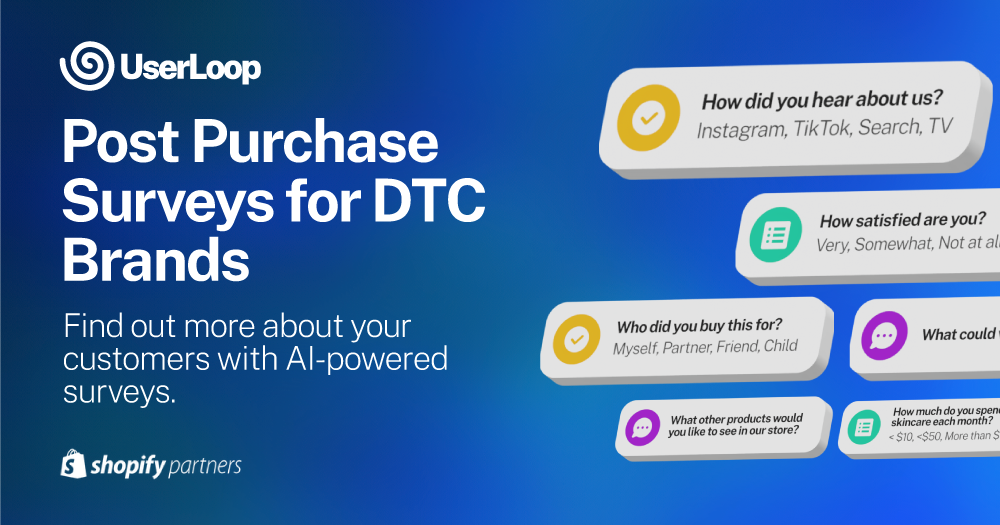
Today we are launching our biggest product update in years
The more customer signals you collect, the more useful UserLoop becomes.
That has always been true for our analytics and AI insights. Now it is even more true with the launch of our new MCP server for Claude and ChatGPT.
This release adds three major capabilities:
- Popup Surveys for Shopify storefronts
- App Block Surveys for Shopify themes
- UserLoop MCP server for team-wide access to survey data in AI tools
Together, these changes let you collect feedback across the full customer journey, including pre-purchase moments, and turn that data into action much faster.
Why this matters: you can now capture the moments that decide conversion
Post-purchase feedback is valuable. Pre-purchase feedback is where many conversion decisions happen.
Before this launch, many teams could only ask customers after the order was already complete. That misses a huge part of the story.
Now you can ask visitors while they browse:
- Why they are hesitating right now
- What is missing on the product page
- What almost convinced them to buy
- Which competitor they are comparing you against
- Which product detail they could not find
- What offer would make them convert today
- What they expected but did not see
- What job they are trying to get done
When this data flows into UserLoop, your AI analytics gets better. When it flows into MCP, your whole team can query it from natural language in Claude or ChatGPT.
What is new in this release
1) Popup Surveys on Shopify
Popup Surveys let you show a survey as a modal overlay on your storefront. You can trigger it with a timer, exit intent, or scroll depth.
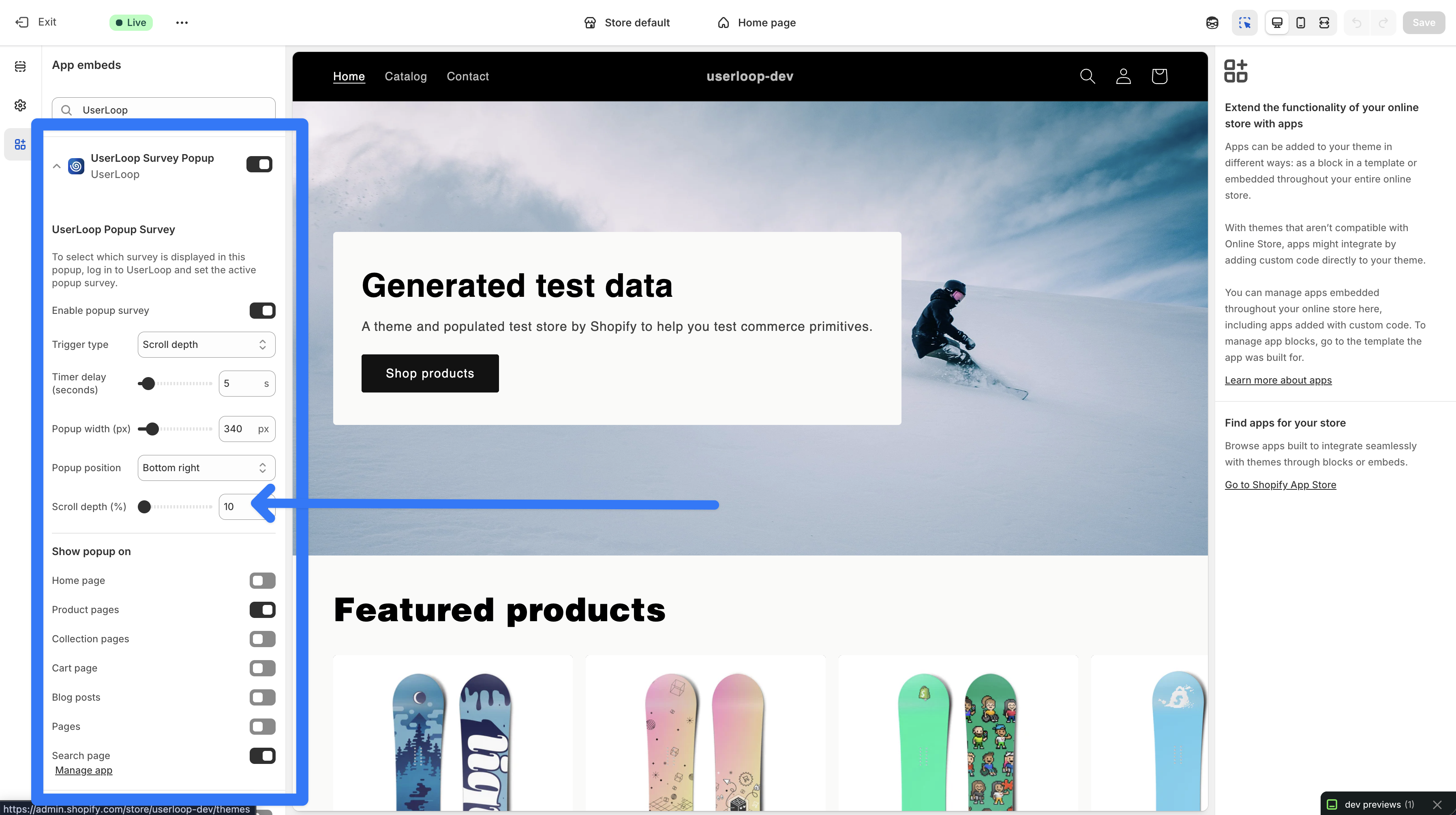
How popup surveys work
- User visits an enabled page
- Trigger condition is met
- Survey appears as an overlay
- Response is saved in UserLoop
- If the visitor dismisses or completes, it will not keep reappearing in that browser
Popup triggers
- Timer: Show after 1 to 60 seconds
- Exit intent: Show when desktop cursor moves toward leaving the page
- Scroll depth: Show after the visitor reaches a set percentage of page depth
Popup targeting and experience details
- Choose page types: home, product, collection, cart, blog, pages, search
- Choose position: center, top or bottom corners
- Choose width: 300 to 600px
- Mobile automatically uses a full-width bottom sheet layout
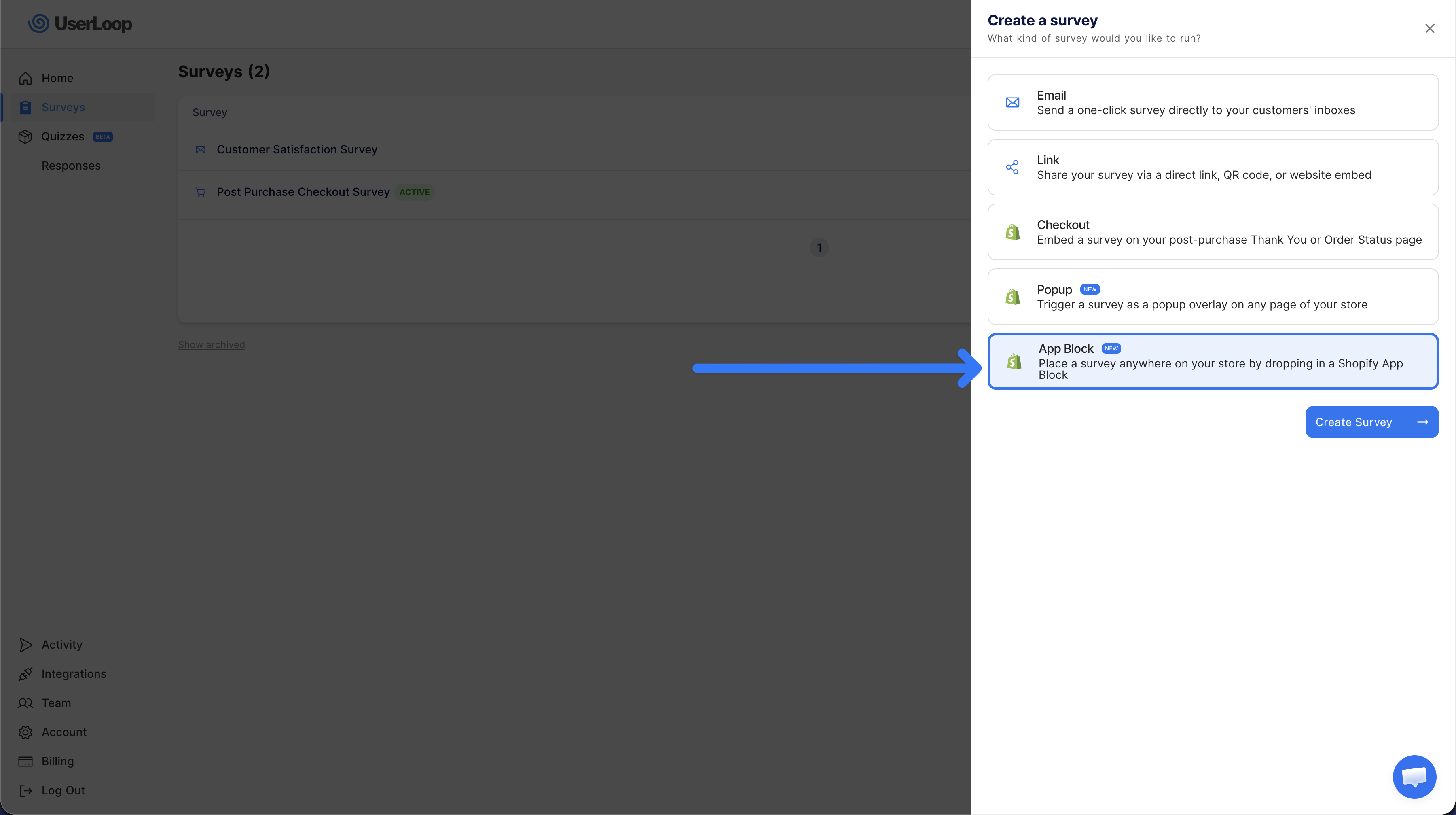
2) App Block Surveys on Shopify
App Block Surveys are inline surveys that live inside your actual page layout. They are not popups.
This is perfect when you want the survey to feel like part of the page content and appear every time that section is viewed.
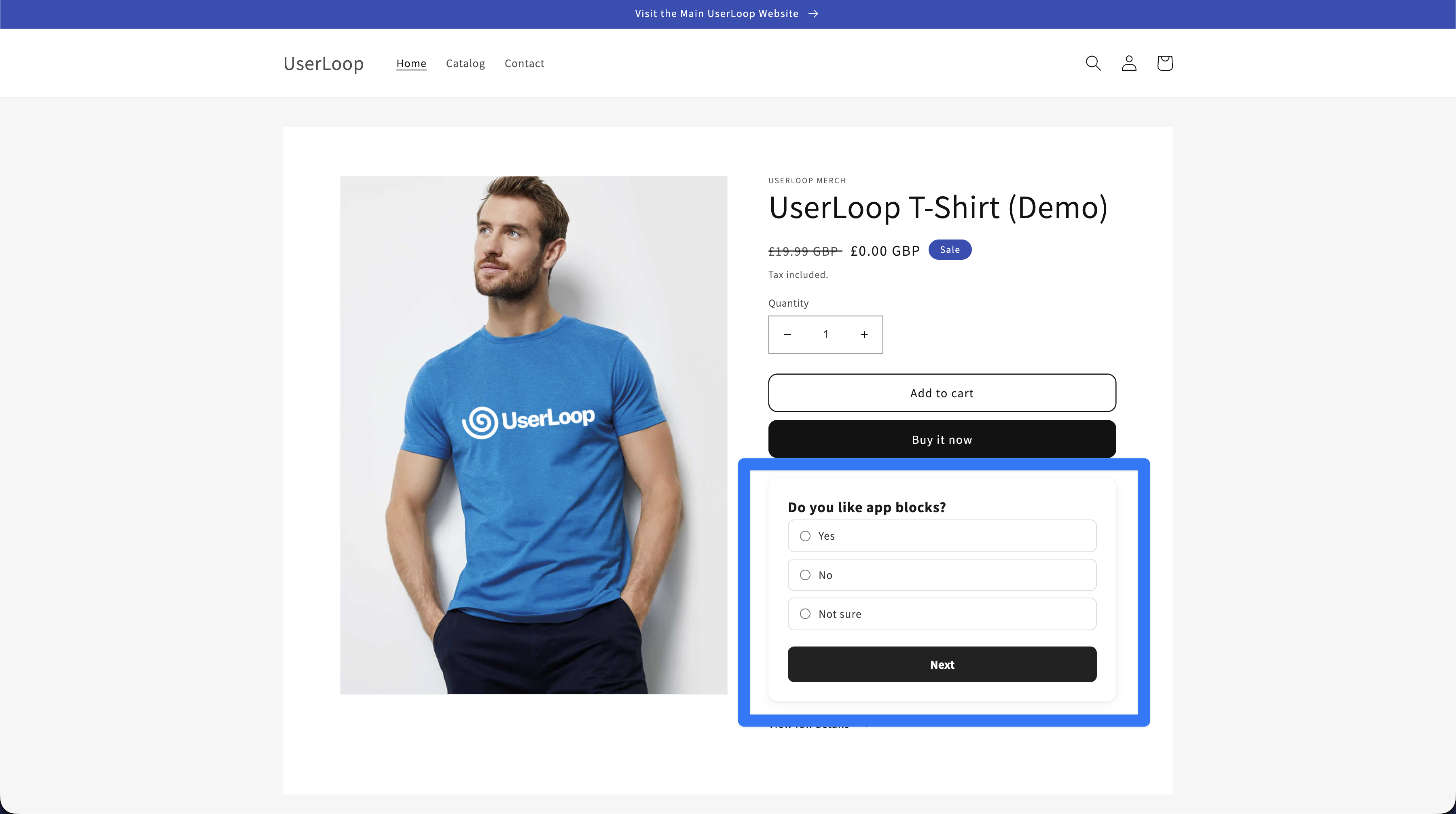
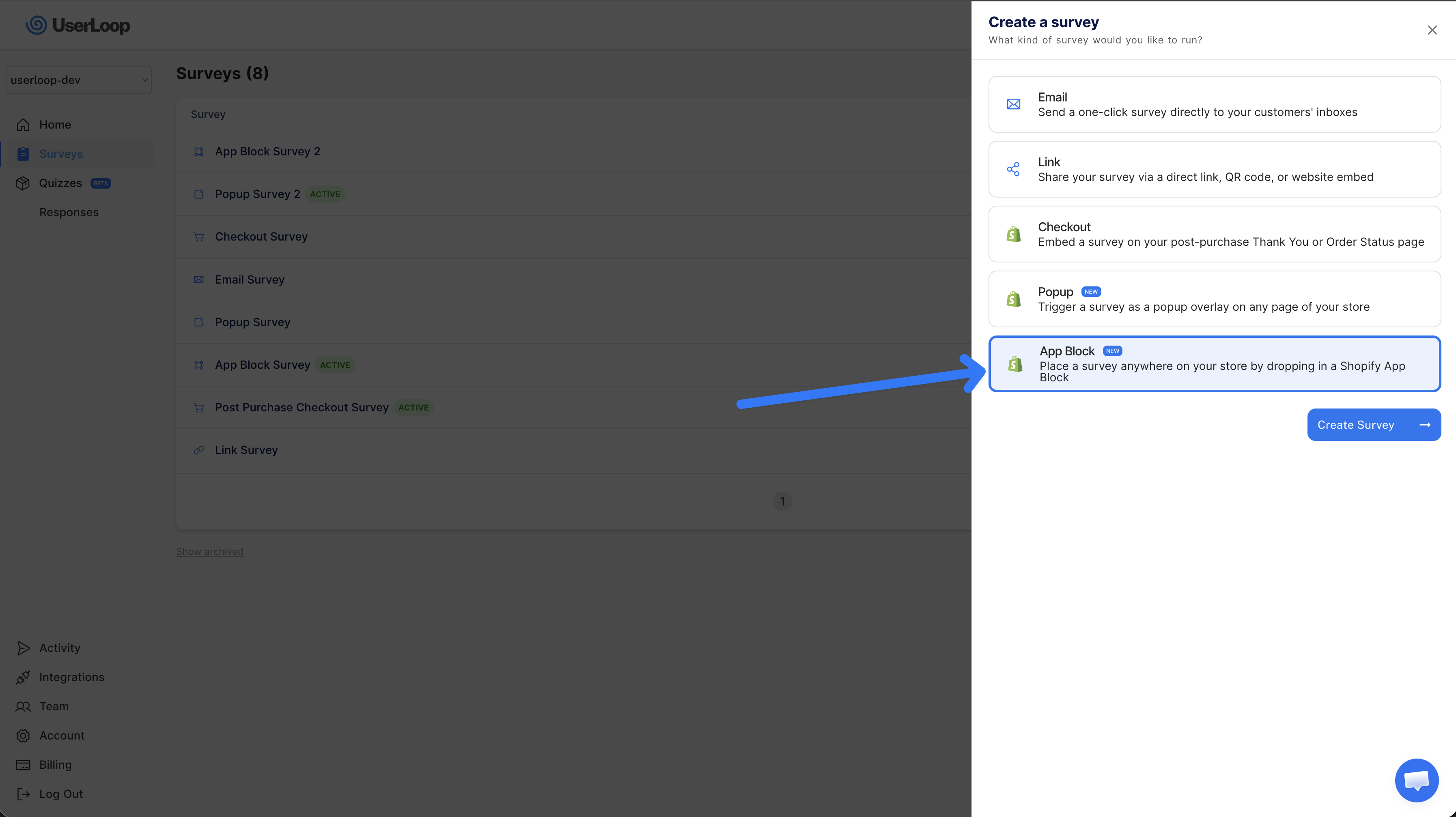
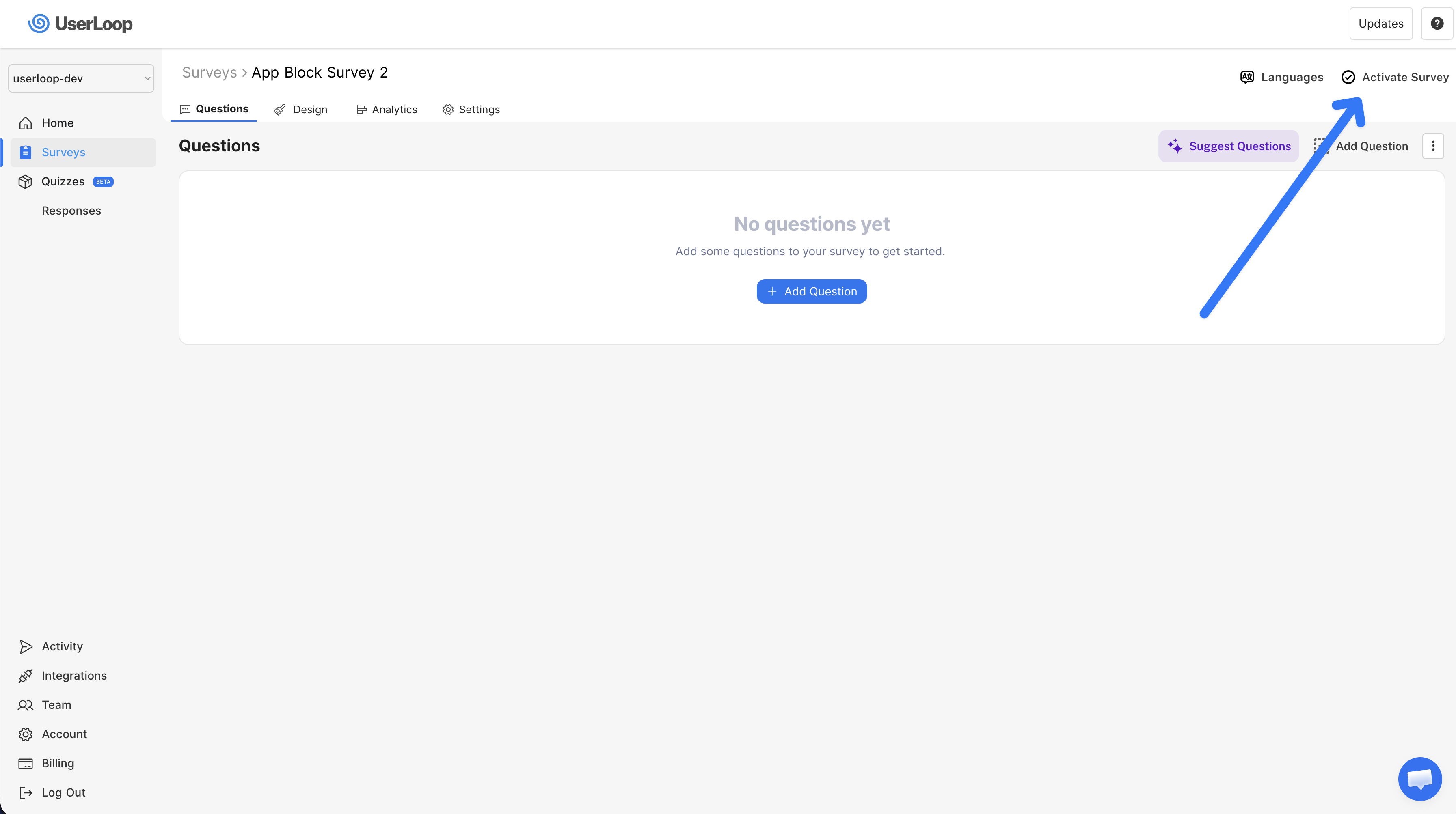
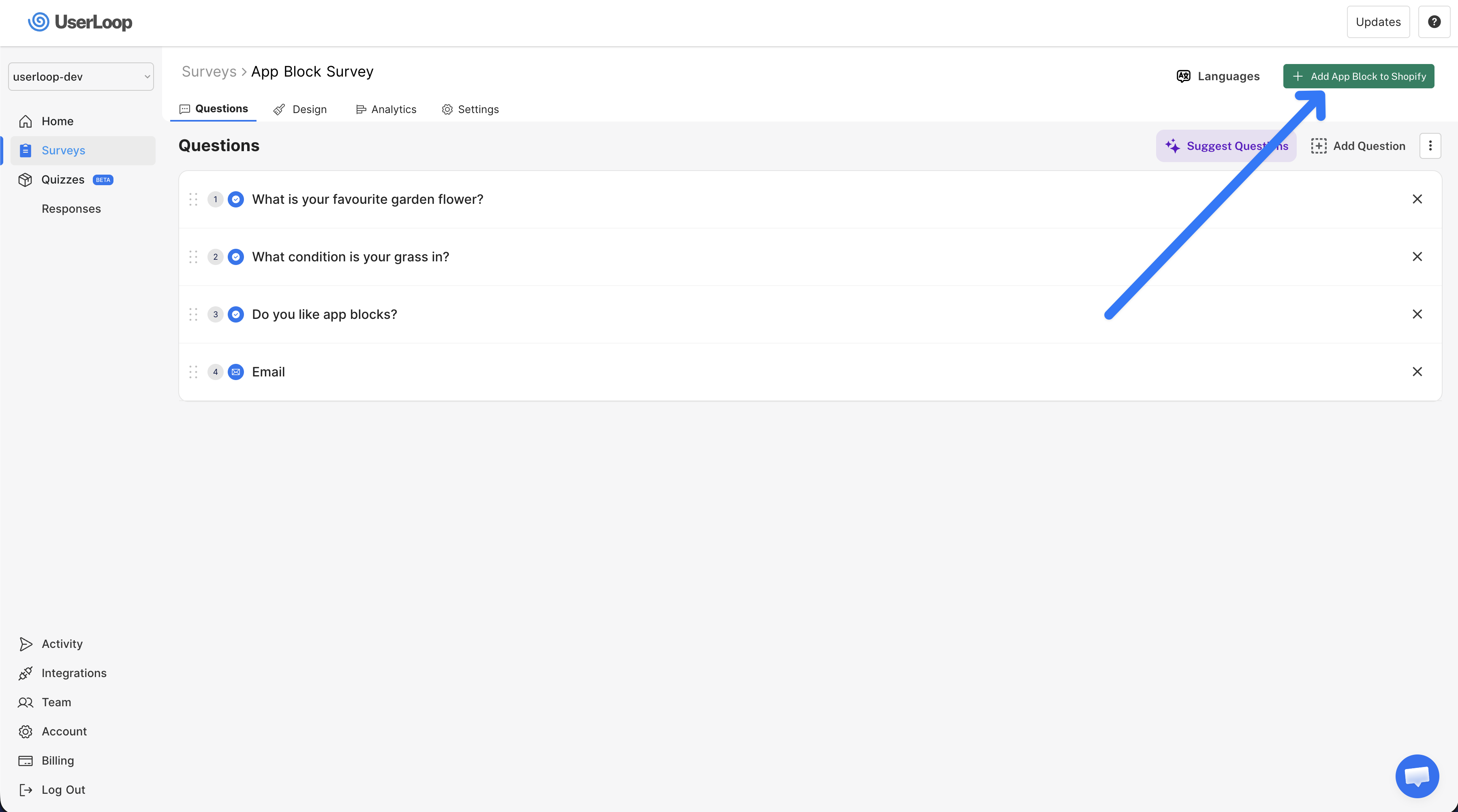
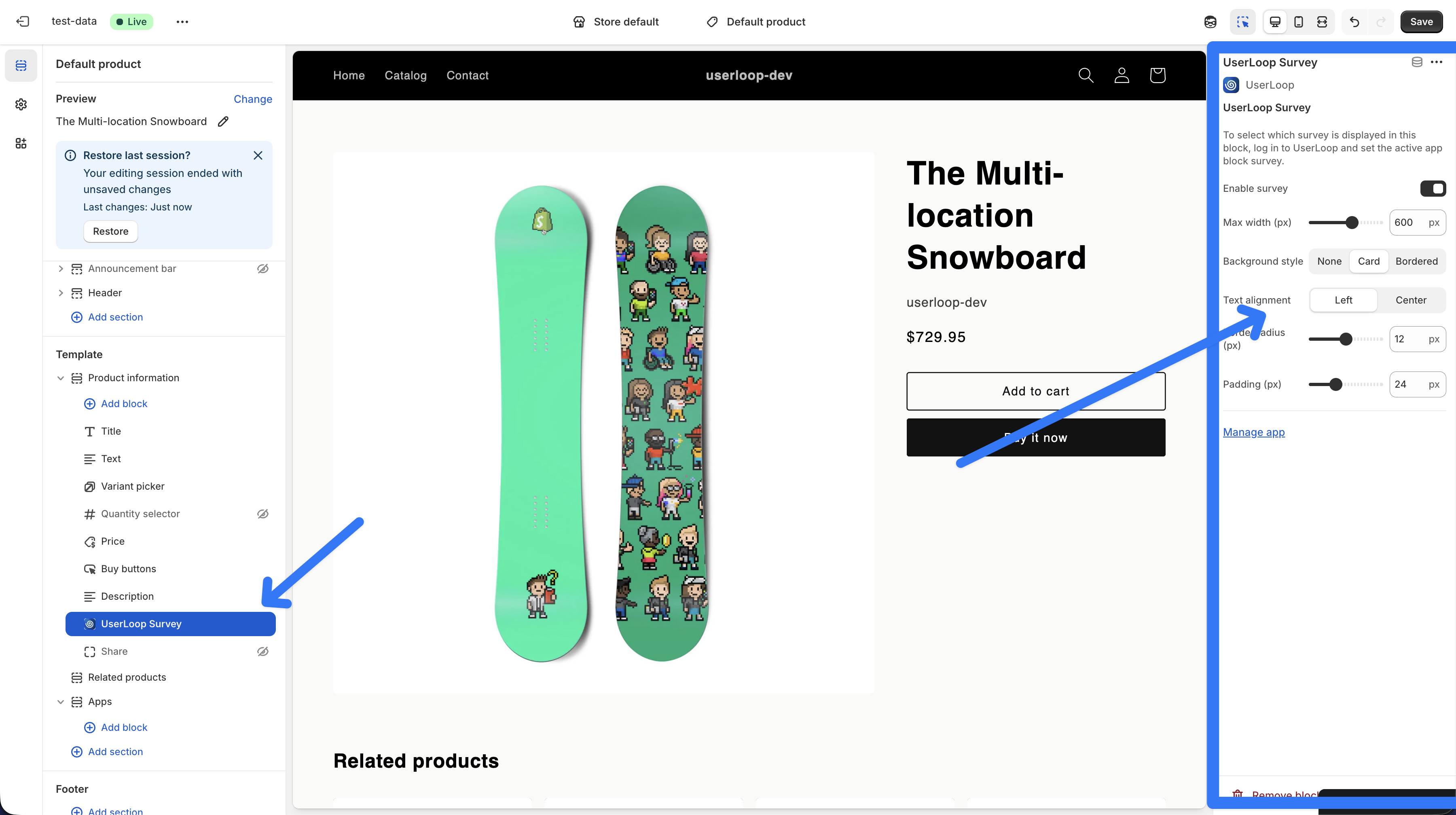
How app block surveys work
- You create and activate the survey in UserLoop
- Click Add App Block to Shopify
- Open theme editor
- Drag the UserLoop block exactly where you want it
- Style it and click save
That is it. No custom code required.
Why app blocks are so useful
- They can be placed exactly where context is strongest
- They feel native to your storefront
- They can run on multiple templates and sections
- They are ideal for ongoing, page-specific feedback
Styling controls in Shopify theme editor
- Max width
- Background style (none, card, bordered)
- Text alignment
- Border radius
- Padding
- Theme font inheritance
Performance and mobile
- App blocks use deferred loading
- They do not block page render
- They are fully responsive on mobile
3) UserLoop MCP server for Claude and ChatGPT
The UserLoop MCP server gives your AI assistants secure access to your survey data through Model Context Protocol.
This means your team can ask questions in natural language and get real answers from live survey data.
MCP tools available
- List Surveys
- Get Survey
- Analytics Counts
- Open Ended Responses
- Raw Responses
- Get Response
- Health Check
Quick setup in Claude Desktop
Add this in Claude Desktop config:
{
  "mcpServers": {
    "userloop": {
      "url": "https://mcp.userloop.io/mcp?api_key=YOUR_API_KEY"
    }
  }
}
Quick setup in ChatGPT
- Go to Settings -> Apps & Connectors -> Create
- Use URL:
https://mcp.userloop.io/mcp - Add header:
X-UserLoop-Key: YOUR_API_KEY
Privacy by default
Email addresses are redacted by default when returned to AI tools.
Example: james@example.com becomes ja**@ex*****.com
This helps protect customer privacy while still giving teams useful context.
How Popup + App Block + MCP work together
These three features are strongest when used as one loop:
- Collect more signals from more stages of the journey
- Analyze signals quickly with AI analytics
- Query data in Claude or ChatGPT with MCP
- Ship improvements in product pages, offers, and campaigns
- Repeat weekly
This creates a practical voice-of-customer system for your whole company, not just a dashboard that one person checks.
Pre-purchase use cases you can now run immediately
Product page conversion blockers
Ask on PDPs:
- "What is stopping you from buying today?"
- "What information is missing on this page?"
- "Which detail matters most before you buy?"
Then use MCP prompts to summarize top blockers by product category.
Exit feedback that saves lost sessions
Use popup exit intent:
- Ask why someone is leaving
- Offer a discount code for responses
- Separate pricing objections from trust objections
Then update your copy and offer structure from actual customer words.
Audience and messaging clarity
Run a homepage app block or popup:
- "What brought you here today?"
- "Which of these best describes what you need?"
Then map answers back to ad and landing page messaging.
Better merchandising decisions
Ask visitors:
- "Which product are you trying to find?"
- "What would make this collection easier to shop?"
Use response themes to improve navigation and collection structure.
Better lead capture without forcing it
Add an Email question as optional:
- Visitors can still complete anonymously
- If they provide email, responses are linked to a customer identity
- You can use new vs returning logic after email is captured
Built-in survey capabilities across Popup and App Block
Both surfaces support:
- Single select
- Multi select
- NPS / number scale
- Open-ended text
- Date
- Follow-up questions
- Progress bar
- Auto proceed
- Discount codes
- New vs returning customer targeting
This means you can run lightweight or advanced surveys on both surfaces without changing your workflow.
Existing analytics features become more powerful with this launch
Collecting pre-purchase responses makes your existing analytics much more useful, because you now have full-funnel signal quality.
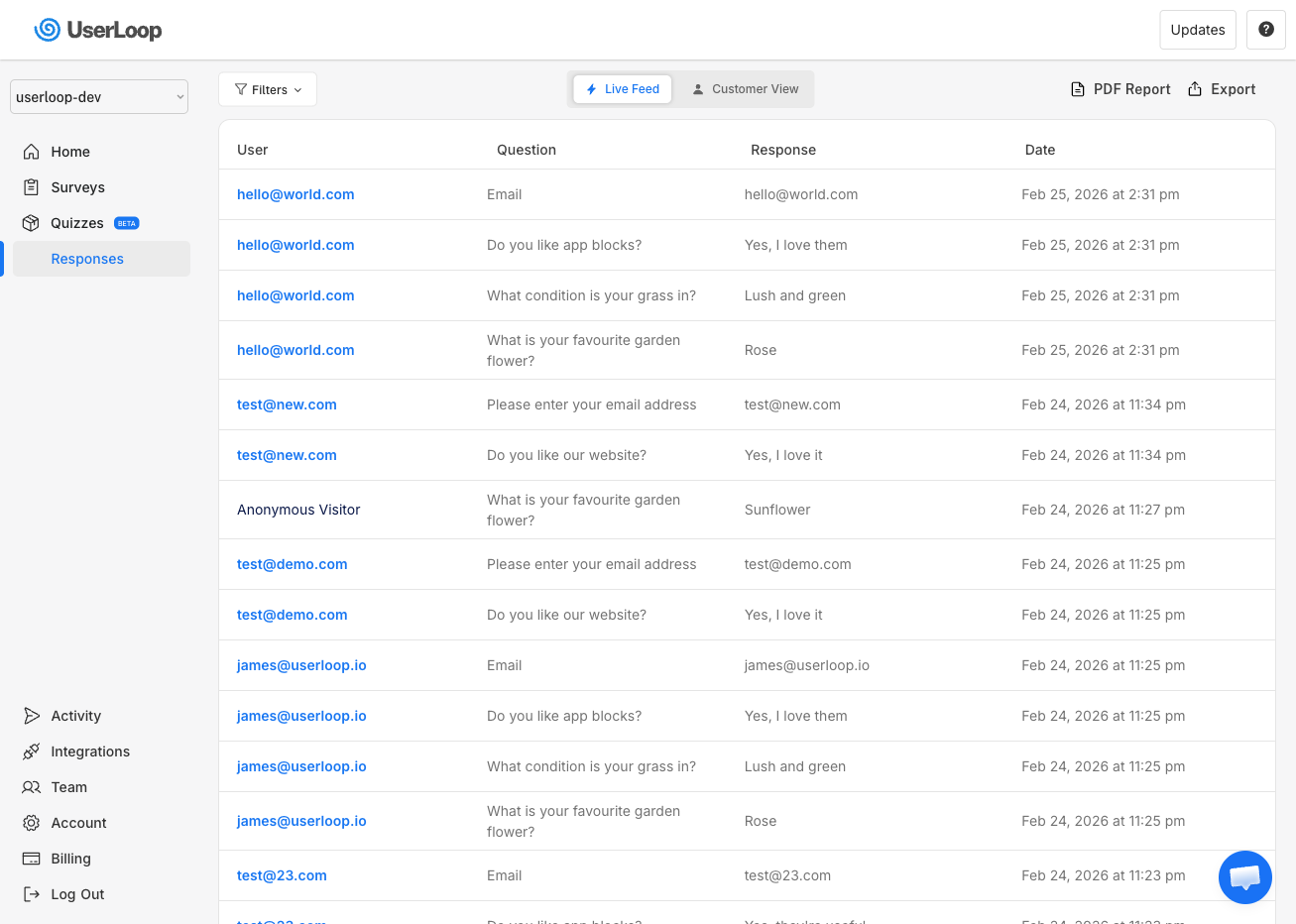
You can already:
- View live response streams
- Filter by survey and date
- Group by customer
- Export CSV
- Generate PDF reports with metrics and AI insights
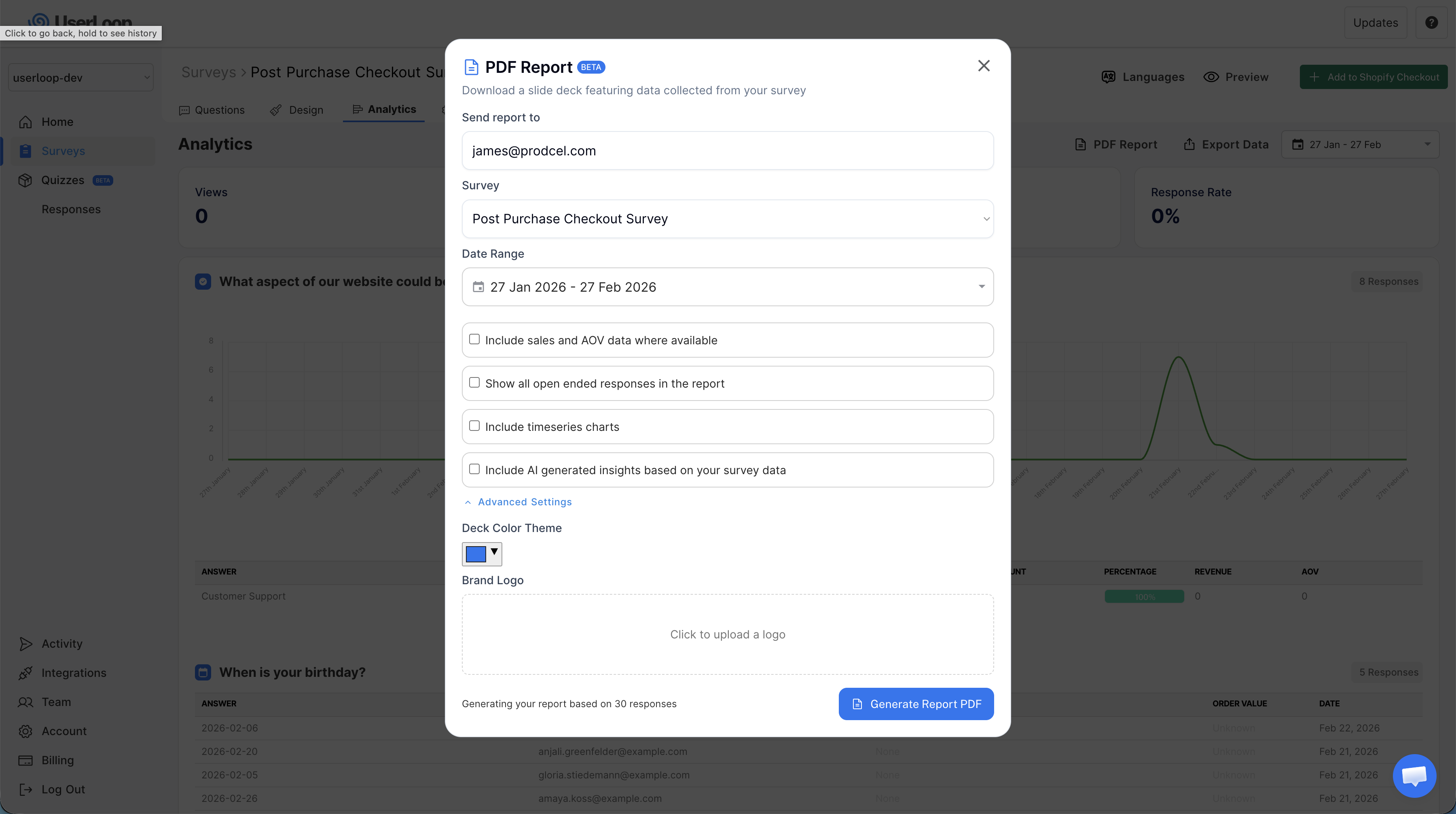
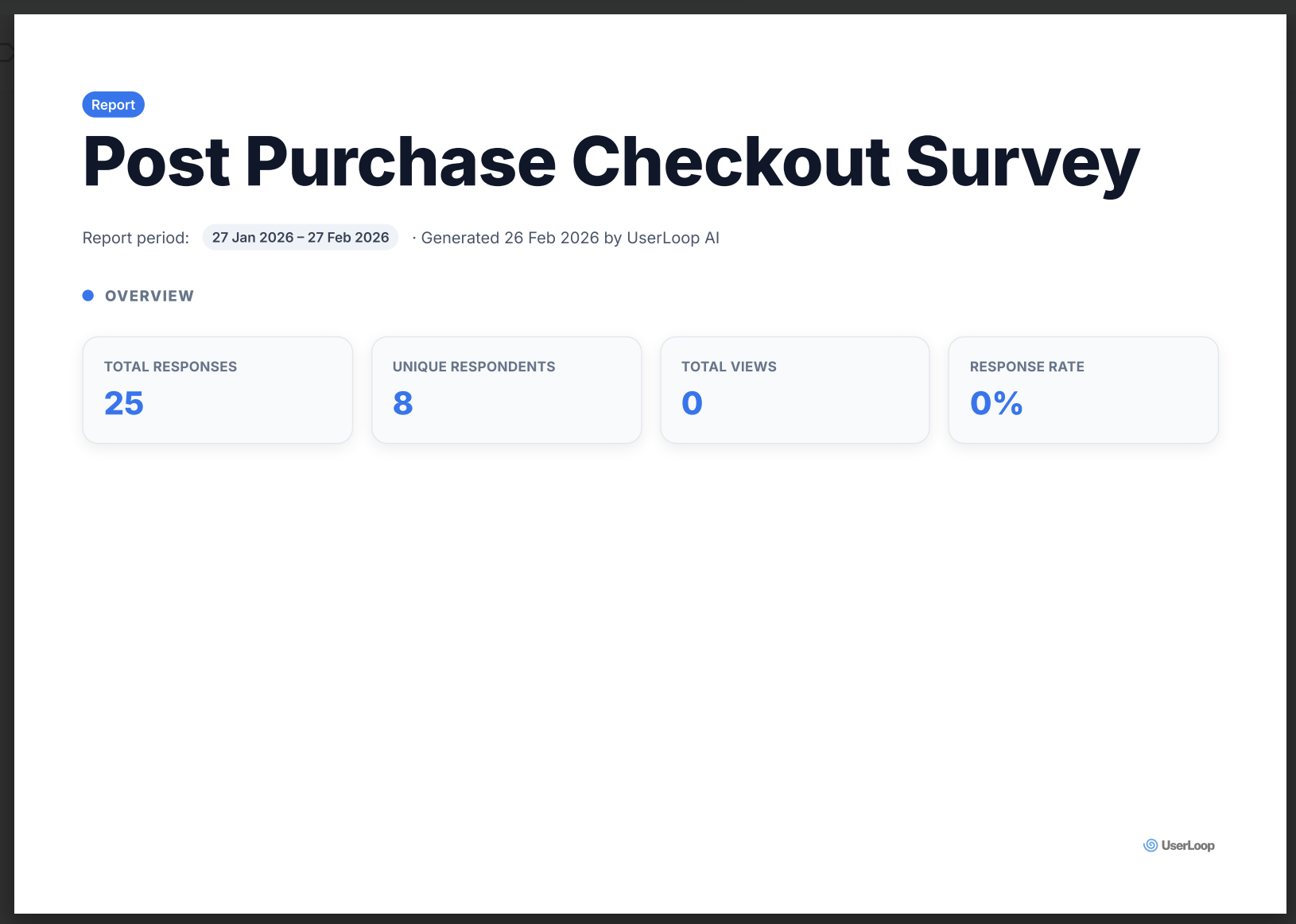
Now your reports and AI summaries can include pre-purchase intent and objection data, not just post-purchase feedback.
Popup vs App Block: when to use each
| Goal | Best surface |
|---|---|
| Capture visitors before they bounce | Popup (exit intent) |
| Ask broad site-wide questions | Popup |
| Get feedback in a specific page section | App Block |
| Collect ongoing product page insight | App Block |
| Minimize interruption | App Block |
| Drive immediate response from active browsing sessions | Popup |
You can run both at the same time.
Example:
- Use popup for "What is stopping you from buying?"
- Use app block on product pages for deeper preference questions
Setup is simple and fully integrated with Shopify
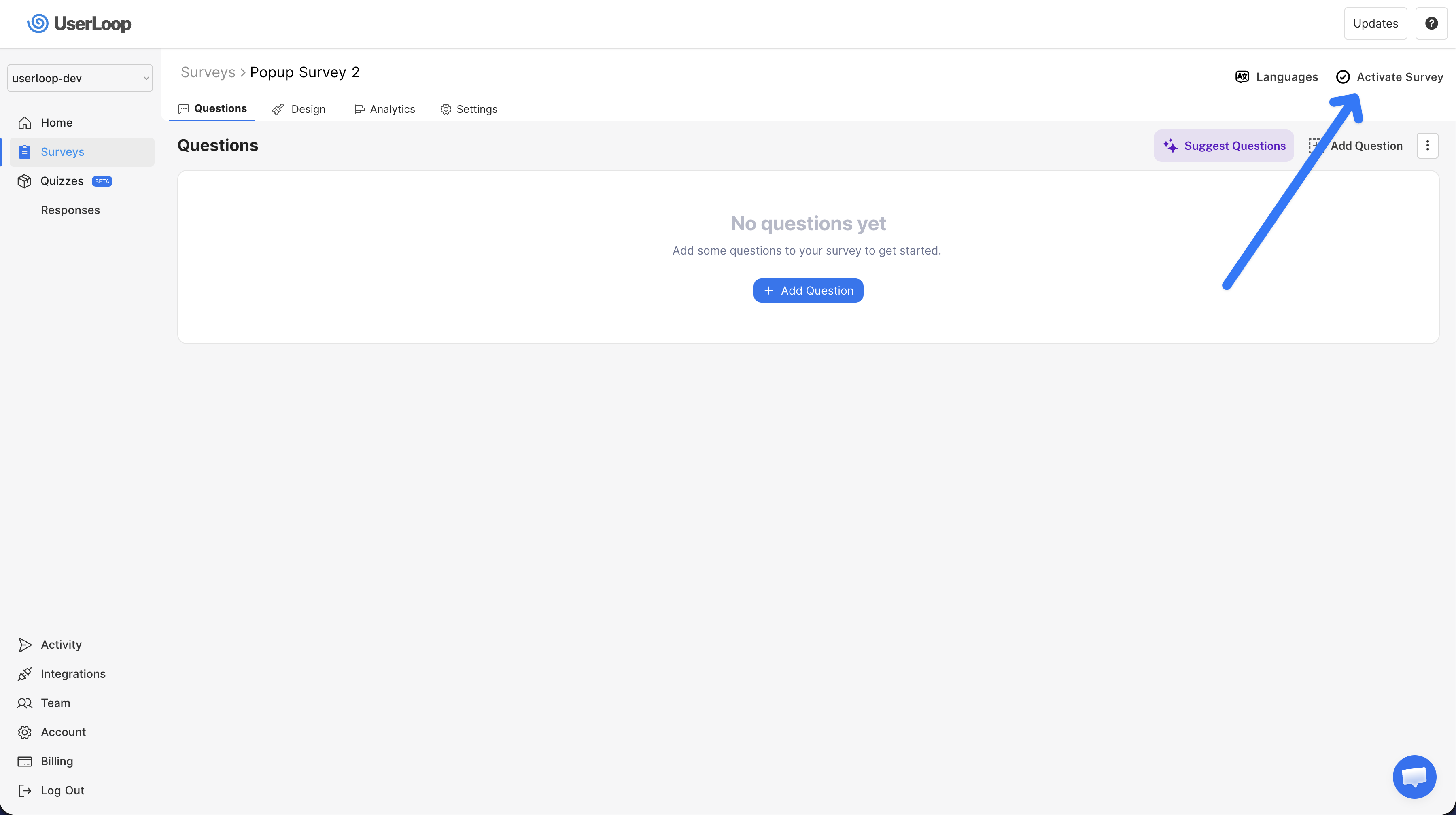
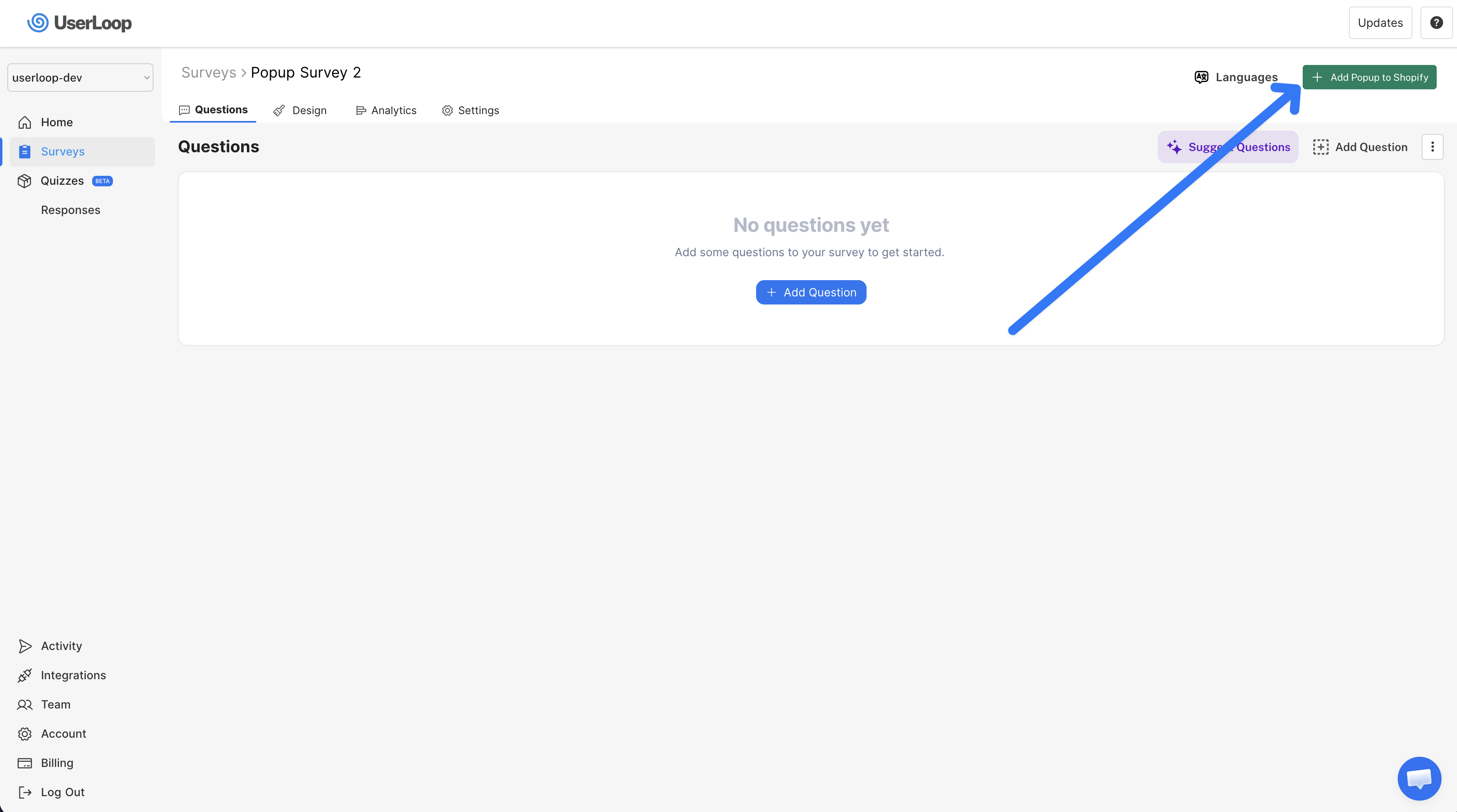
For both new survey surfaces, setup follows the same pattern:
- Create survey in UserLoop
- Activate survey
- Open Shopify theme editor from the green action button
- Configure placement, style, and behavior
- Save and publish
No custom Shopify theme development is required for launch.
Team workflows you can unlock with MCP on day one
Marketing
- "Show top reasons people did not buy this week"
- "Group objections by product collection"
- "Suggest copy angles based on open-ended responses"
Product and UX
- "Find repeated complaints about sizing or fit"
- "Summarize missing information on product pages"
- "List top requested features from pre-purchase visitors"
CX and retention
- "Show customers with negative pre-purchase sentiment"
- "Pull responses where shipping was the top concern"
- "Highlight high-value customers with critical feedback"
Leadership
- "Give me the top 5 blockers to conversion this month"
- "Compare objection themes month over month"
- "Show which issue is growing fastest"
Pricing
All of this is included in the $19/month plan:
- Popup Surveys
- App Block Surveys
- UserLoop MCP server access
- AI analytics features
One simple monthly price gives you the full workflow from collection to analysis to action.
Launch date
This release goes live on February 27, 2026.
Final takeaway
If you only collect feedback after checkout, you miss most of the buying decision.
This launch fixes that.
You can now collect high-quality pre-purchase and post-purchase feedback directly in Shopify, and put that data in front of your whole team through MCP and AI analytics.
If you are already using UserLoop, you can start today by creating one popup survey and one app block survey, then connecting MCP in Claude or ChatGPT.
The teams that move fastest on customer signal quality will make better decisions, faster.
That is exactly what this launch is built for.

The agentic growth toolkit for Shopify
Ask your customers anything
UserLoop talks to your customers at scale with surveys and contests that feed one AI-queryable dataset. AI does the setup and the analysis.
- SurveysFind out why customers buy: checkout, email, link & QR.
- ContestsGiveaways that grow your list and social following.
Free plans on both apps · live in minutes